Chapter 8 Advanced Copy Management
8.2 Functions in the Action Area for Advanced Copy
ETERNUS Web GUI User’s Guide
235
Copyright 2011 FUJITSU LIMITED P2X0-1090-02ENZ0
Apply Copy Path Information
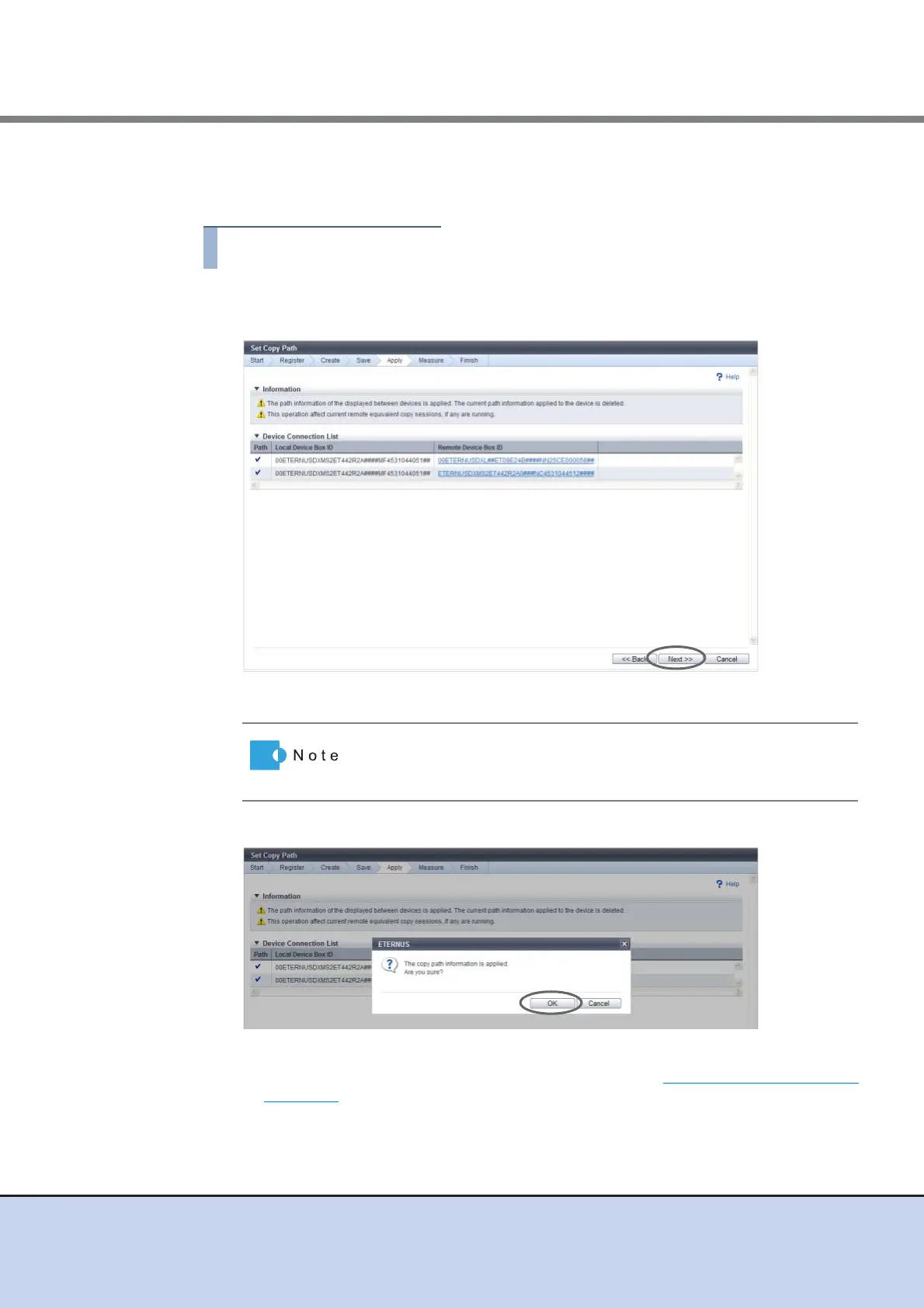
In this screen, apply the copy path information.
1 Confirm that the copy path is set between the devices in the [Device Connection
List] screen, and click the [Next] button.
→ A confirmation screen appears.
2 Click the [OK] button.
→ Application of the copy path information starts. After application completes, the
[Measure Round Trip Time] screen appears. Proceed to "Measure Round Trip Time"
(page 236).
Clicking the Box ID of the remote device displays the [Check Copy
Path Information Setting] dialog box where you can check the details
of copy path information.



 To Next Page