Chapter 9 Connectivity Management
9.2 Functions in the Action Area for Connectivity
ETERNUS Web GUI User’s Guide
291
Copyright 2011 FUJITSU LIMITED P2X0-1090-02ENZ0
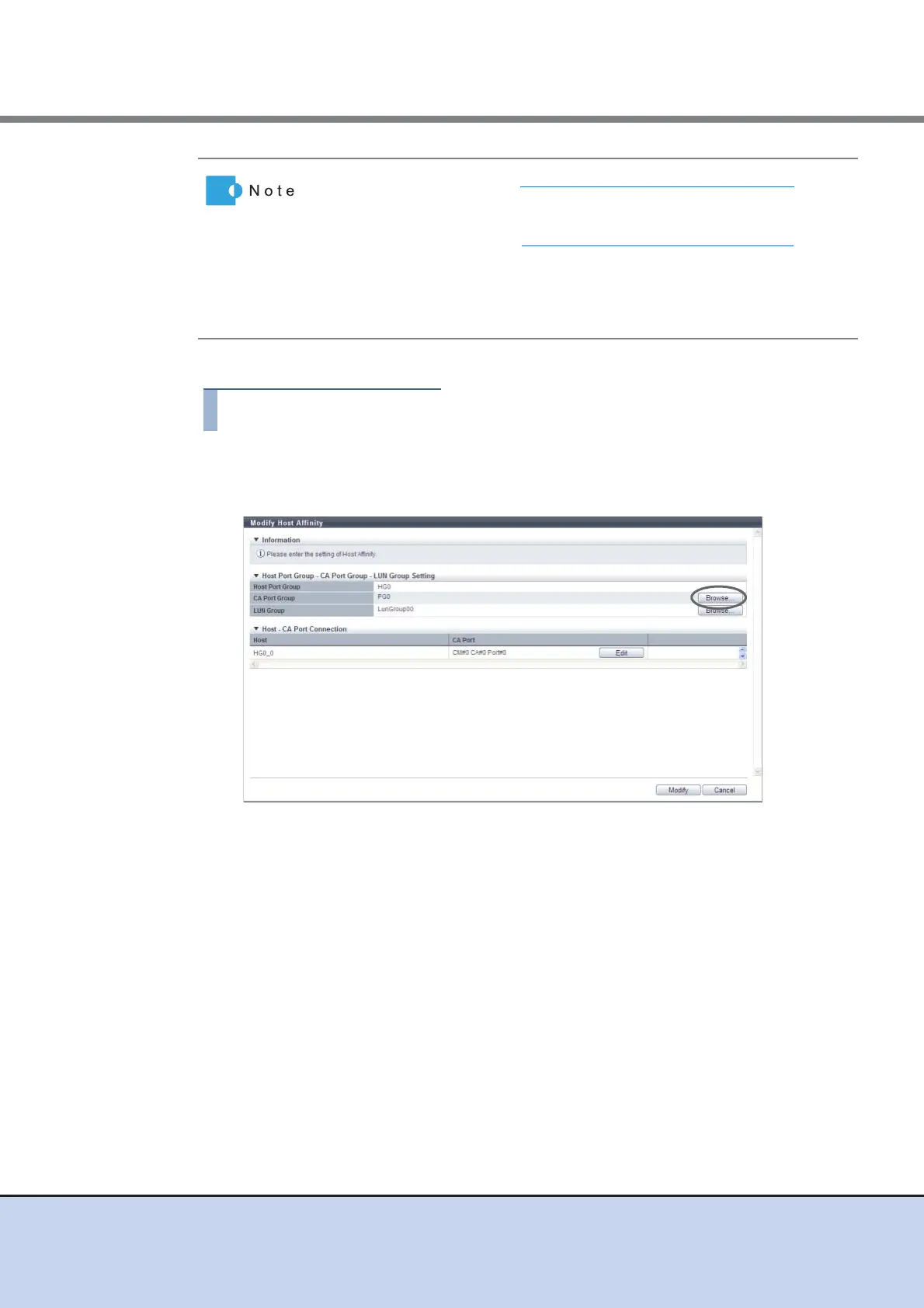
The procedure to modify a host affinity is as follows:
1 Select the host affinity to be modified, and click [Modify Host Affinity] in [Action].
2 Click the [Browse...] button for the CA port group.
→ The [Select CA Port Group] screen appears.
• When the procedure in "9.2.2.5 Modify Host Group" (page 312) is used
to add a host to a host group, the paths between the added host and all
of the ports that are in the associated port group are configured.
• When the procedure in "9.2.3.6 Modify Port Group" (page 350)
is used
to add a port to a port group, the paths between all of the hosts in the
host group and the added port are configured.
• Host groups with the host interface "FCoE" can configure host affinity
with port groups with CA types "FC" or "FCoE".



 To Next Page