Chapter 9 Connectivity Management
9.2 Functions in the Action Area for Connectivity
ETERNUS Web GUI User’s Guide
304
Copyright 2011 FUJITSU LIMITED P2X0-1090-02ENZ0
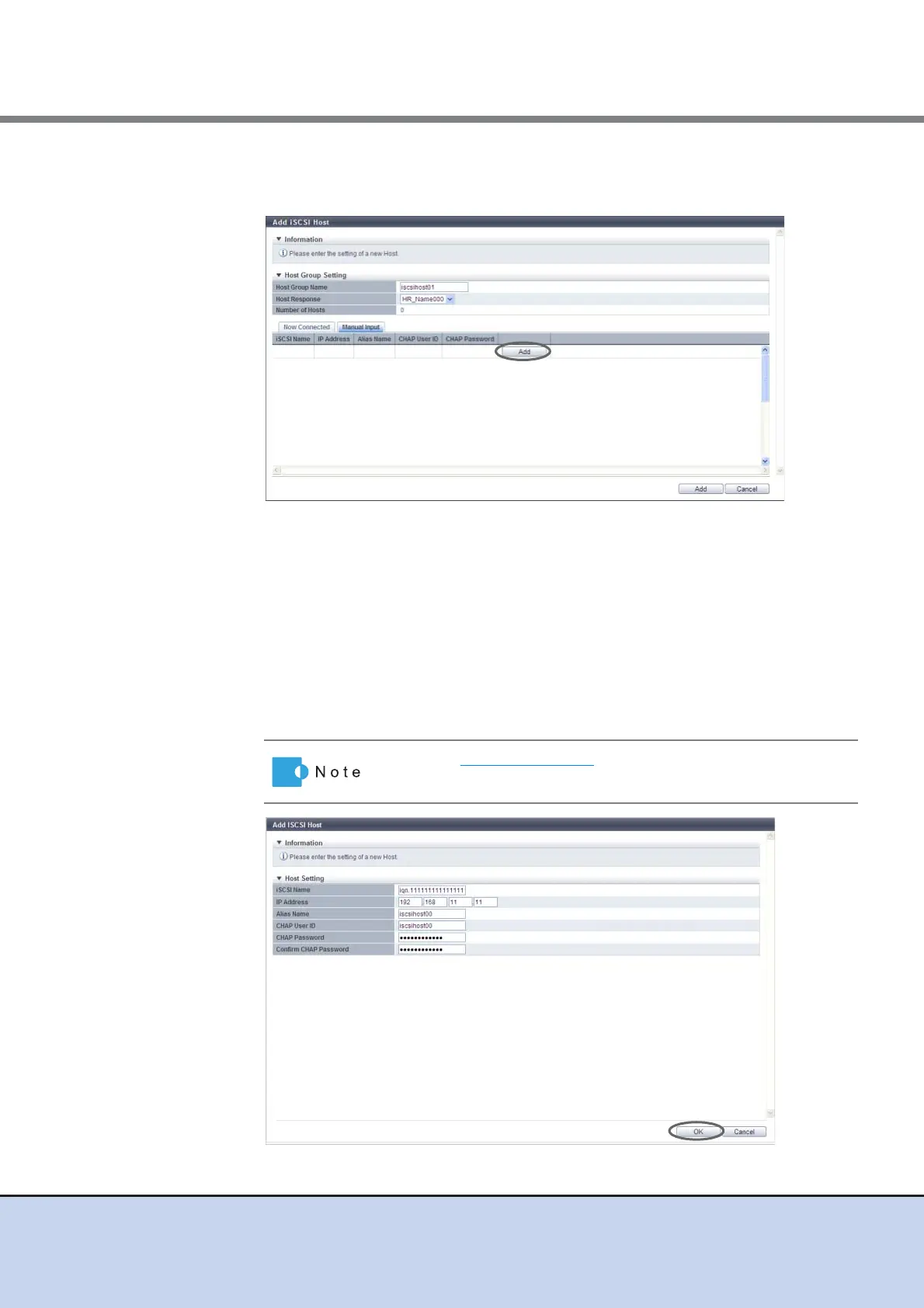
■ Register a host by clicking the [Manual Input] tab
(1)Click the [Add] button.
→ The [Add New iSCSI Host] screen appears.
(2)Specify the iSCSI host information of the host to be registered, and click the [OK]
button.
- iSCSI Name
Specify the iSCSI name of the iSCSI host (required).
The following input conditions apply:
• Alphabetic characters (lower case) and numeric characters
• Symbols "-"(hyphen), "." (period) and ":"(colon)
• The name starts with "jpn." or "eui."
• Up to 223 characters
→ Return to the [Manual Input] screen.
Refer to Step (1) (page 302) for other settings.



 To Next Page