Chapter 9 Connectivity Management
9.2 Functions in the Action Area for Connectivity
ETERNUS Web GUI User’s Guide
309
Copyright 2011 FUJITSU LIMITED P2X0-1090-02ENZ0
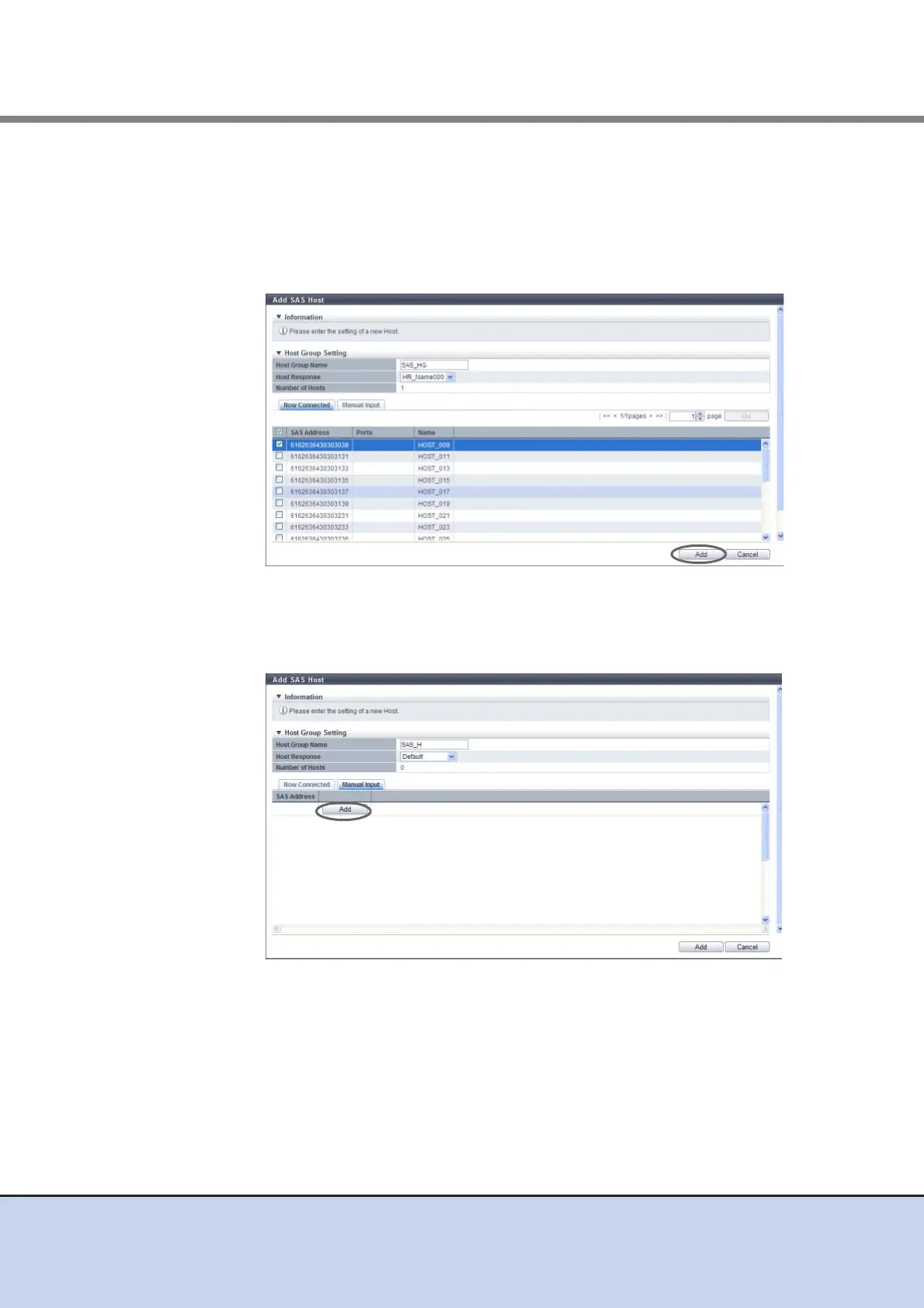
3 Register a host in a host group in the following procedures.
■ Register a host by clicking the [Now Connected] tab
(1)Select a host to be registered from the SAS host list, and click the [Add] button.
- Checkbox to select a SAS host
Select the SAS host checkbox to be registered in a host group.
→ A confirmation screen appears.
■ Register a host by clicking the [Manual Input] tab
(1)Click the [Add] button.
→ The [Add SAS Host] screen appears.



 To Next Page