Chapter 9 Connectivity Management
9.2 Functions in the Action Area for Connectivity
ETERNUS Web GUI User’s Guide
310
Copyright 2011 FUJITSU LIMITED P2X0-1090-02ENZ0
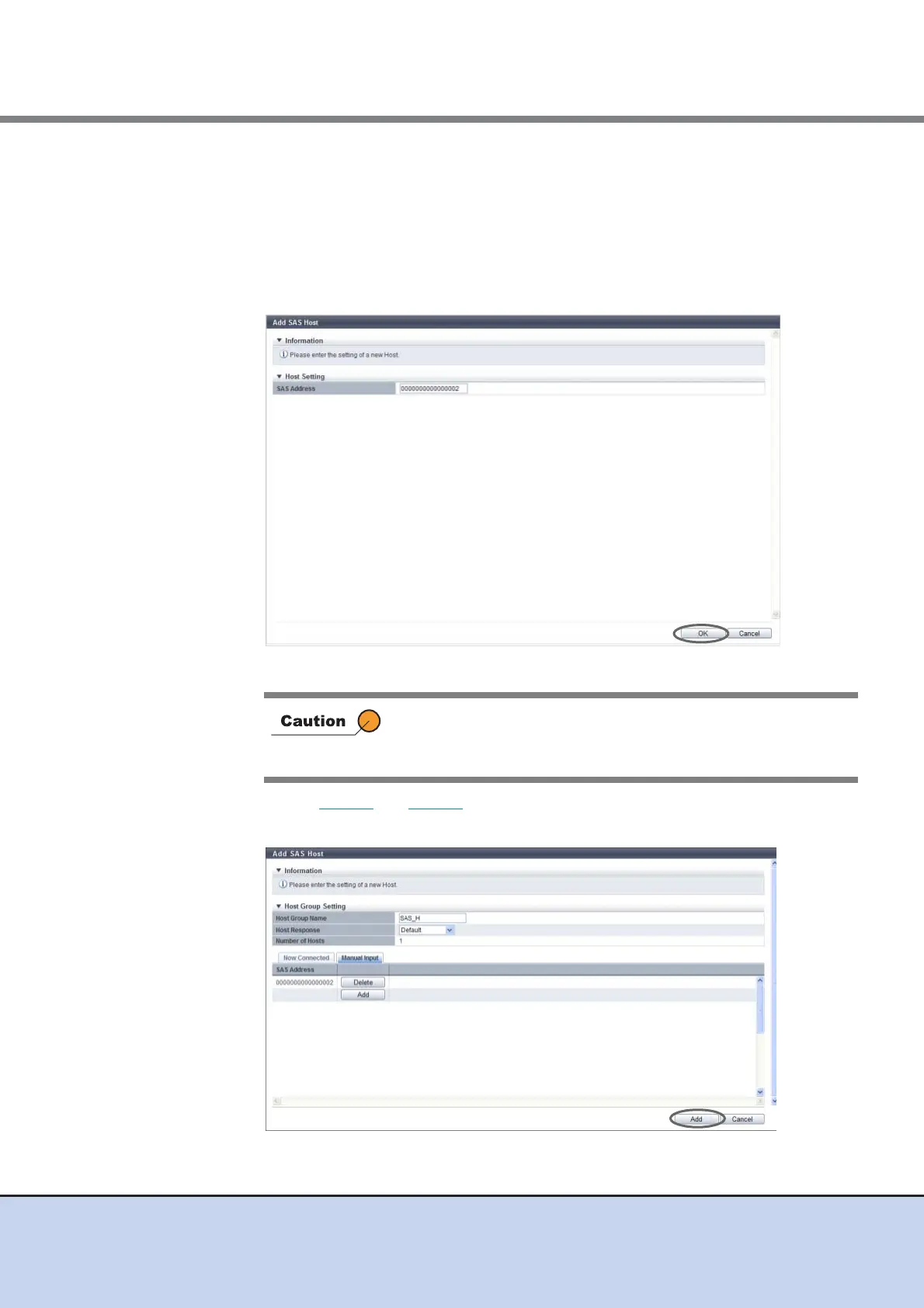
(2)Manually specify the SAS address of the host to be registered, and click the [OK]
button.
- SAS Address
Specify the SAS address of the SAS host.
The following input conditions apply:
• Numeric characters
• 16 characters
→ Return to the [Manual Input] screen.
(3)Repeat Step (1) and Step (2) to set more SAS addresses.
(4)After adding the SAS host is complete, click the [Add] button.
→ A confirmation screen appears.
An error screen appears in the following conditions:
• When the "SAS Address" does not satisfy the input conditions
• When the "SAS Address" field has not been specified



 To Next Page