Chapter 9 Connectivity Management
9.2 Functions in the Action Area for Connectivity
ETERNUS Web GUI User’s Guide
348
Copyright 2011 FUJITSU LIMITED P2X0-1090-02ENZ0
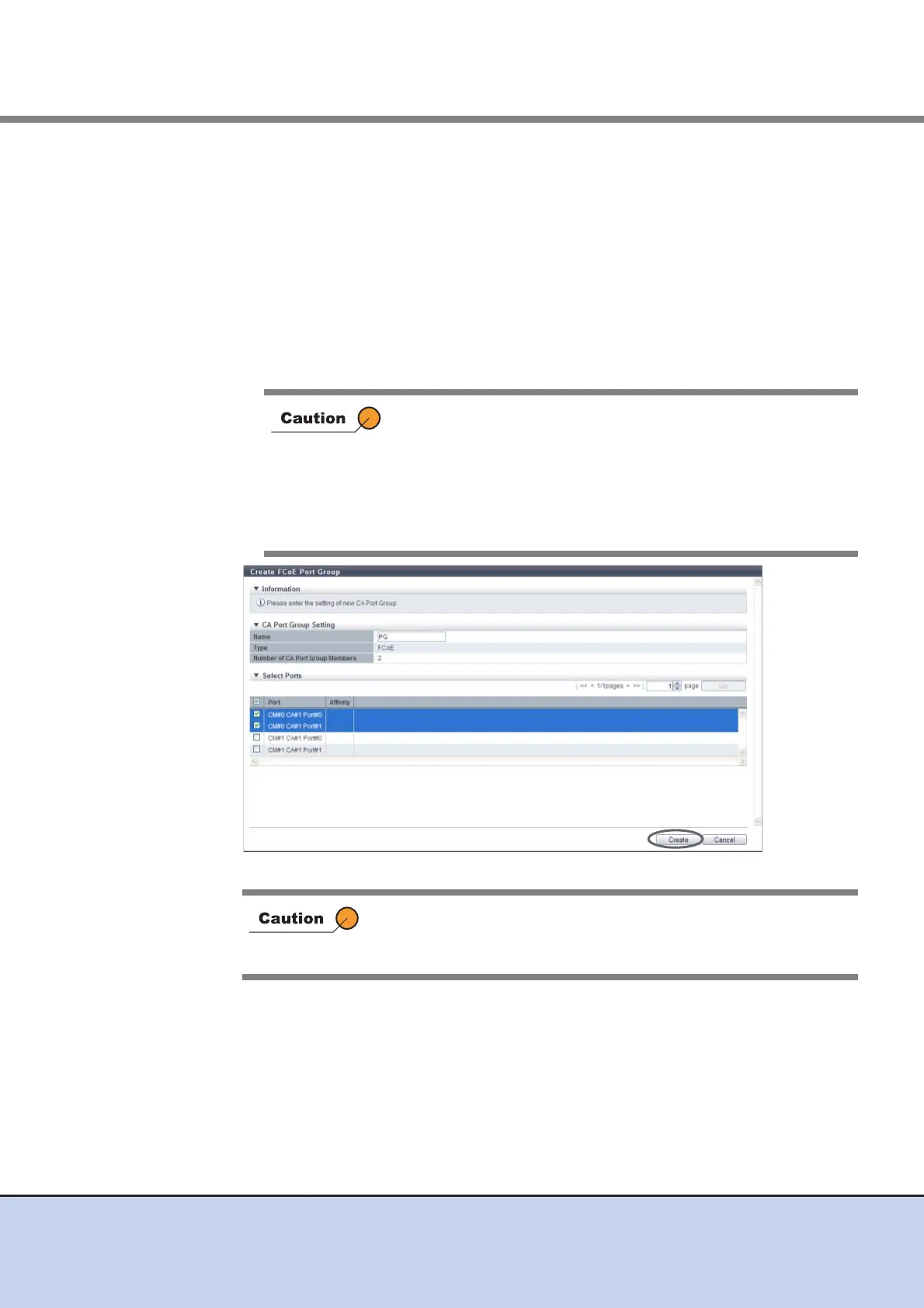
2 Specify the name of the port group to be created, select all the ports to be
registered in the port group, and click the [Create] button.
• Name
Specify the port group name.
An existing port group name cannot be specified.
The following input conditions apply:
- 1 - 16 alphanumeric characters and symbols (except ", (comma)" and "?")
- Space
• Checkbox to select a port
Select the checkbox of the FCoE port to be registered in an FCoE port group.
→ A confirmation screen appears.
• When a port that has the affinity mode enabled (On) is
selected, ports that have the affinity mode disabled (Off)
cannot be selected.
• When a port that has the affinity mode disabled (Off) is
selected, ports that have the affinity mode enabled (On)
cannot be selected.
• Up to eight ports can be selected.
An error screen appears in the following conditions:
• When the port group name does not satisfy the input conditions
• When the port group name has not been entered



 To Next Page