Chapter 9 Connectivity Management
9.2 Functions in the Action Area for Connectivity
ETERNUS Web GUI User’s Guide
355
Copyright 2011 FUJITSU LIMITED P2X0-1090-02ENZ0
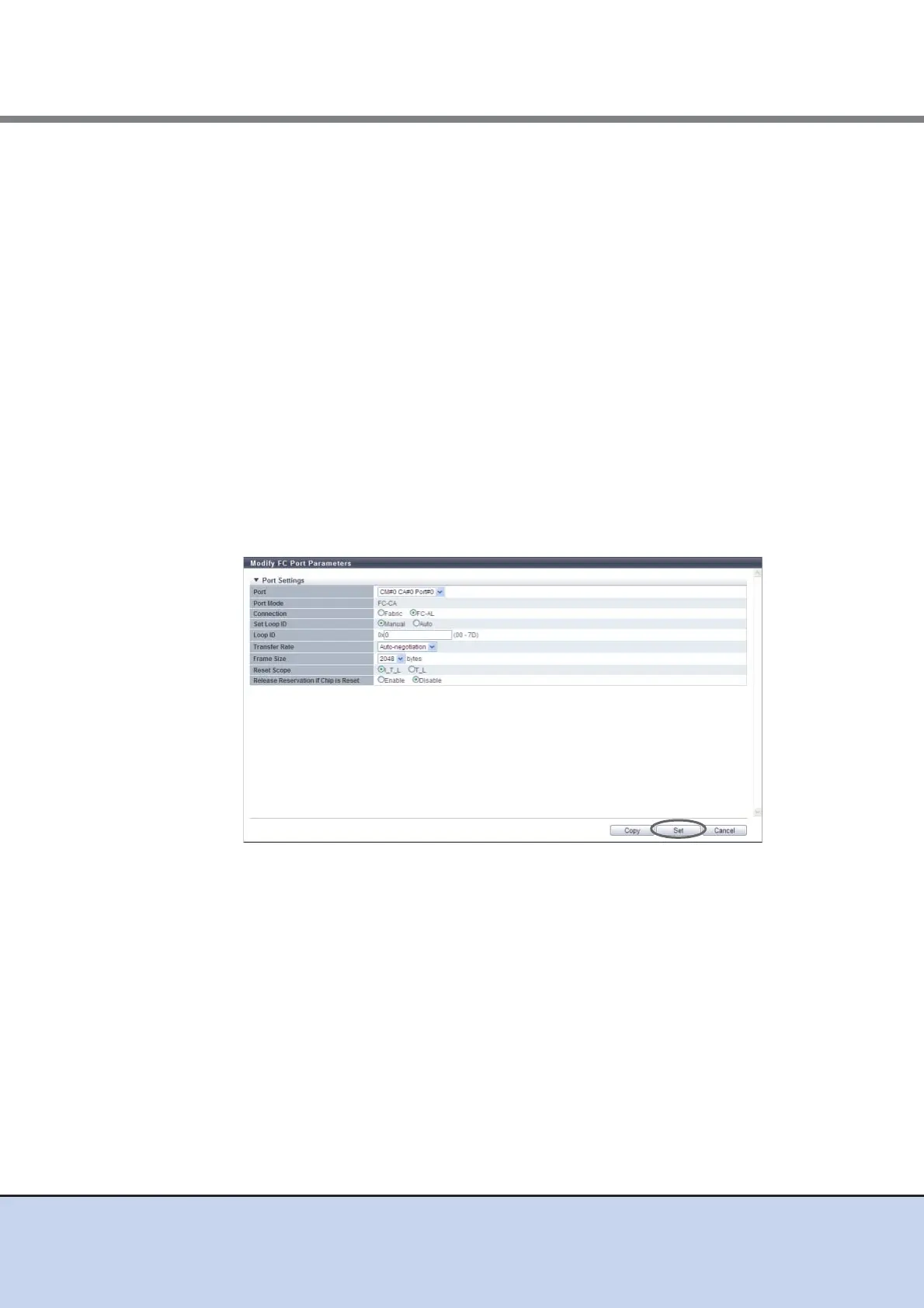
• Frame Size (bytes)
Select the frame size of the target port.
"Frame Size" specifies the length of the communication information.
- 2048
- 1024
- 512
• Reset Scope
Specify the reset scope of the target port.
Reset scope is the range where the command reset request from the server is
performed, when the target port is connected to multiple servers.
- I_T_L (I: Initiator, T: Target, L: LUN)
Reset (cancel) the command request from the server that sent the command reset
request.
- T_L (T: Target, L: LUN)
Reset (cancels) the command request from all of the servers that are connected to
the port.
• Release Reservation if Chip is Reset
Select whether to "Enable" or "Disable" the function to release the reserved status of
the volume when the target port (chip) is reset.
■ When the port mode is "RA"
• Port
Select the target port or select the copy source port.
The location options for the selected port are displayed:
- CM#x CA#y Port#z (x: CM number, y: CA number, z: Port number)
• Connection
Select the connection method for the target port from the "Fabric" or "FC-AL".
When "FC-AL" is selected, it is necessary to assign a Loop ID to the port.
- Fabric
A connection type that enables simultaneous communication among multiple nodes
through a fibre channel switch.
- FC-AL
Multiple nodes are connected in a loop topology.



 To Next Page