Chapter 9 Connectivity Management
9.2 Functions in the Action Area for Connectivity
ETERNUS Web GUI User’s Guide
362
Copyright 2011 FUJITSU LIMITED P2X0-1090-02ENZ0
■ When the port mode is "RA"
When the type is "1G-iSCSI" or "10G-iSCSI" and the port mode is "RA", specify the
following items:
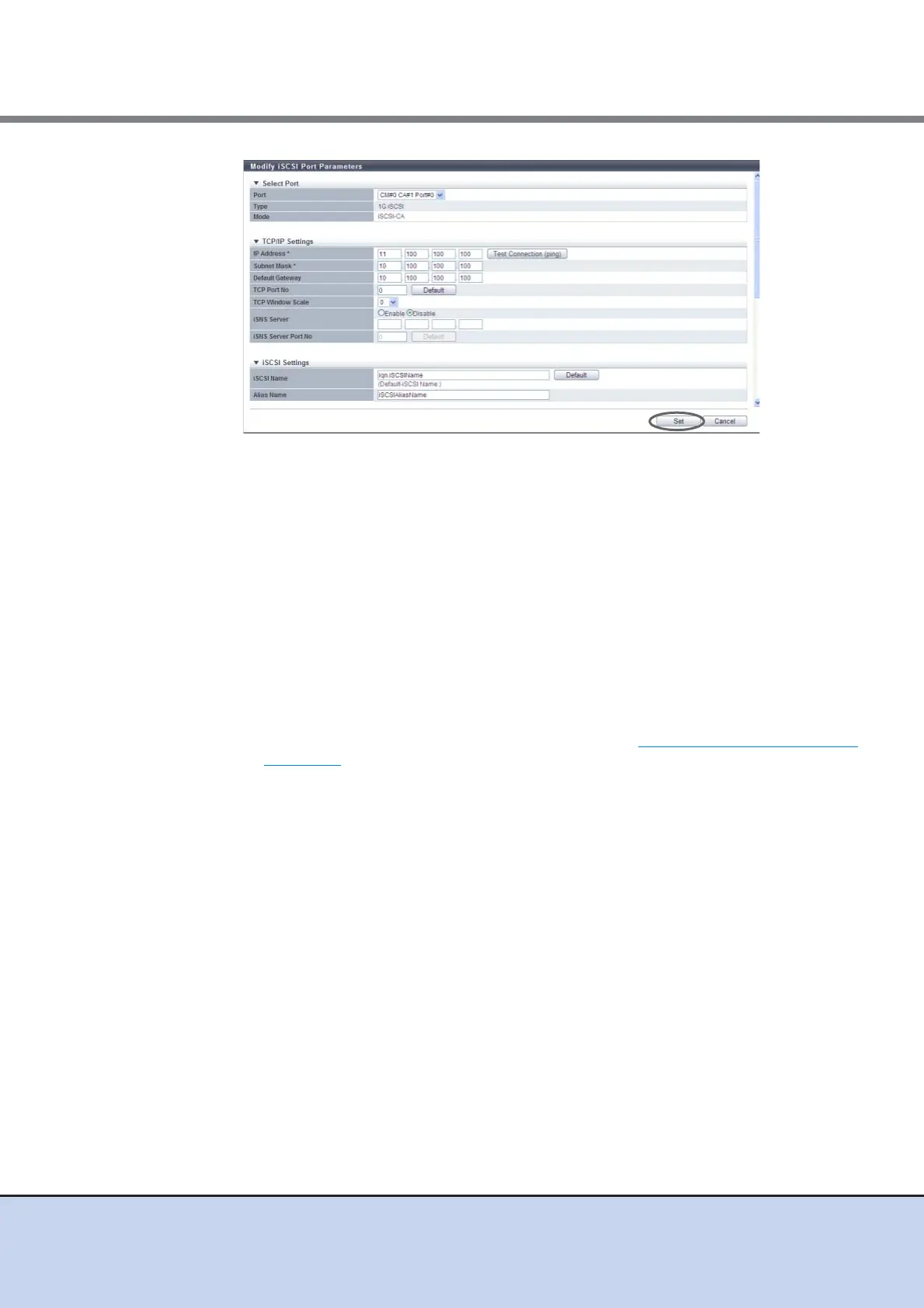
● Select Port
• Port
Select the target port or select the copy source port.
The location options for the selected port are displayed:
- CM#x CA#y Port#z (x: CM number, y: CA number, z: Port number)
● TCP/IP Settings
• IP Address
Enter the IP address of the target port (required).
Click the [Test Connection (ping)] button to display the "[Send Ping Command] Screen"
(page 367). Specify the IP address to check the connection status of the connection
destination device and the number of transmissions. Click the [Send] button. When the
"ping" command is sent, the settings of the IP address and the connection path for the
destination device can be checked.
The following input conditions apply:
- 1 - 3 numeric characters
- First text box: "1" - "255"
- Other text box: "0" - "255"
• Subnet Mask
Enter the subnet mask of the target port (required).
The following input conditions apply:
- 1 - 3 numeric characters
- All text boxes: "0" - "255"
• Default Gateway
Enter the default gateway IP address of the target port.
- 1 - 3 numeric characters
- All text boxes: "0" - "255"
• TCP Port No.
Enter the TCP port number of the target port between 0 and 28671.
Click the [Default] button to set the default TCP port number.



 To Next Page