Chapter 10 Component Management
10.1 Component Status
ETERNUS Web GUI User’s Guide
412
Copyright 2011 FUJITSU LIMITED P2X0-1090-02ENZ0
10.1.4.1 Disks (Performance)
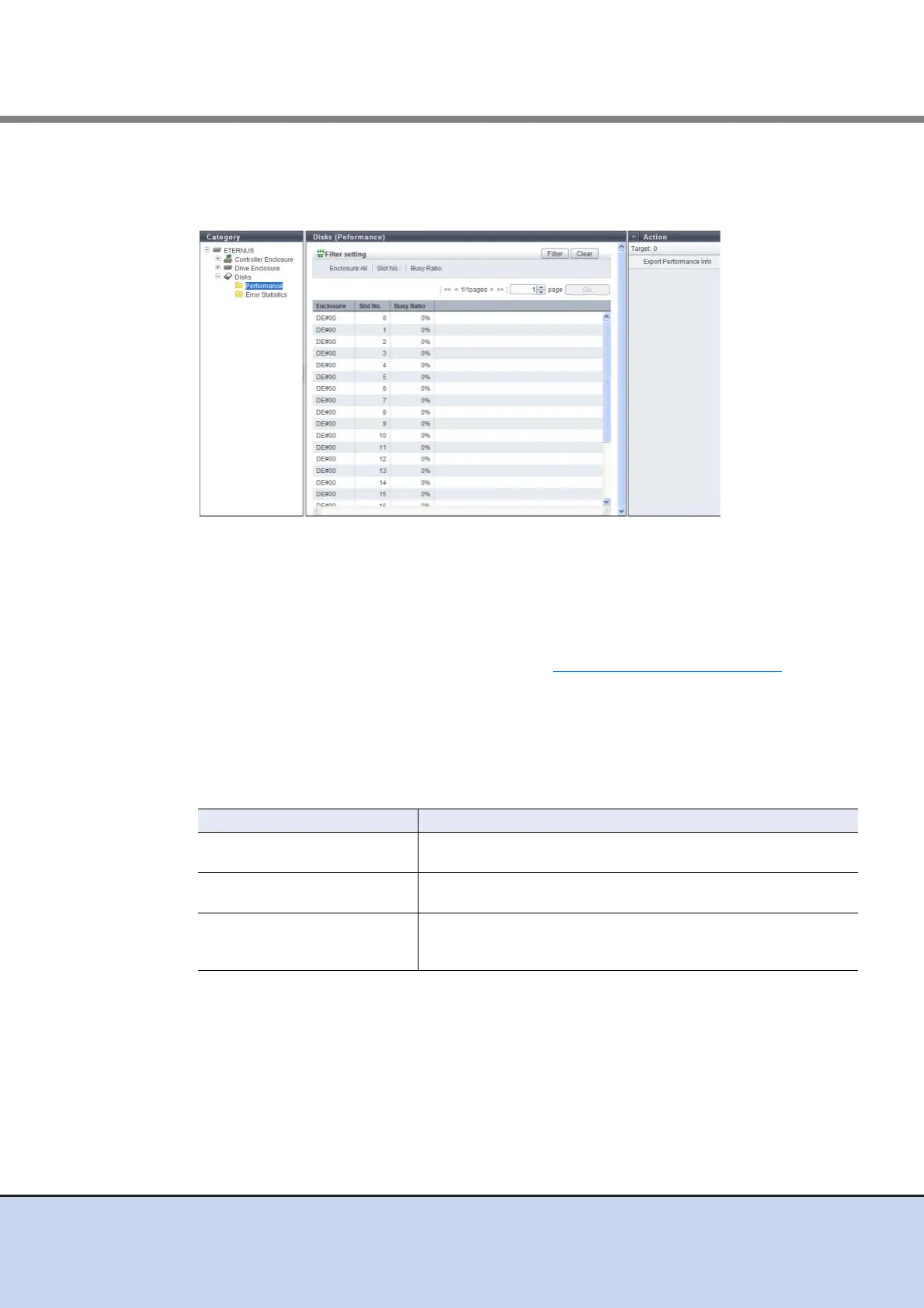
The drive performance information is displayed.
The following items are displayed in the Main area:
• Enclosure
The enclosure where the drive is installed is displayed.
• Slot No.
The slot number of the enclosure where the drive is installed is displayed. By clicking the drive
image, the [Disks] screen is displayed. Refer to "10.1.11 Disks Detail" (page 427)
for display
items.
• Busy Ratio
The busy ratio of the drive is displayed. A "-" (hyphen) is displayed when the status is
"Broken" or "Not Supported".
Filter Setting
Filter Description
Enclosure
Select the enclosure in which the target drive is installed.
When not using the enclosure for filtering, select "All".
Slot No.
Select the slot number of the drive that is to be displayed.
When not using the slot number for filtering, select "All".
Busy Ratio
Specify the minimum value for the busy ratio of the drive that is to be
displayed.
When not using the busy ratio for filtering, specify 0 [%].



 To Next Page