Chapter 11 System Management
11.2 Functions in the Action Area for System
ETERNUS Web GUI User’s Guide
467
Copyright 2011 FUJITSU LIMITED P2X0-1090-02ENZ0
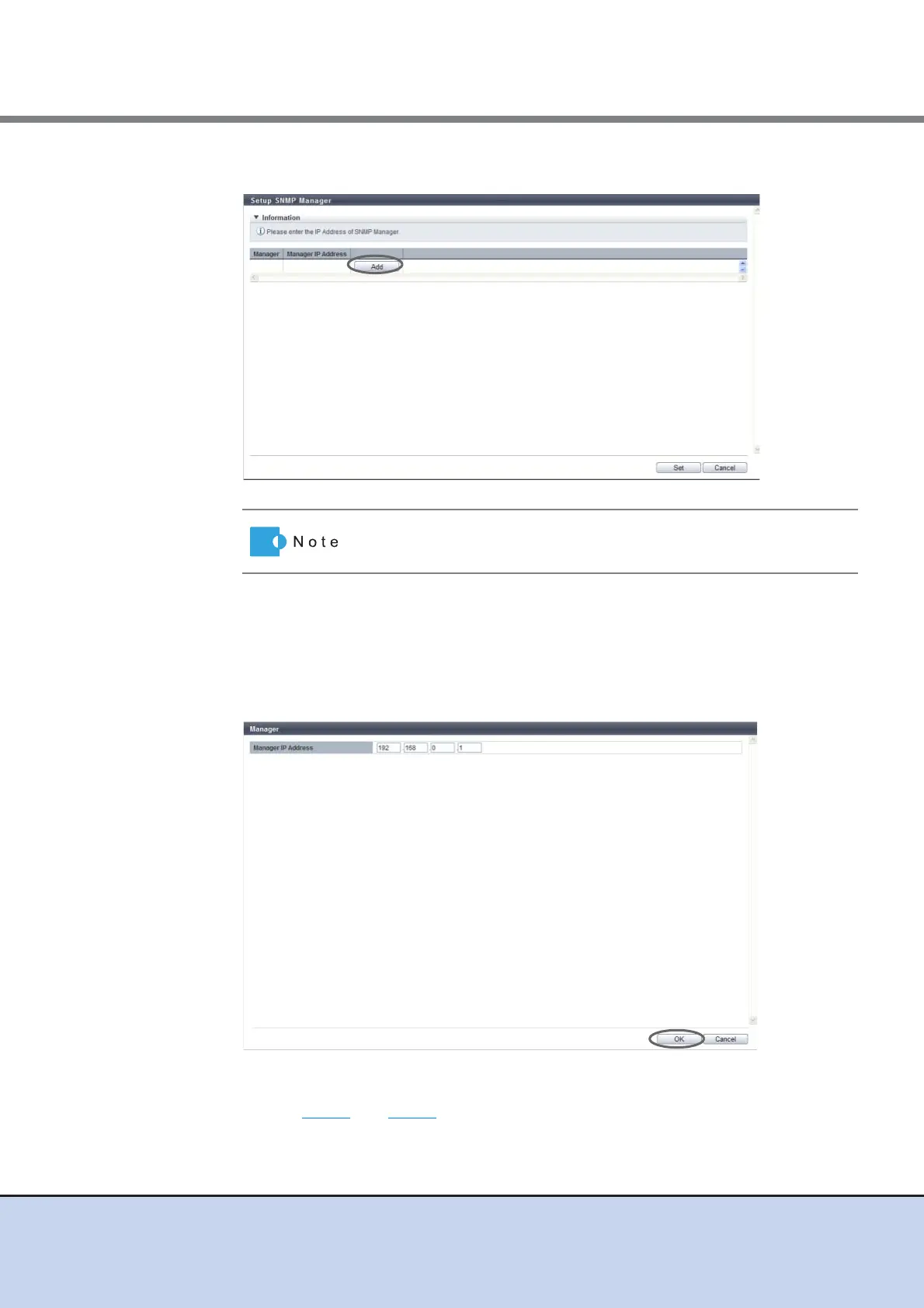
2 Click the [Add] button.
3 Input or edit the IP address, and click the [OK] button.
• Manager IP Address
Input the IP address of the SNMP Agent Manager.
The IP address which has already been used cannot be entered.
The following input condition applies:
- Numeric characters for all the text boxes (0 - 255)
→ Return to the original screen.
4 Repeat Step 2 and Step 3 to configure multiple IP addresses.
Click the [Manager] link to edit the existing IP address.



 To Next Page