Chapter 11 System Management
11.2 Functions in the Action Area for System
ETERNUS Web GUI User’s Guide
498
Copyright 2011 FUJITSU LIMITED P2X0-1090-02ENZ0
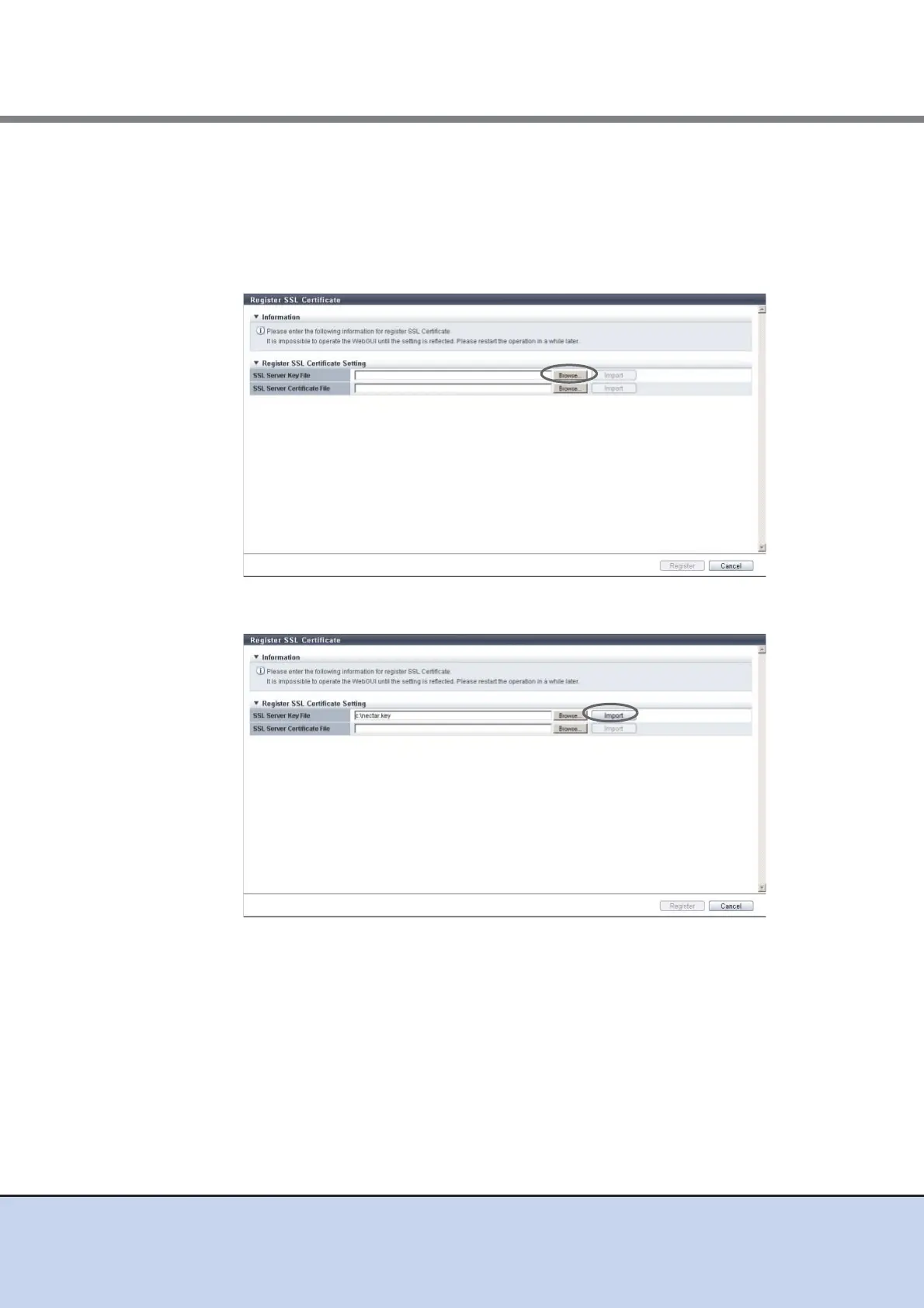
2 Click the [Browse...] button to specify the path to the "SSL Server Key File".
• SSL Server Key File
Click the [Browse...] button to specify the SSL server key file, or directly input the path
to the SSL server key file.
Click the [Import] button to import the SSL server key file to GUI. When importing has
been completed, "Imported" is displayed.
3 Click the [Import] button.
→ "Imported" is displayed.



 To Next Page