Chapter 11 System Management
11.2 Functions in the Action Area for System
ETERNUS Web GUI User’s Guide
526
Copyright 2011 FUJITSU LIMITED P2X0-1090-02ENZ0
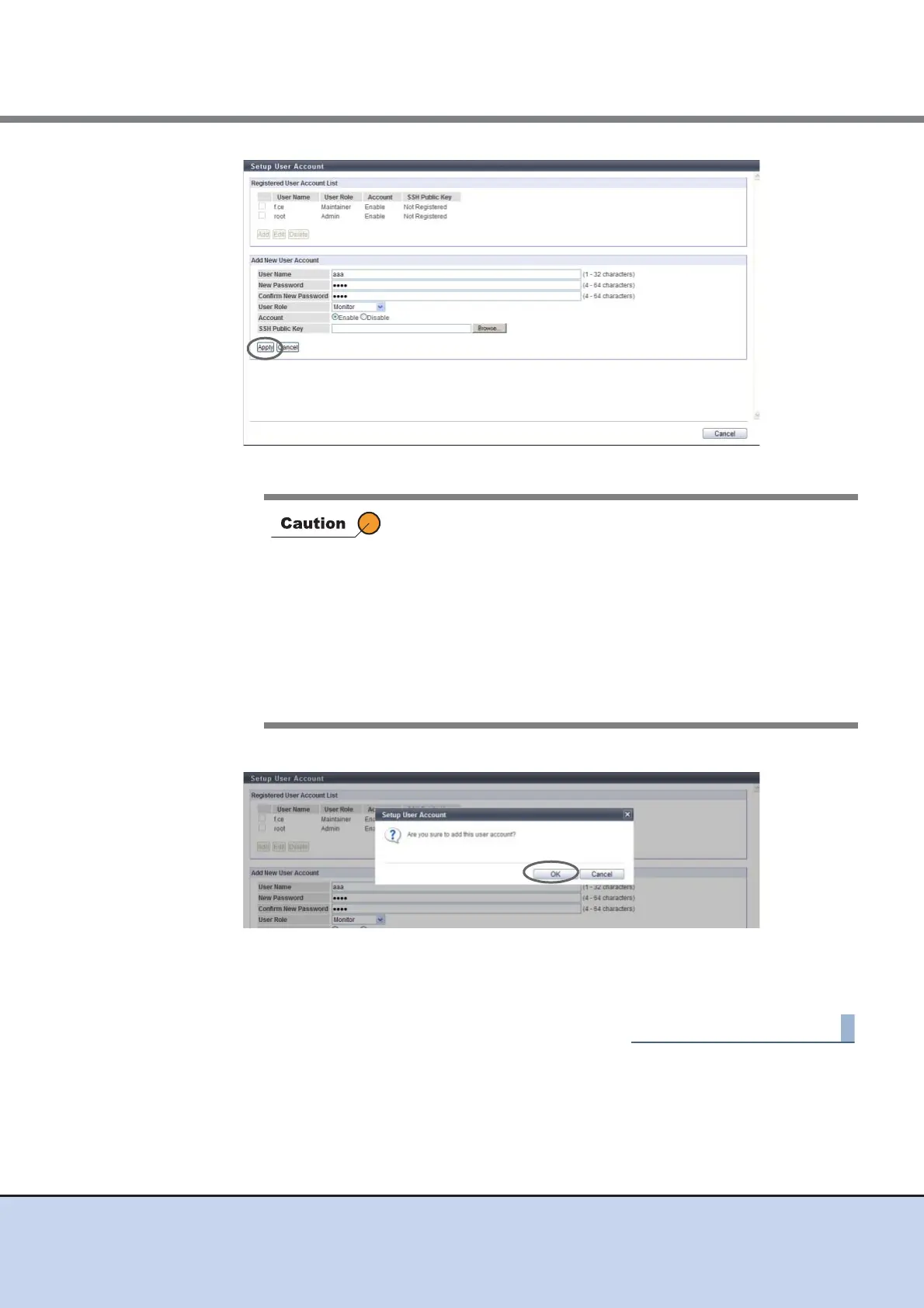
→ A confirmation screen appears.
4 Click the [OK] button.
→ The user account setup starts.
5 Click the [Done] button to return to the [User Settings] screen.
• "Software" is the dedicated role that is used for external
software. A user account with the "Software" role cannot log in
to GUI.
• In the following cases, an error screen appears:
- When a parameter does not satisfy the input conditions
- When the user name is already registered
- When "User Name", "New Password" and/or "Confirm New
Password" is not entered
- When "New Password" does not match "Confirm New
Password"



 To Next Page