Appendix D Installing the Security Certificate
D.1 For Internet Explorer
ETERNUS Web GUI User’s Guide
624
Copyright 2011 FUJITSU LIMITED P2X0-1090-02ENZ0
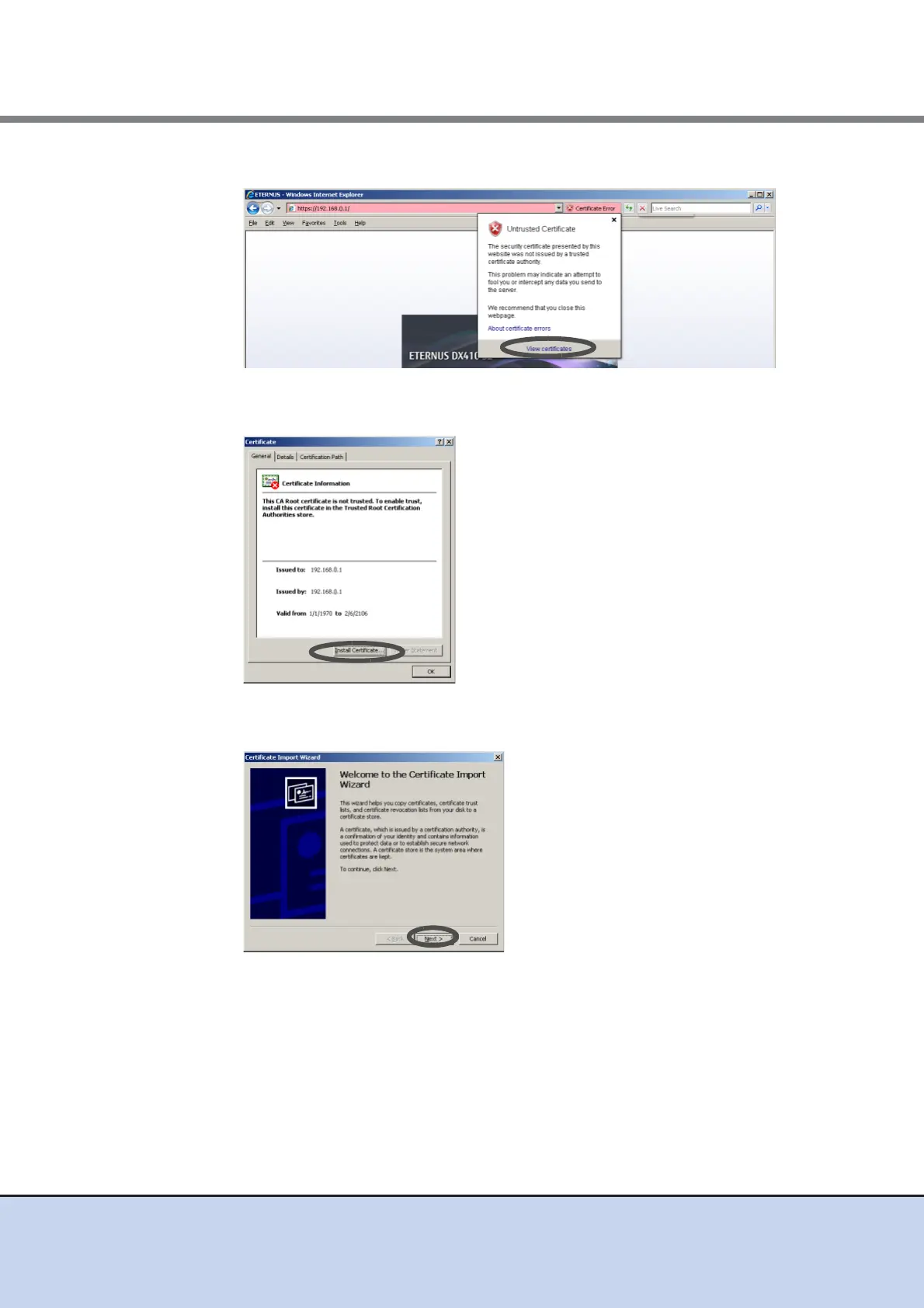
4 Click the [View certificates] link.
→ The site certificate information appears.
5 Click the [Install Certificate] button.
→ The [Certificate Import Wizard] screen appears.
6 Click the [Next] button.



 To Next Page