Chapter 5 Volume Management
5.2 Functions in the Action Area for Volume
ETERNUS Web GUI User’s Guide
83
Copyright 2011 FUJITSU LIMITED P2X0-1090-02ENZ0
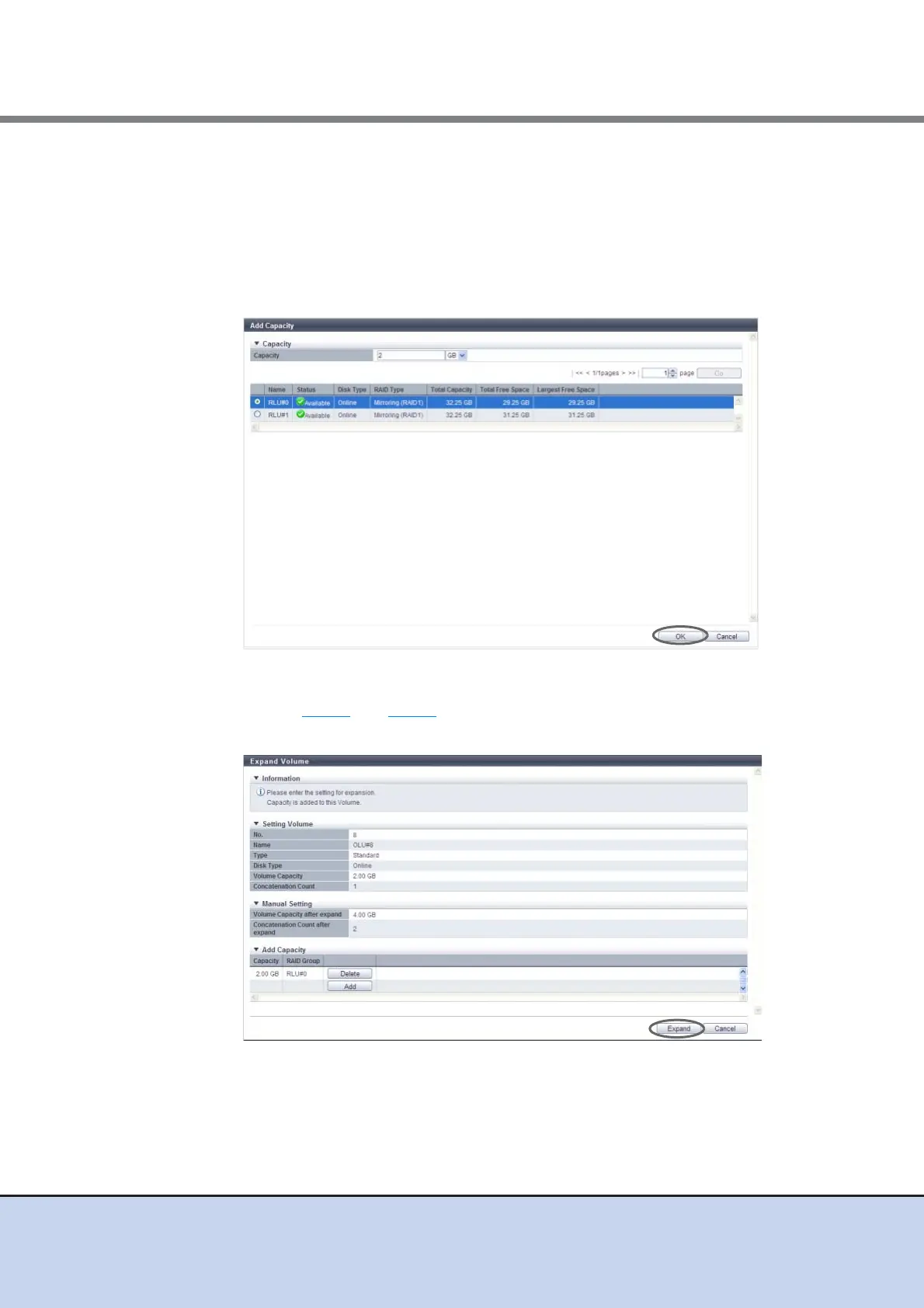
3 Select the RAID group to obtain the free space from, specify the capacity to be
concatenated, and click the [OK] button.
• Capacity
Enter the capacity that is to be concatenated and select the units of capacity (MB/GB/
TB).
• Select RAID Group
Select the radio button of the RAID group to obtain free space from.
→ Return to the [Expand Volume] screen.
4 Repeat Step 2 and Step 3 to select RAID groups and specify the capacity. After
completing these settings, click the [Expand] button.
→ A confirmation screen appears.



 To Next Page