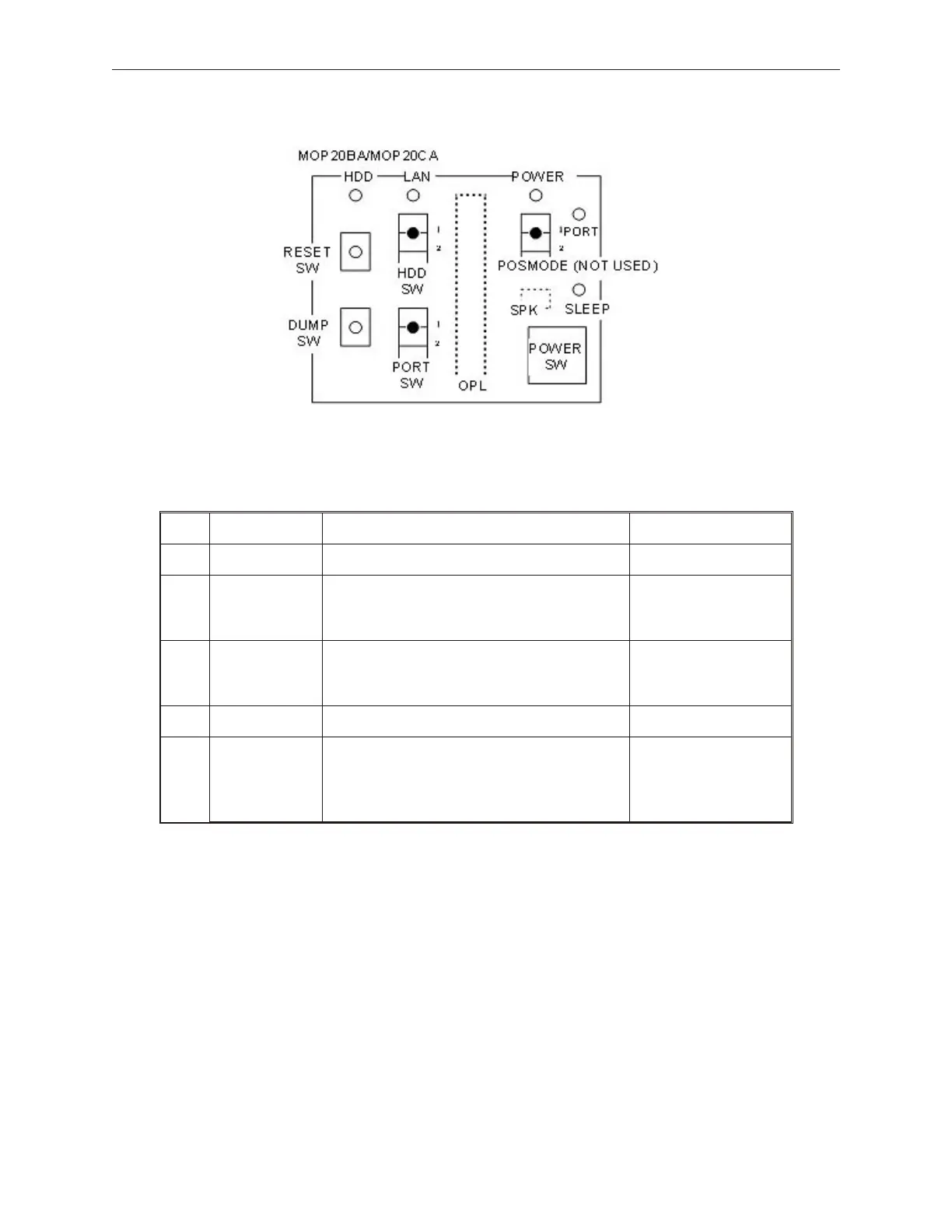
7.10.1 Operator Panel Layout
7.10.2 Operator Panel Settings
No. Setting Name Meaning Default Settings
1 POSMODE Not Used 1 N/A
2 HDDSW
Setting for activating the HDD
1: HDD0 (Master)
2: HDD1 (Slave)
1: HDD0
3 PORTSW
Setting for supplying power to Retail-I/O
1: Output
2: No output
1: Output
4 Reset Switch
Reboots System
5 Dump Switch
Dumps/Clears the CMOS on the Retail I/O
Board. Warning, hitting the dump switch
will cause loss of CMOS applications
data.
90000291 Rev 3.0 7-19
TeamPoS 2000 MAINTENANCE MANUAL



 To Next Page