7.12 Chassis Fan
1. Remove the front cover (see section 5.2.1).
2. Remove the side cover (left) (see section 5.2.2).
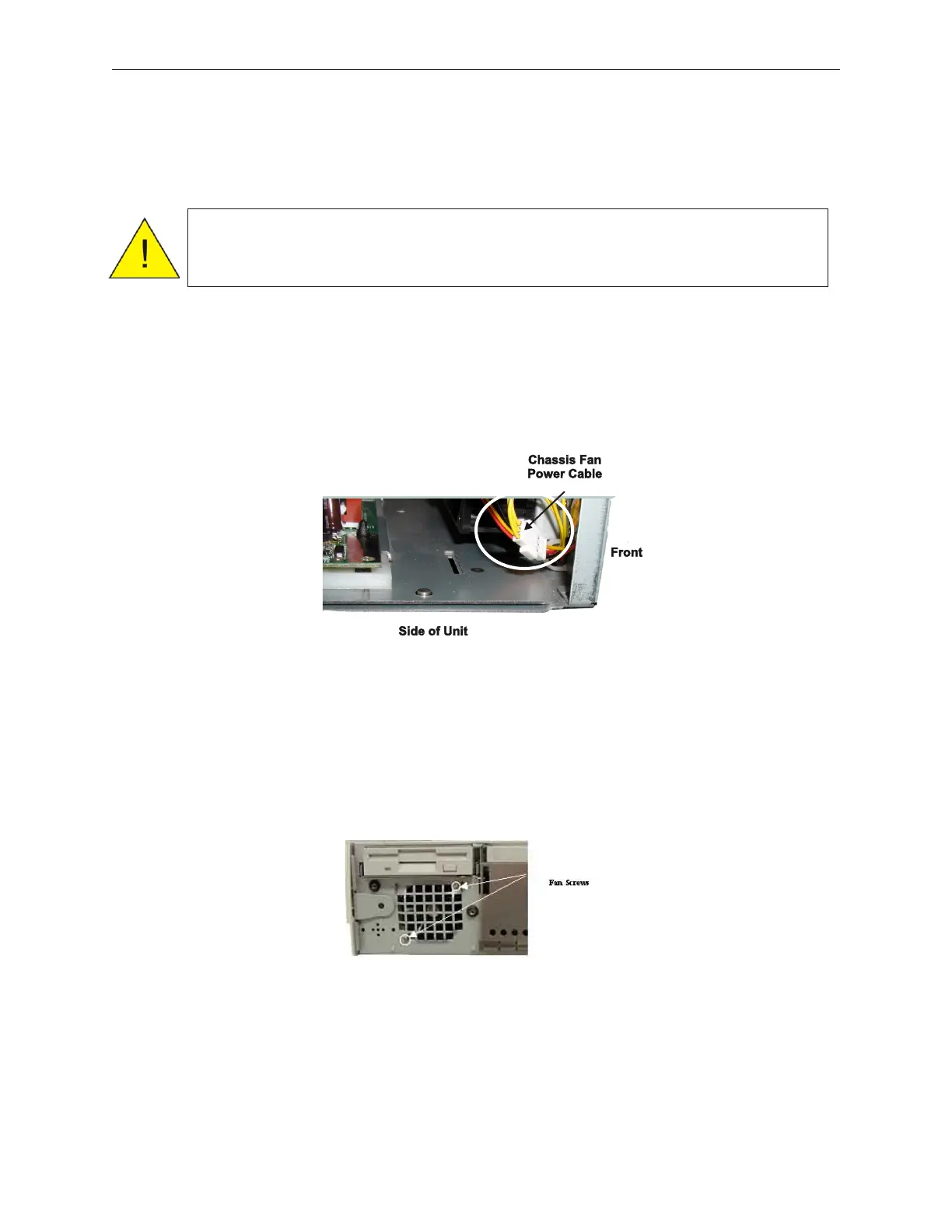
3. Disconnect the fan cable near the main board.
4. Remove two screws (shown in the figure below) from the front of the device, and then
lift up on the two top tabs to remove the fan unit.
5. To remount the front fan, reverse the removal procedure.
7-22 Rev 3.0 90000291
TeamPoS 2000 MAINTENANCE MANUAL
Caution: To prevent electric shock, confirm that the AC cable is removed from
the AC outlet anytime the covers are removed. Be sure to observe all
ESD precautions and power off procedures.



 To Next Page