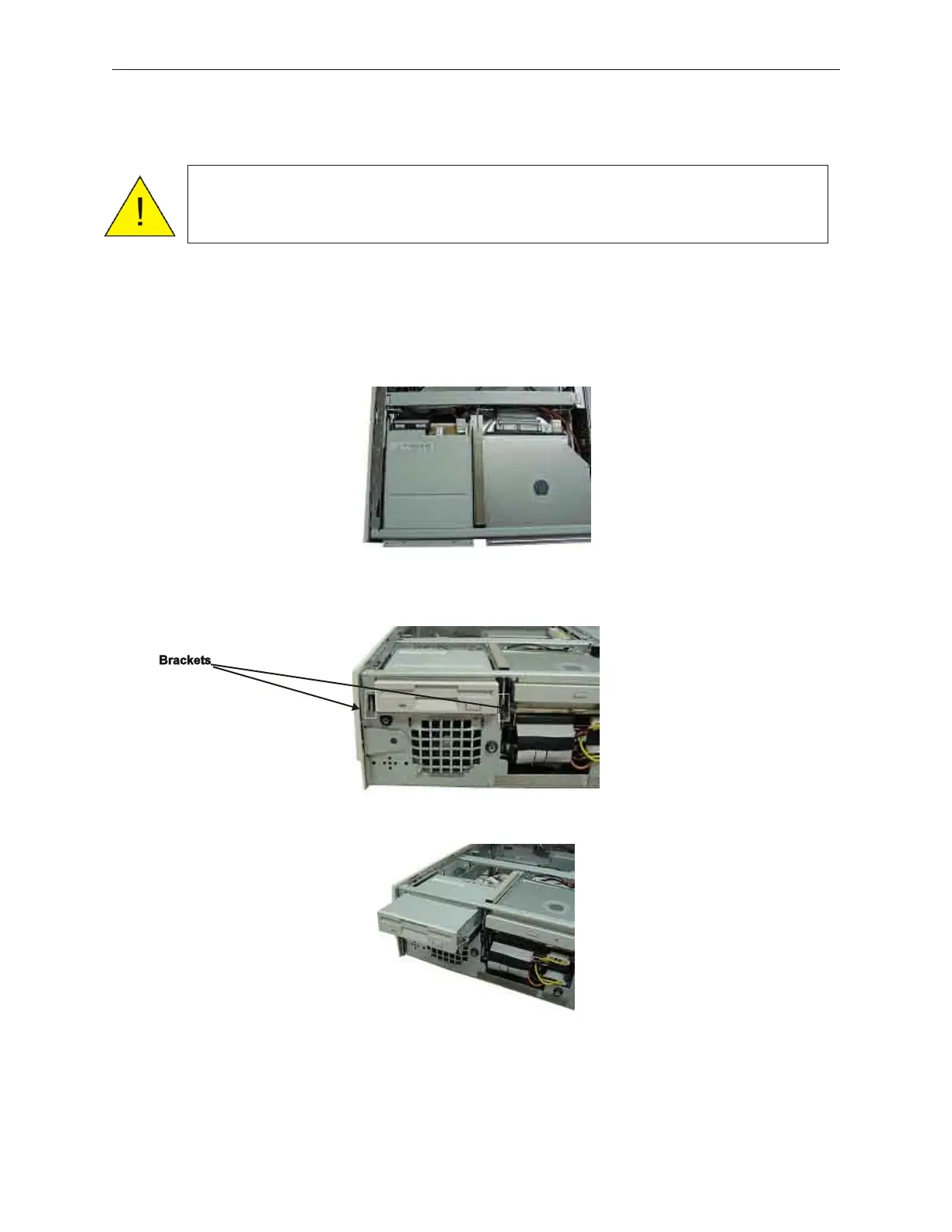
7.8 FDD Unit Replacement
1. Remove the top cover (see section 5.1.4).
2. Disconnect the power and signal cables from the back of the floppy disk drive.
3. Press the brackets at both ends of the floppy disk drive inwards from the front of the
device, and then pull the drive out to remove it.
4. To mount the floppy disk drive again, reverse the removal procedure.
5. If this is an upgrade, install the upgrade label that comes with the Floppy Disk Drive
upgrade kit on the side of the unit near the serial number. See section 5.2.1.
7-16 Rev 3.0 90000291
TeamPoS 2000 MAINTENANCE MANUAL
Caution: To prevent electric shock, confirm that the AC cable is removed from
the AC outlet anytime the covers are removed. Be sure to observe all
ESD precautions and power off procedures.



 To Next Page