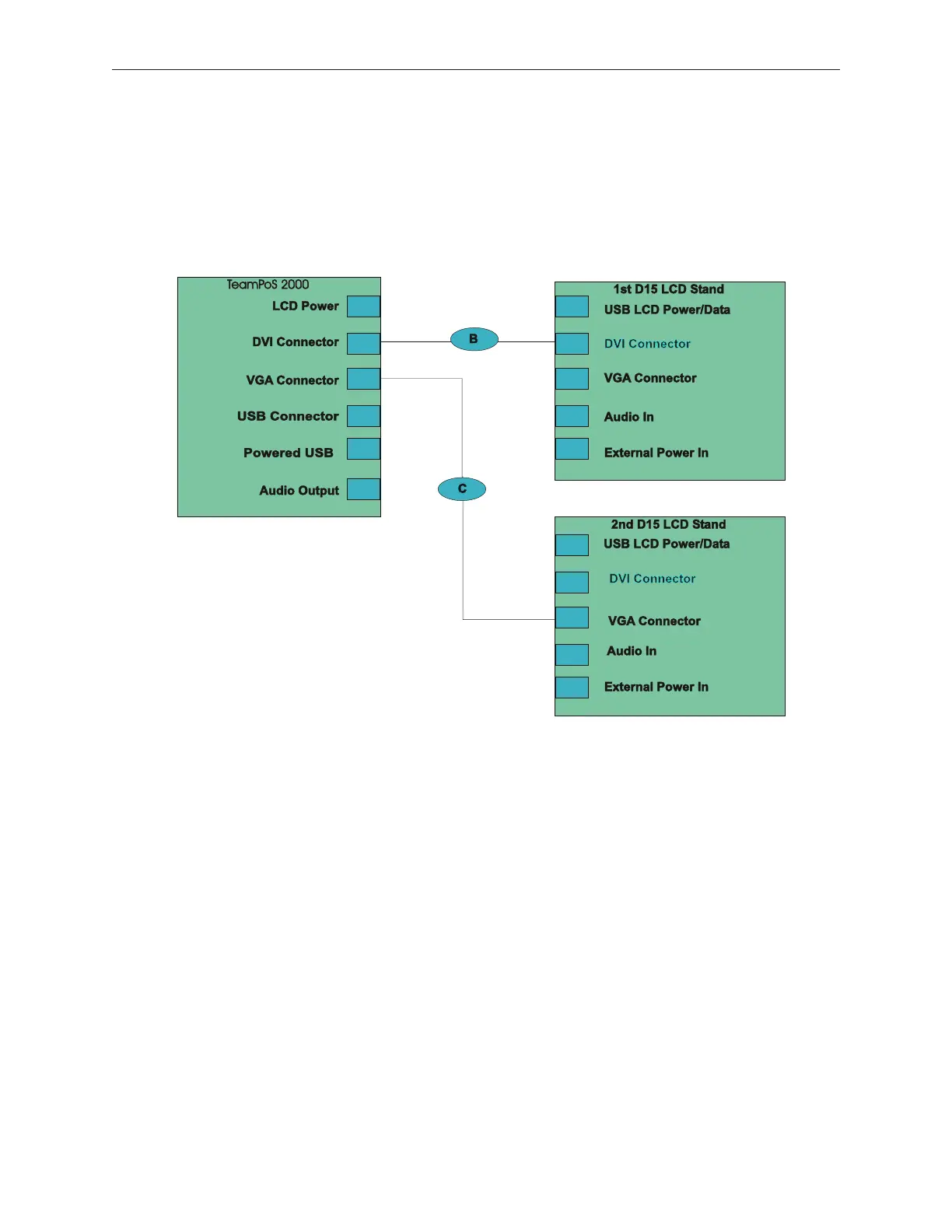
5.9.4 D15 LCD Dual Monitor Video Cable Connections
When dual monitors are used, one monitor uses the DVI connector and the other uses the
VGA connector to the motherboard. Only Celeron M or Pentium M have DVI support.
configuration. In this example, the DVI connector is connected to the first stand and the
VGA cable is connected to the second stand. The DVI cable could just as easily be
connected to the second monitor and the VGA cable connected to the first.
TeamPoS 2000 & D15 Dual Screen Connections for
TeamCOMBO & TeamUSB* Boards
* TeamUSB only supported with new riser cad, PIN #KD20033-B41X.
5-40 Rev 3.0 90000291
TeamPoS 2000 MAINTENANCE MANUAL



 To Next Page