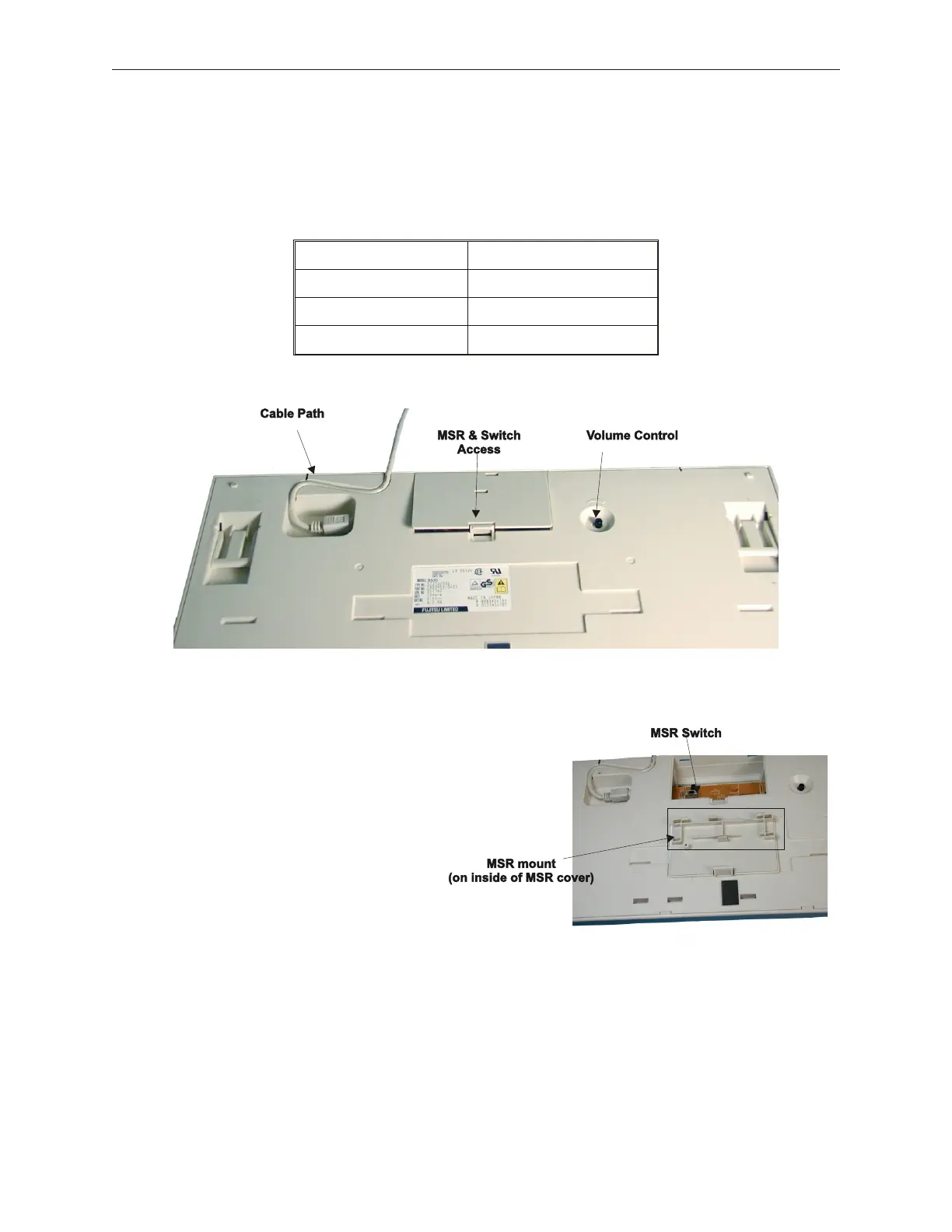
5.8.3.1 Model 133PQ Keyboard Switch Settings
The 133PQ switches are located in the MSR compartment which is entered from the
bottom of the keyboard. These settings set the MSR to read track 1 & 2 or track 2 & 3.
The third setting is used in the Asian market only.
Switch Position Reads Track(s)
Left Asian Setting
Center Track 2/3
Right
Track 1/2 (default)
5.8.3.2 Model 133PQ Keyboard MSR Installation
1. To install and set the switches for the MSR, first open access cover on bottom of
keyboard.
2. Place access cover on bottom of panel.
3. Check switch settings. Switch in this photo is
in the default position, read track 1/2.
5-32 Rev 3.0 90000291
TeamPoS 2000 MAINTENANCE MANUAL



 To Next Page