SC201(1900A/1903A) Operation Instruction
15
4. Setting of the X Scale
5. Setting of the Y Scale
6. Setting of the Max. Sewing Speed Limitation
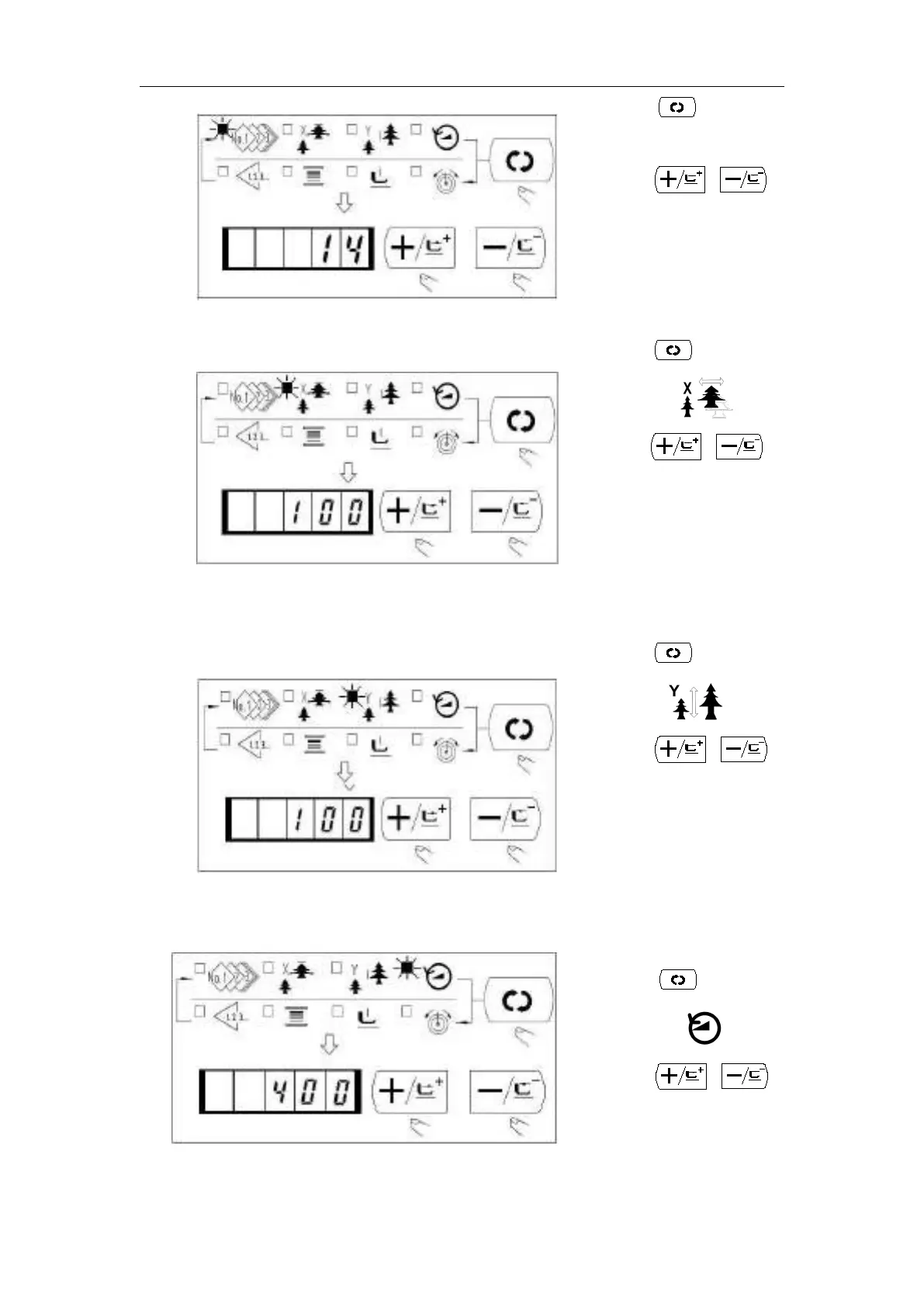
(1)Press the key to indicate the item
“Pattern No.” .
(2)Press the or key to indicate
“14”on the display.
(Pattern No. is set to 14.)
Caution:Refer the pattern No. to the
separate table
(1) Press the key to indicate the item
“X scale” .
(2) Press the or to indicate
“100”. (Set X scale to 100%)
Caution:
The setting exceeding 100% is dangerous
since the needle and the cloth presser
interferes with each other and needle
breakage or the like will occur.
(1) Press the key to indicate the item
“Y Scale” .
(2)Press the or key to
indicate “100”. (Set X scale to 100%.)
Caution:
The setting exceeding 100% is
dangerous since the needle and the cloth
presser interferes with each other and
needle breakage or the like will occur.
(1) Press the key to indicate the
indicate “400”(Setting of 400rpm)
(3) Press R key to set the system default



 To Next Page