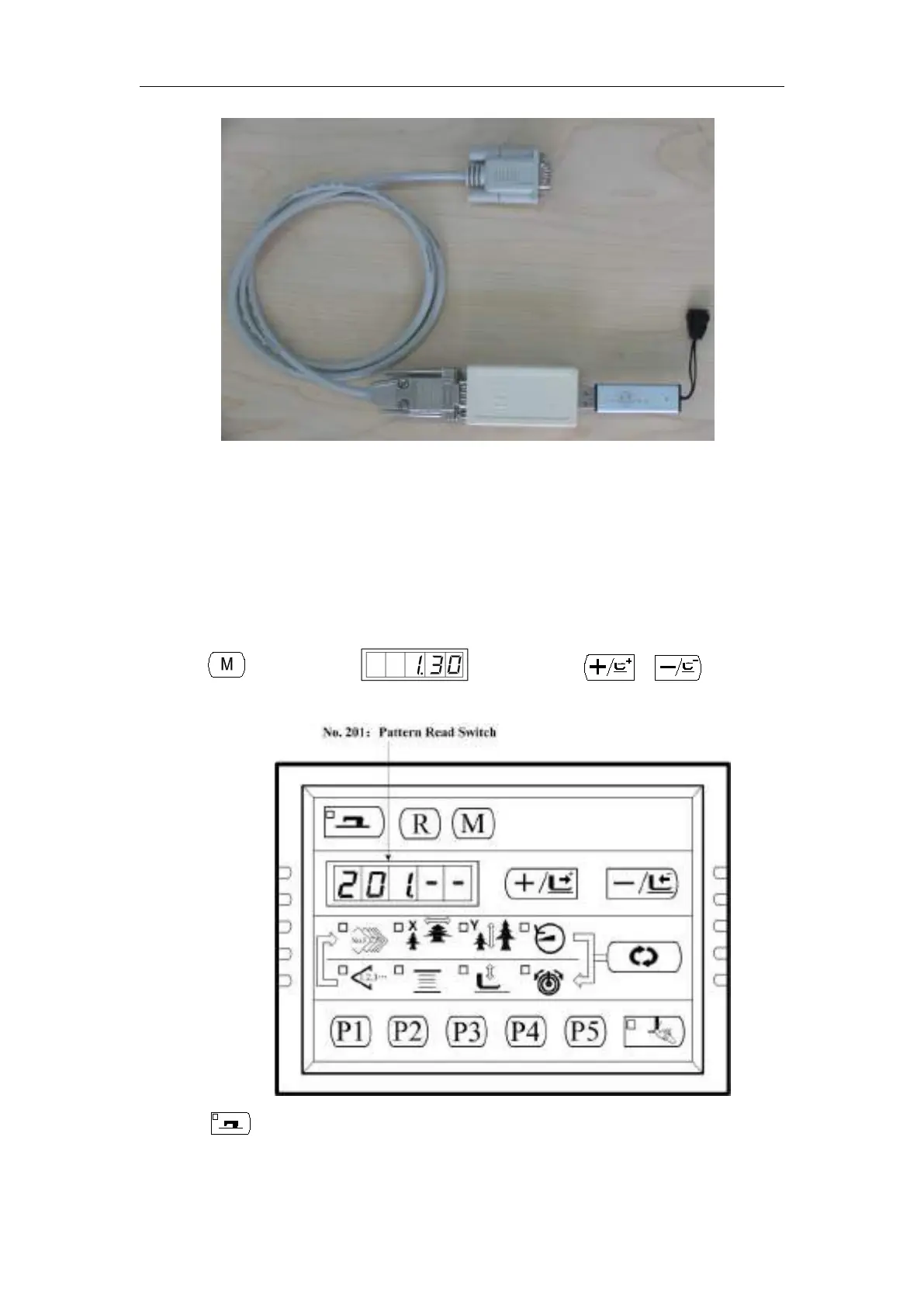
SC201(1900A/1903A) Update the Pattern Data by USB Flash
49
5、Store your pattern data file in the folder named ”DH” under the root directory of your USB
Flash Disk. Power on and the computerized controller will automatically update your pattern
data into the system memory disk., arranging form 101 to 200, and simultaneously it will
backup the pattern data arranging form 101 to 200 in your old system, if there is, to a file
named”DHBAK.bin”(if there is no pattern data form 101 to 200 then the DHBAK.bin file
would be empty). During the updating process, please don’t pull out the Pattern Update Device.
After updating, the buzzer will ring once to indicate it is successfully finished.
6、Turn OFF the power and pull out the Pattern Update Device. Plug the Panel again and Power on.
Press key to display and then press 、 key to select
No.201:
7、Press key to enter Pattern Read Switch mode and the Sewing LED lights up. “1-1” is
indicated.



 To Next Page