M
P2
NO.
YX
X
M
M
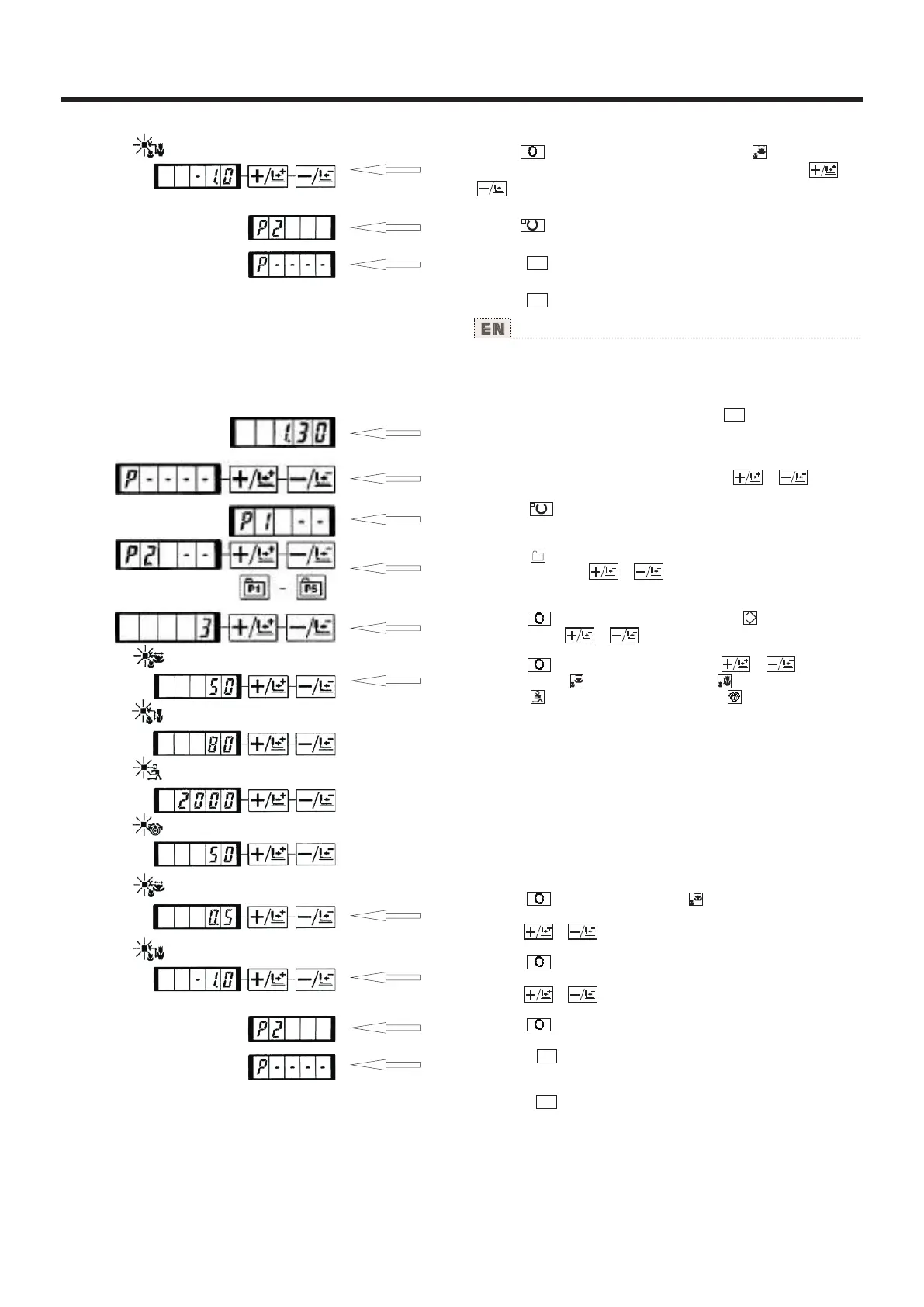
8)按 键之后,变为[Y扩大缩小率 ]显示0.0。Y方
向的移动量可以以0.1mm为单位进行设定。用 键、
键设定为1.0。
9)按 键之后,设定结束。
10)按 键。结束图案登记方案。
11)按 键。结束方式设定,返回通常方式。
X
M
M
使用说明书 Operation Instruction
1
Setting example : Register following setting to the P2, Pattern
No. 3, X scale rate : 50%, Y Scale rate : 80% Max. speed
limitation : 2,000 rpm, Thread tension : '50", Pattern position :
0.5 mm to the right and 1 mm to the front.
1) Turn ON the power switch and press key to enter mode
setting (memory switch setting).
(Sewing LED should be put out.)
2) Indicate the pattern register mode with or key .
3) Press key.
Enter the pattern register mode.
4) Press key. (Select P-No. to be registered.) Selection can
be performed with or key.
5) Press key to indicate the Pattem No .Set the Pattern
No. to "3" with or key.
6) Press key and set as follows with or key.
X Scale rate : "50"%, Y Scale rate "80"%, Max. speed
limitation : "2000" rpm, Thread tension : "50"
7) Press key and "X Scale rate " indication becomes 0.0.
Traveling amount in X direction can be set in 0.1 mm unit. Set
0.5 with or key .
8) Press key and "Y Scale rate " indication becomes 0.0.
Traveling amount in Y direction can be set in 0.1 mm unit. Set
1.0 with or key.
9) Press key to finalize the serting.
10) Press key.
Pattern register mode is finalized.
11) Press key.
Mode setting is finalized and the mode reiurns to the
normal mode
25



 To Next Page