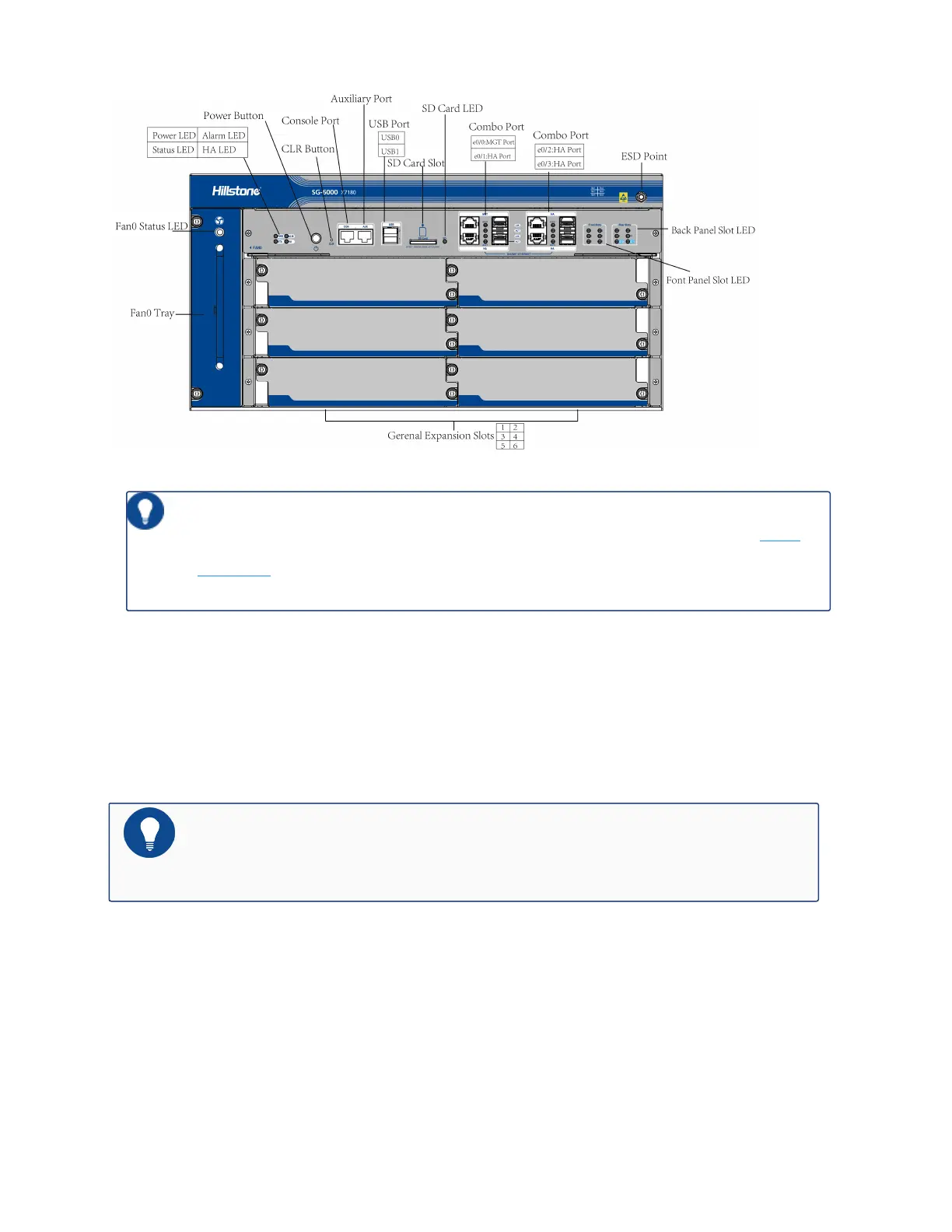
Tips: For more information about the LED indicators on the front panel, see LED
Indicators.
CLR Button
The CLR button of SG-6000-X7180 is in the pinhole of the front panel. The CLR button is used
to reset the device back to the factory default settings. You can restore access to the device with
this button if the login password is lost.
Notes: Use this button carefully. Resetting the device clears all existing con-
figurations.
To restore the factory default settings of SG-6000-X7180, take the following steps:
1. Turn off the power of the device.
2. Press the CLR button with a pin and switch on the power supply simultaneously.
Preface 75


 To Next Page
 Loading...