4 - 18
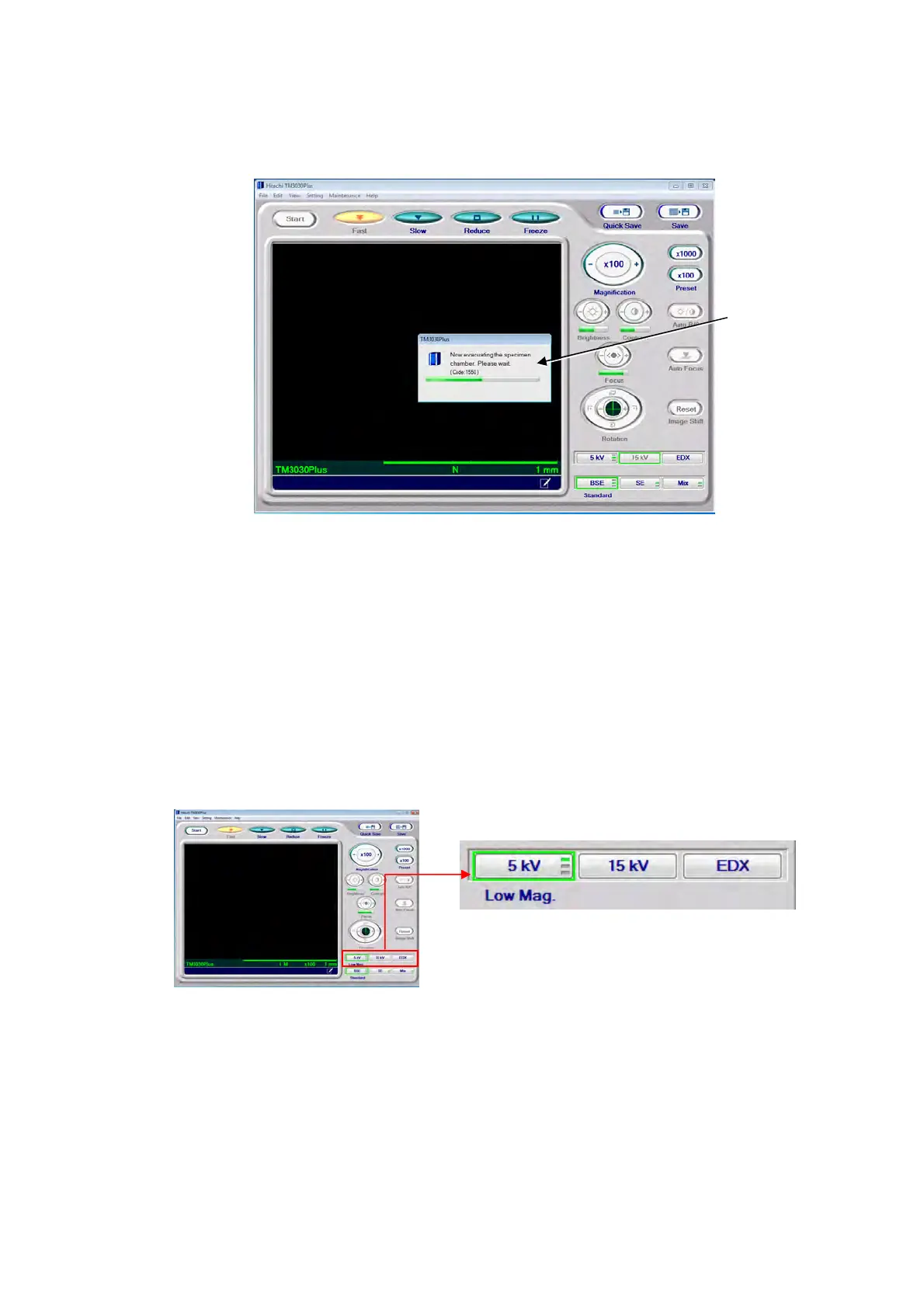
8. The evacuation-in-progress status is also indicated as a dialog on the operation window.
The dialog disappears upon completion of the evacuation.
Figure 4.2.3-11 Evacuation-in-progress Screen
4.2.4 Observation Condition Settings
Observation conditions can be set using the observation condition selection buttons. The
current condition is indicated by a green border. If the observation condition is switched
during observation, [Auto B/C] adjustment is executed. Select a desired condition, depending
on the specimen to be observed, the observation purpose and the magnification settings.
The observation condition previously selected will be applied upon the application startup.
Figure 4.2.4-1 Observation Condition Settings
Dialog



 To Next Page