4 - 45
4.3 Detailed Description of Functions
4.3.1 Image Observation Area
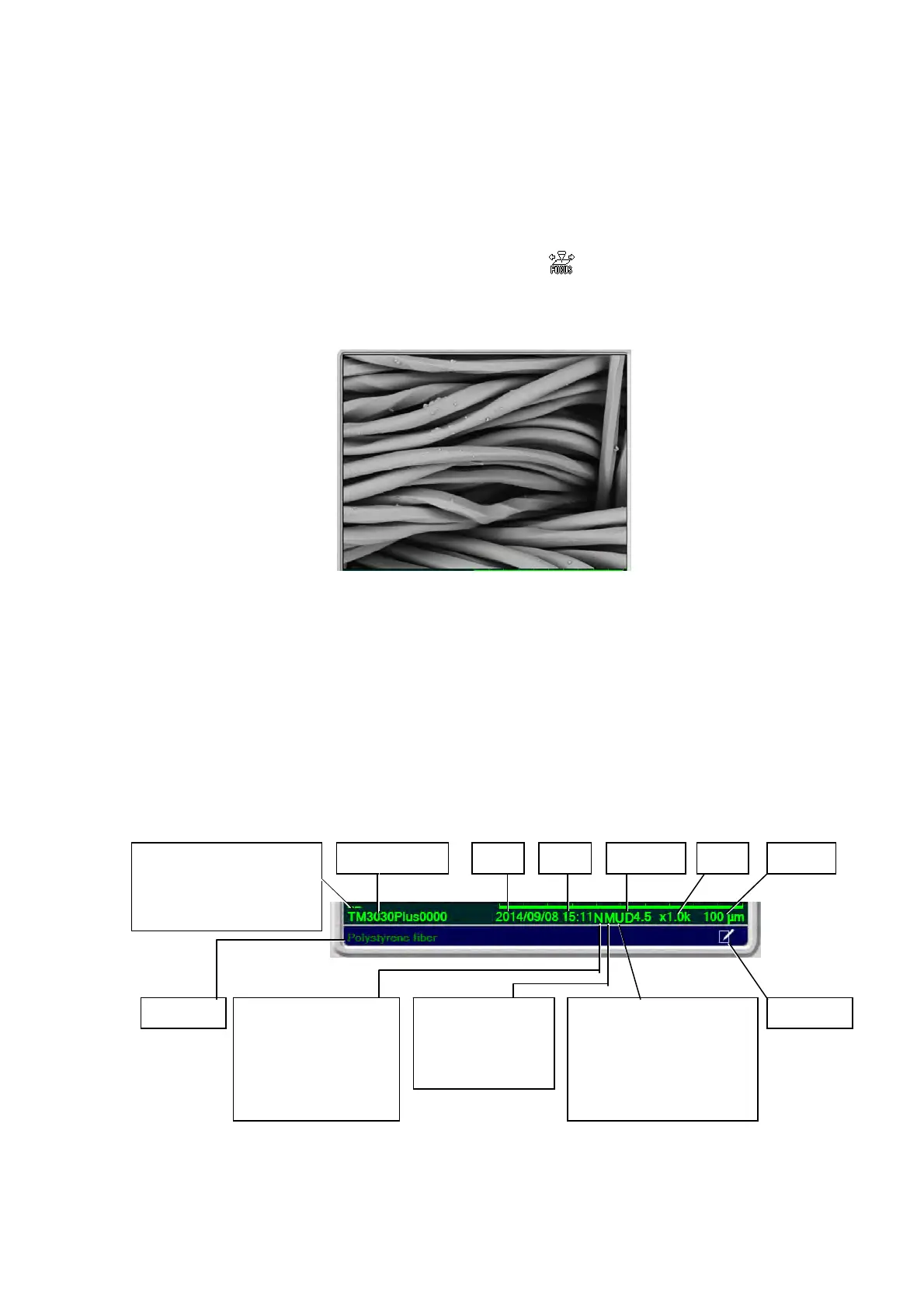
The image observation area displays an image. Perform operation by viewing the image
displayed in this area. The drag operation (see Figure 4.2.11-3) allows you to perform fine
focusing. In this case, the mouse pointer changes to the
mark.
When [Freeze] is selected in [View mode settings area], you cannot perform focus
adjustment on the observation area.
Figure 4.3.1 Image Observation Area
4.3.2 Information / Comment Area
The Information / Comment area displays Image scale, Observation condition, Observation
mode, Image signal / image mode, information (image number, date, time, distance, and
magnification), as well as comments. The information items and comments can be displayed or
hidden. To set the display condition, click the [Edit] button or select [Setting for Save] from the
[File] menu. For the details on settings, refer to 4.3.28 Setting for Save Window.
Figure 4.3.2 Information / Comment Area
Image number Date Time Distance Scale Mag.
Observation mode
None: Conductor
M: Standard
L: Charge-up Red.
Edit buttonImage signal/Image mode
None: BSE-COMPO
S: BSE-Shadow1/2
T: BSE-TOPO
U: SE
M: Mix
Observation condition
l: 5 kV-Low mag.
m: 5 kV-Middle mag.
h: 5 kV-High mag.
N: 15 kV
H: EDX
Comment
Image Optimize
Raw Data
– Fine
– – Fine & High Contrast



 To Next Page