4 - 67
Stops the scanning process. To save an image, each mode automatically switches to
[Freeze] after an image is captured. Select any button other than [Freeze] to restart
observation.
When clicking the [Freeze] button during observation in the [Fast] or [Slow] mode, the
observed field of view is scanned and the mode switches to the [Freeze] mode.
NOTE
: Compared with the [Slow] mode, the [Fast] mode degrades image quality.
NOTE
: To prevent damage to the specimen by the electron beam, if approximately five
minutes elapses with electron beam irradiation turned on (HV-ON) in the [Freeze]
mode, the irradiation is automatically canceled (HV-OFF), and the message (See
5.5) is displayed. Whenever EDX (Optional) Analysis is conducted, [Fast] mode
has to be always set.
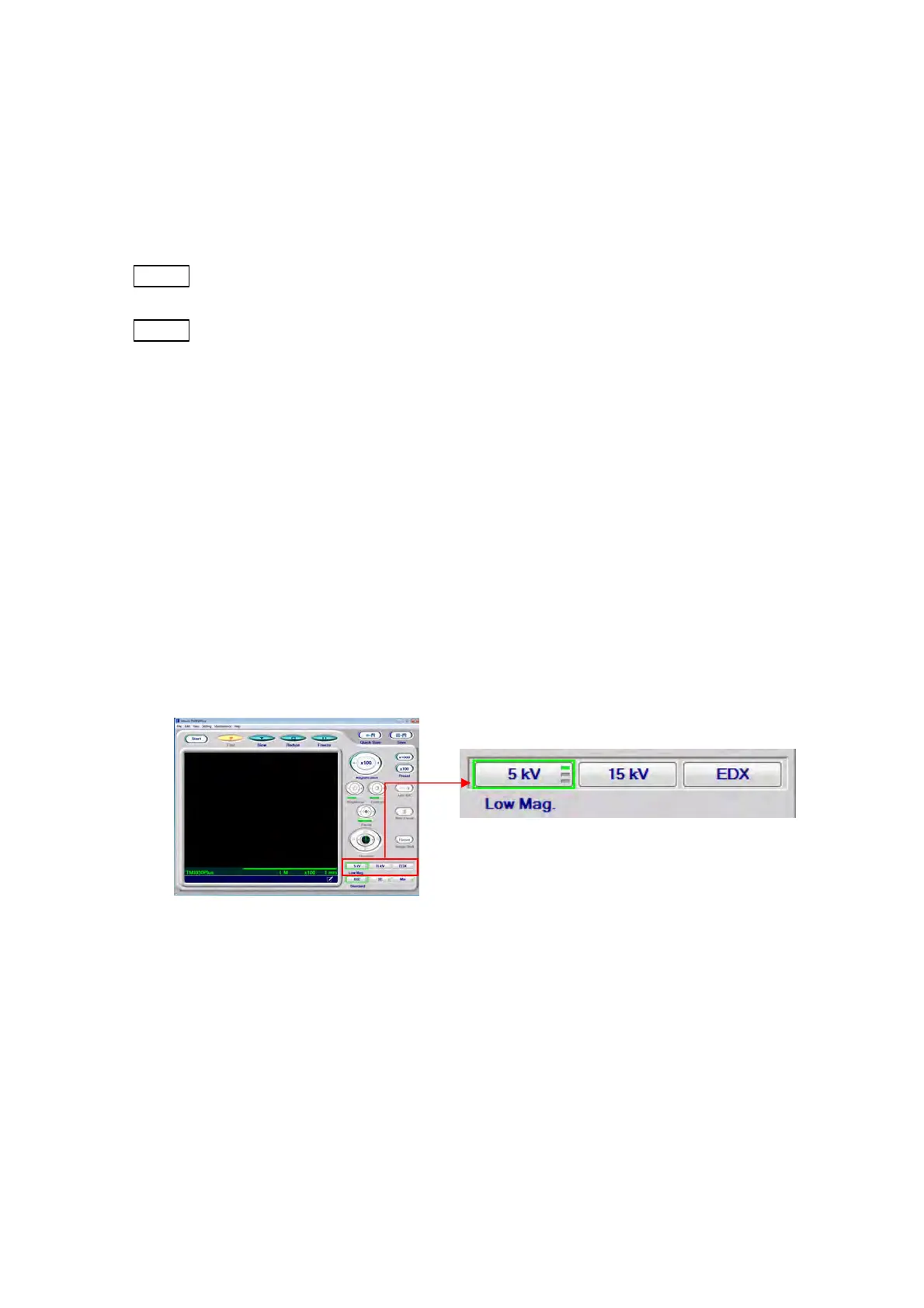
4.3.12 Observation Condition Selection Button
Observation conditions can be set using the observation condition selection buttons. The
current condition is indicated by a green border. If the observation condition is switched
during observation, [Auto B/C] adjustment will be executed. Select a desired condition,
depending on the specimen to be observed, the observation purpose and the magnification
settings. The observation condition previously selected will be applied upon the application
startup.
Figure 4.3.12-1 Observation Condition Selection Button
1. 5 kV
This is an observation condition well-suited for observing fine features on the specimen
surface. Damage to biological samples during the observation can be minimized. In the
case where the charge-up reduction mode (see 4.3.13) is set, images can become rough
with low contrast. [5 kV] can be selected together with [Low mag.], [Middle mag.], or [High
mag.], which are switched every time [5 kV] is clicked. If [5 kV] is selected during
observation, [Auto B/C] adjustment will be executed. Select a desired magnification
condition, according to the specimen and magnification.



 To Next Page