7 - 48
7.17 Measurement
This explains the measuring method of the distance and the angle between arbitrary two
points from the image imported. The measuring methods are [Measurement of distance] and
[Profile View].
7.17.1 Measurement of Distance
1. Measuring Method
Measures the distance and the angle between two arbitrary points on the image
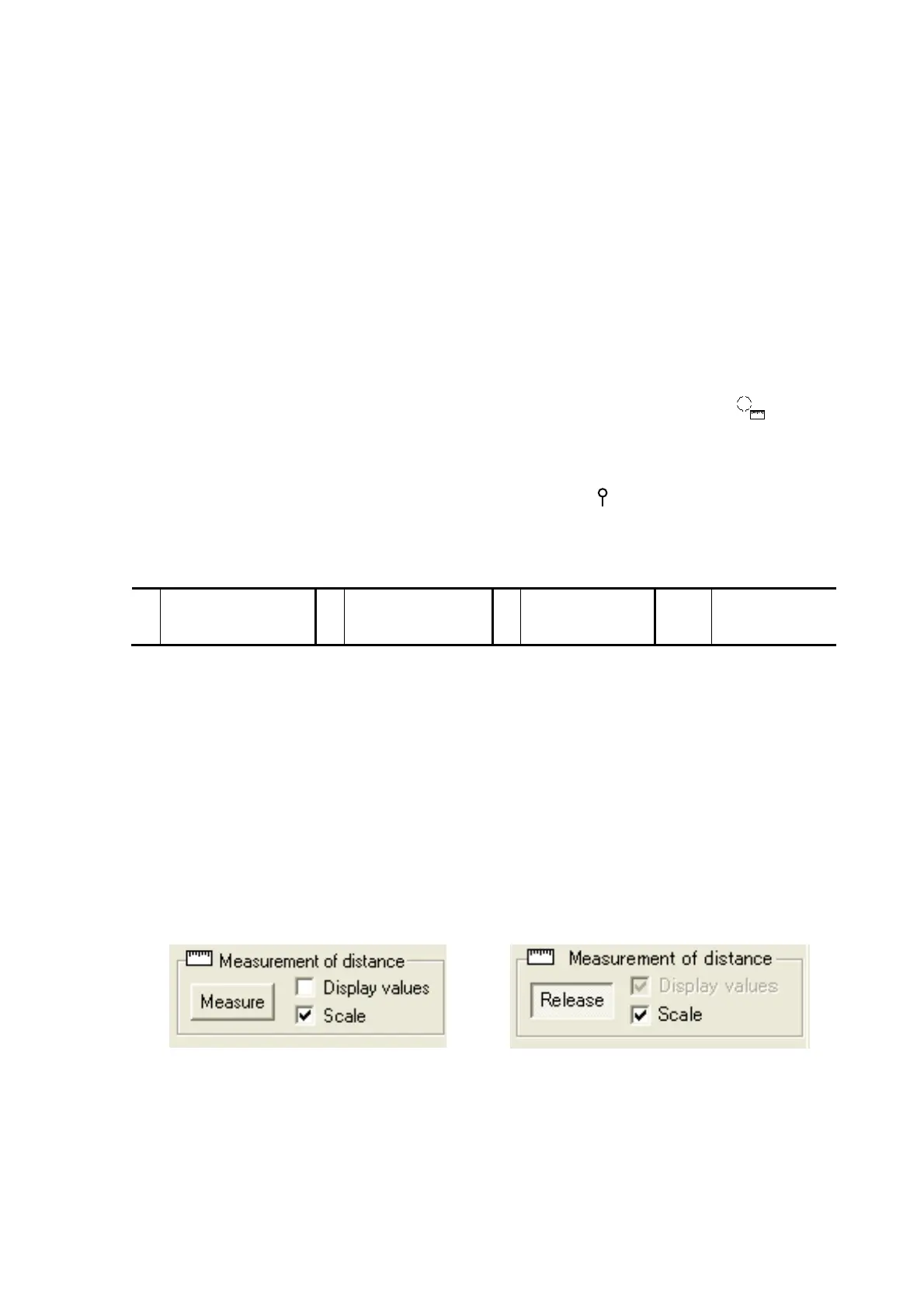
displayed in the image view. After clicking the [Measure] button from the Measurement of
distance, the measurement can be begun. The mouse cursor changes into
when
moving it to the image view during measurement mode. The measurement result is
displayed in the Measurement of distance dialog when clicking two points that are
measured on the image view. If more than one spot is measured, a number
(example: ) indicating the order of selection is displayed next to the measurement
position. The Image Measure dialog is displayed as follows.
X Horizontal distance
between 2 points
Y Vertical distance
between 2 points
lp Length between
2 points
Angle Angle between
2 points
While executing the measurement, the menu of 3D-Image Viewer and the operation of
the button are ineffective. When clicking the [Release] button, the measurement mode is
canceled, and other operations become available. The dialog that shows the
measurement result is displayed by checking the [Display values] checkbox. Unchecking
the checkbox closes the dialog that shows the measurement result. When selecting the
[Scale] checkbox, the scale on the image view is displayed. The scale is not displayed
when deselecting the [Scale] checkbox. The measurement result selected can be
deleted from the Measurement of distance dialog by clicking the [Delete] button after
selecting the measurement result displayed on the Measurement of distance dialog.
Figure 7.17.1-1 Before Measurement
Execution
Figure 7.17.1-2 During Measurement
Execution
1



 To Next Page