2 - 57
2.5.2 Upgrading of the Instruction Manual
1. Upgrading
In the case where the previous TM3030Plus instruction manual is already installed and
later version needs to be installed, apply the following process.
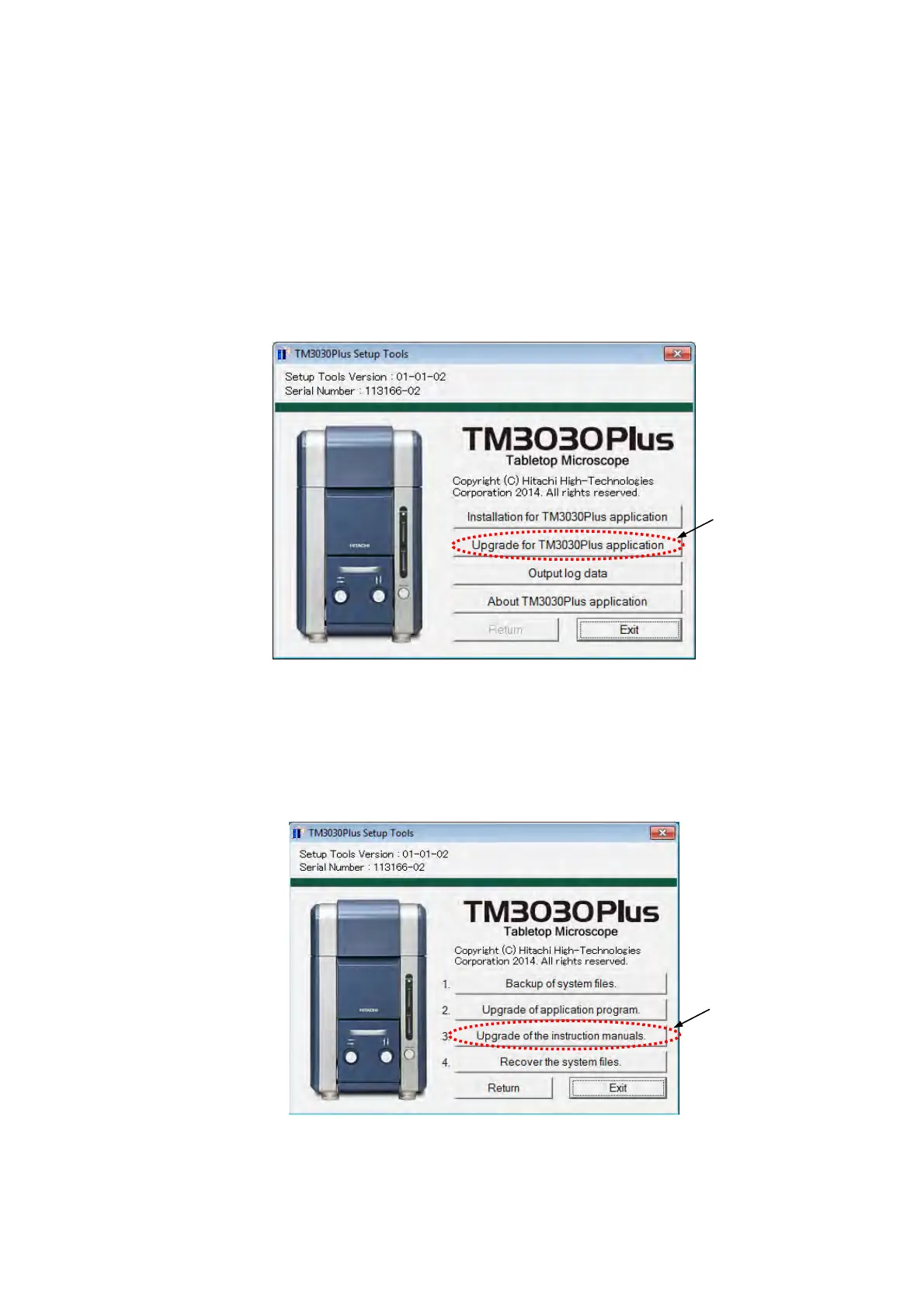
1a. Select [Upgrade for TM3030Plus application] from the following TM3030Plus Setup
Tools main menu.
Figure 2.5.2-1 TM3030Plus Setup Tools Window (Main Menu)
1b. The following window appears. Click the [Upgrade of the instruction manuals] button.
Figure 2.5.2-2 TM3030Plus Setup Tools Window (Upgrade)
Click
Click



 To Next Page