4 - 89
4.3.25 Edit Button
Figure 4.3.25-1 Edit Button
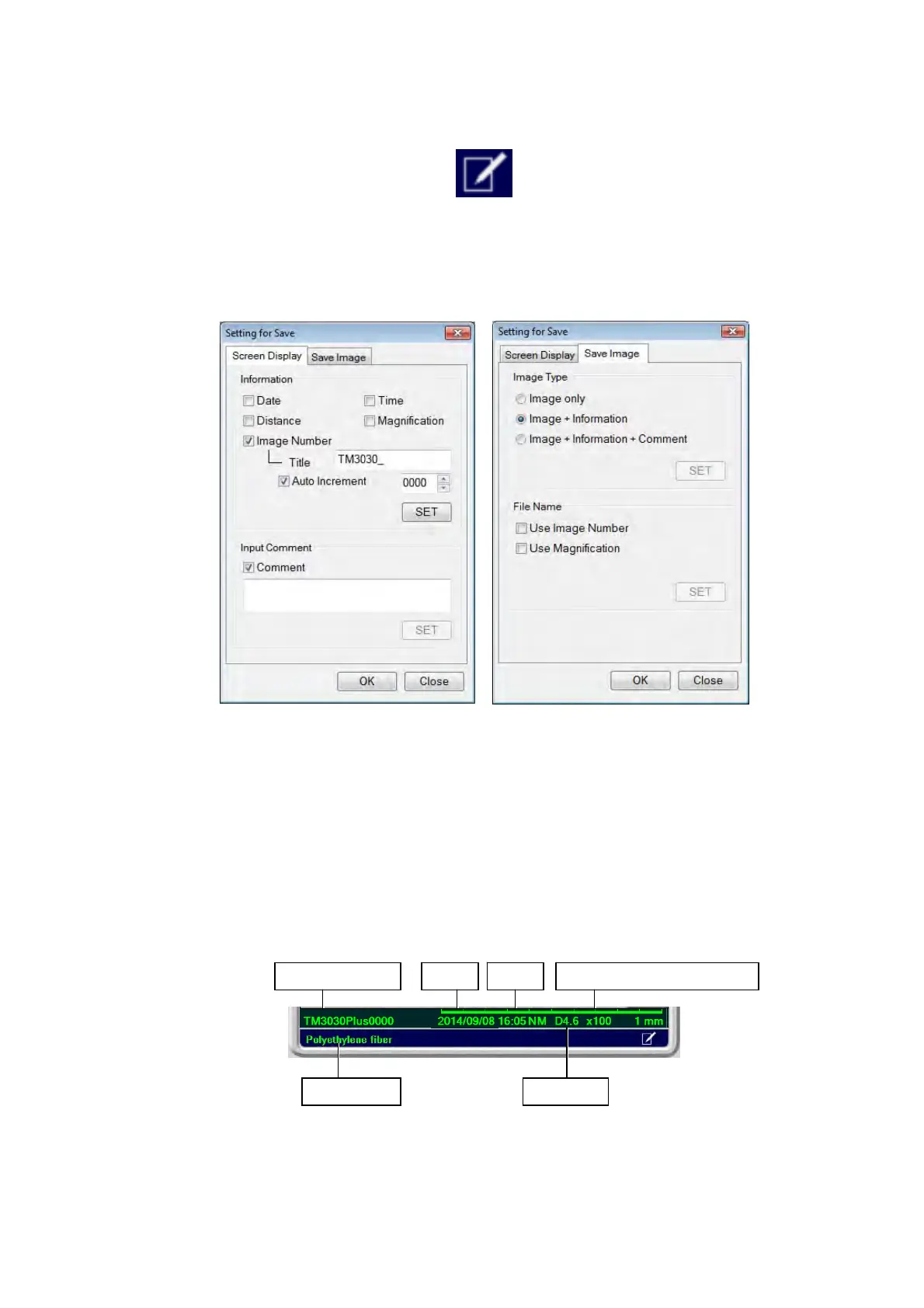
Displays the Setting for Save window.
Figure 4.3.25-2 Setting for Save Window
On this window, you can set information show / hide, edit any comments to be entered, and
select the desired image save type and file name.
1. Screen Display Tab
Each item in the [Information / Comment] area can be edited, and the information show /
hide settings can be performed.
Figure 4.3.25-3 Information / Comment Area
Image number TimeDate Observation magnification
Distance Comment



 To Next Page