2 - 29
2.3.6 Confirmation of the USB Driver Software
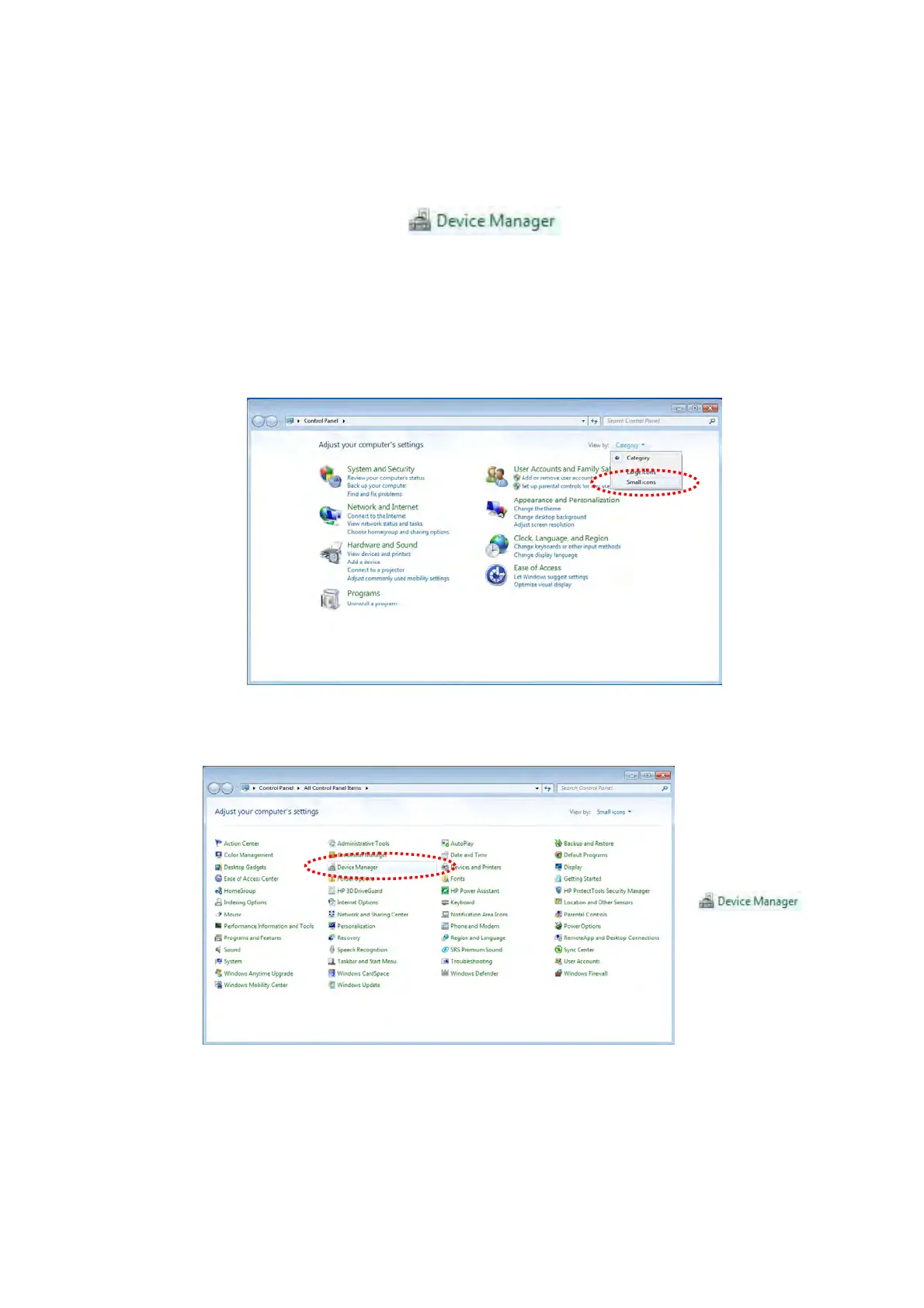
1. Open [Device Manager] from [Control Panel] of the [Start] menu.
Figure 2.3.6-1 Device Manager Icon
* When [Device Manager] does not appear, select [Small icons] from [View by]
pull-down menu of [Control Panel].
Figure 2.3.6-2 Control Panel
Figure 2.3.6-3 Control Panel



 To Next Page