7 - 66
7.21 Model Display in Three Dimensions
This explains how to create a 3D model from an imported image.
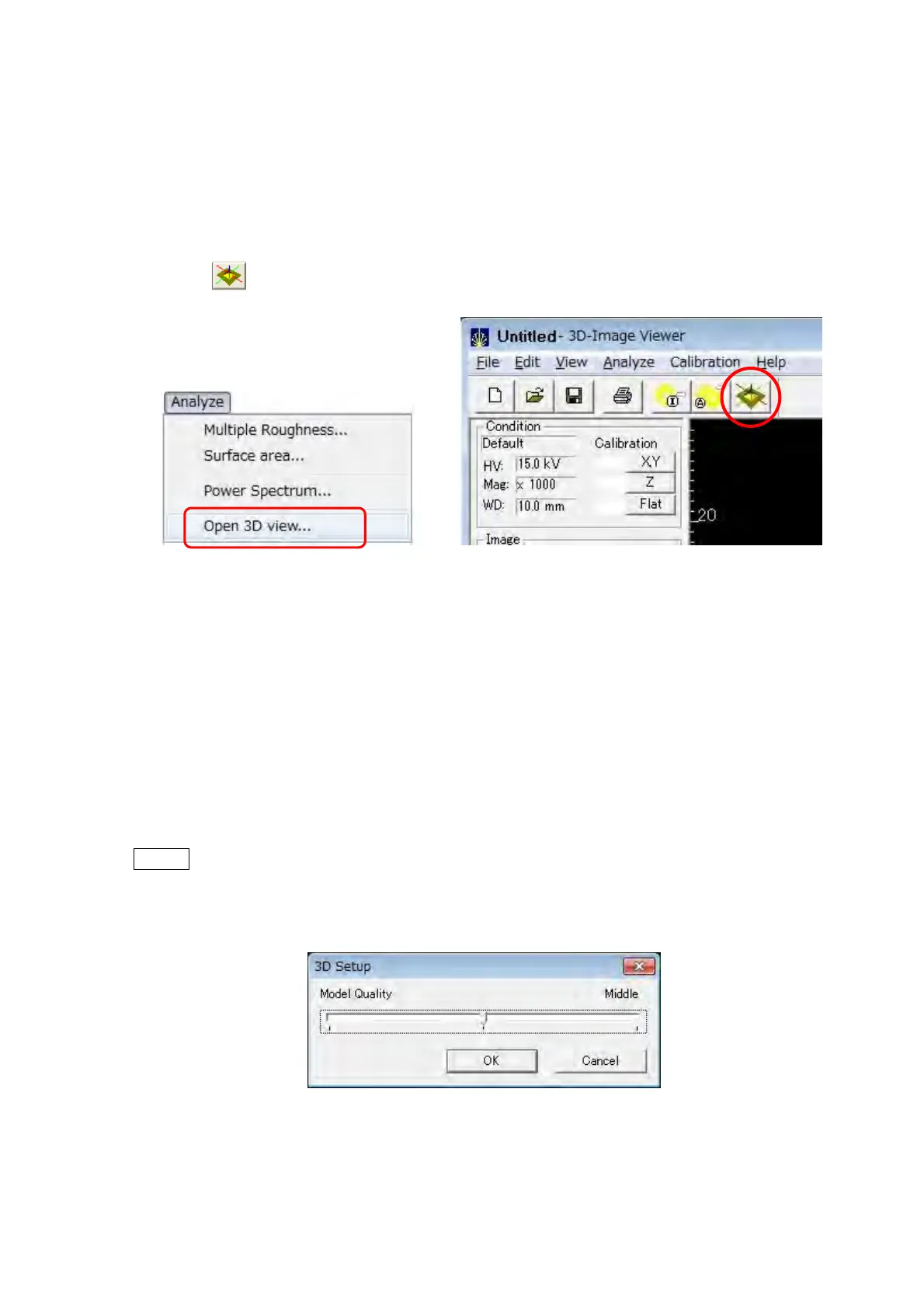
1. Opening the 3D Viewer Window
Select the [Open 3D view] from the [Analyze] on the menu bar, or click the [Open 3D
view]
button on the Toolbar to open the 3D Viewer window.
Figure 7.21-1 Open 3D view… Menu Figure 7.21-2 Open 3D view Button
2. Setting Model Quality
When the 3D Viewer window is opened, the 3D Setup dialog is displayed. Use the Model
Quality slider and select one of the three options, Low, Middle, and High. Then, click the
[OK] button. When clicking the [Cancel] button, creating of 3D model is canceled.
In case of clicking the [Generate 3D model] button in the Toolbar of 3D Viewer window,
the 3D Setup dialog is also displayed. Set the image quality by a similar procedure, and
create 3D model.
NOTE
: The higher the Model Quality, the higher the quality of the 3D model, but the 3D
model creation time becomes longer. Also, the larger the size of the image
imported, the greater the 3D model creation time.
Figure 7.21-3 3D Setup Dialog



 To Next Page