7 - 56
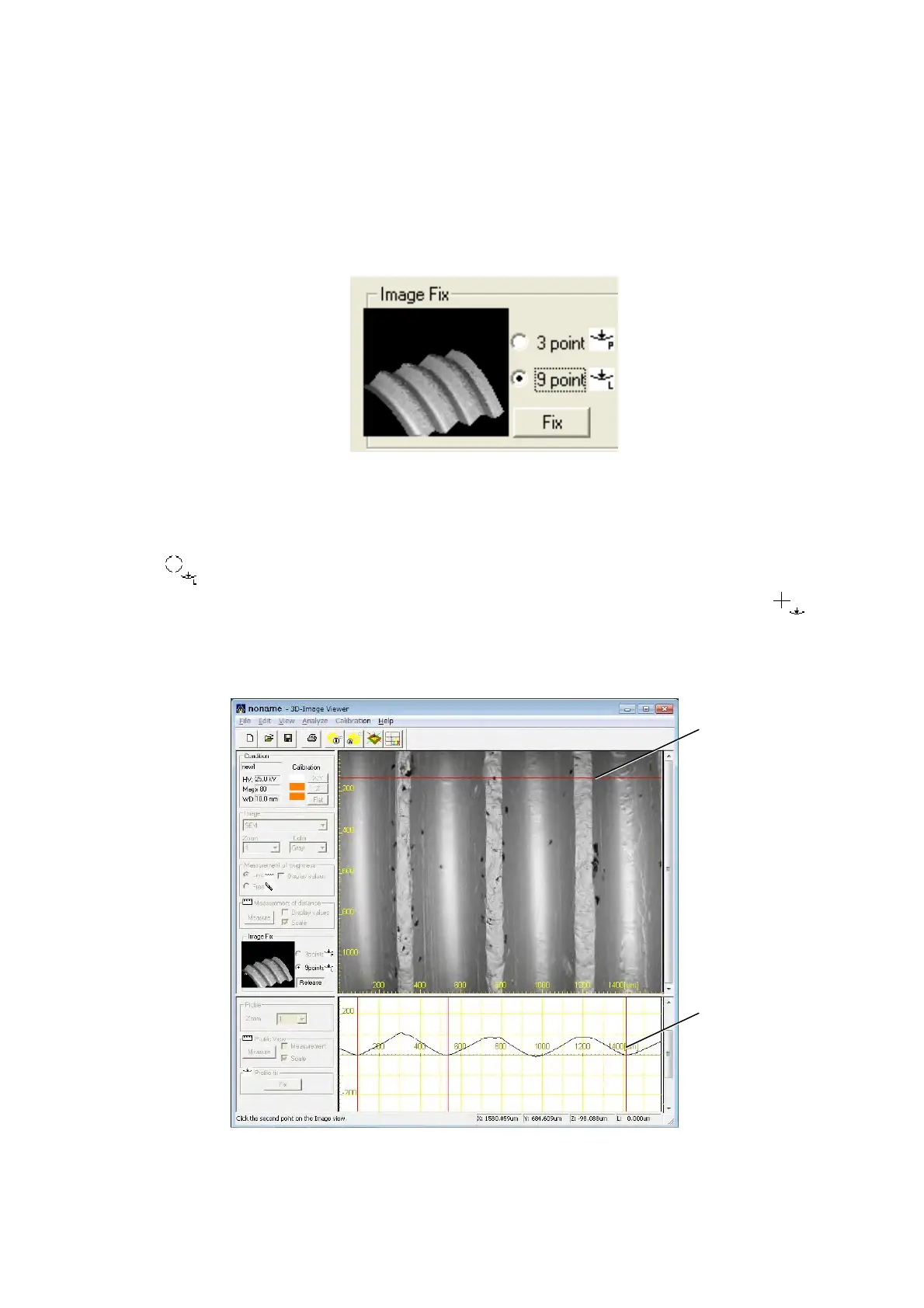
7.18.2 Image Fix 9 points
This function corrects the height of arbitrary 9 points on the image view in order to set the
standard position where the height is 0 µm.
1. Select the [9 point] radio button from the [Image Fix] block and click the [Fix] button.
Figure 7.18.2-1 Image Fix 9 point
2. Select the line that corrects height on the image view. The mouse cursor changes into
when moving it to the image view. Under such a condition, when clicking the line
position, a red horizontal line is displayed. Next, the mouse cursor changes into
when moving it to the profile view. Specify 3 points to correct the height of the profile. A
red perpendicular line is displayed at the specified points.
Figure 7.18.2-2 Example of Operating the Image Fix 9 points
Specified position
of the first line
Specified position
of the first line



 To Next Page