2 - 42
2.4.2 Uninstallation of the Instruction Manual
NOTE
: Uninstall the instruction manual with a user name of TM3030PlusUSER.
1. Open [Control Panel] from the Start menu.
2. Select [Programs and Features] from [Control Panel].
Figure 2.4.2-1 Programs and Features Icon
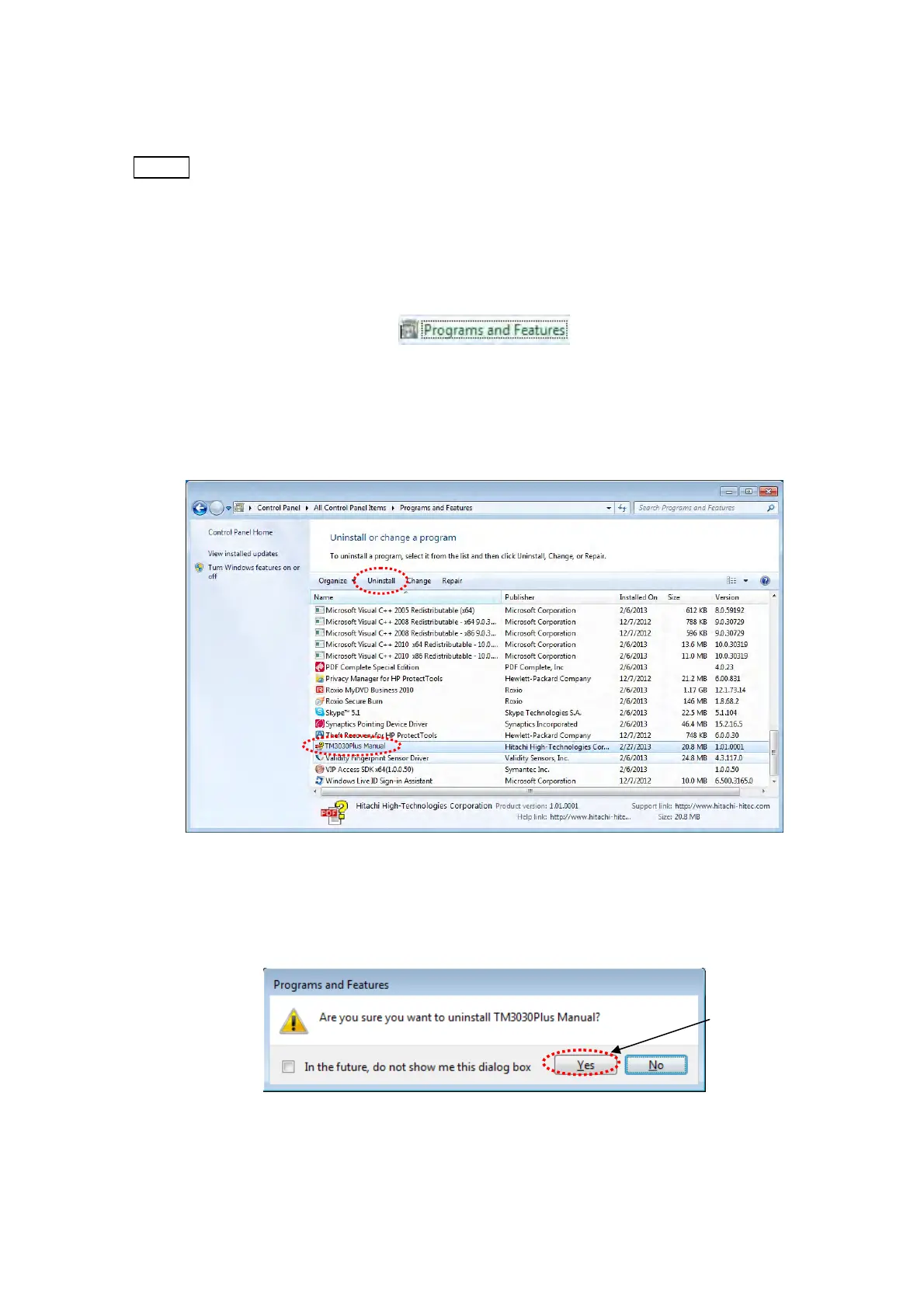
3. The following window appears. Select [TM3030Plus Manual] and click [Uninstall].
Figure 2.4.2-2 Uninstall or change a program Window
4. The following window appears. Click the [Yes] button.
Figure 2.4.2-3 Programs and Features Window
Click



 To Next Page