7 - 23
7.10 Image Settings View Function
This function allows you to specify various settings, such as selecting an image view display
format.
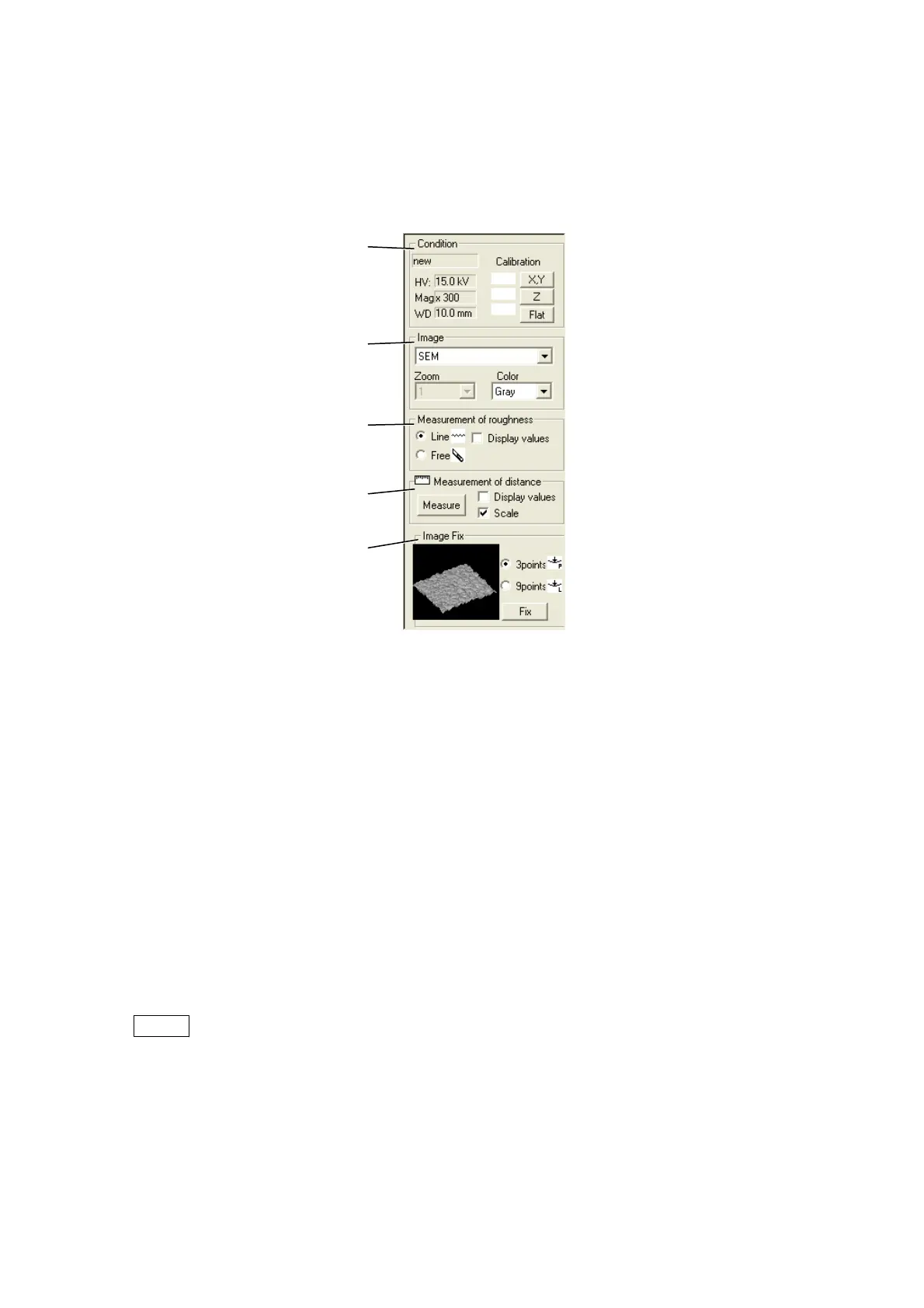
Figure 7.10-1 Image Settings View
1. Condition
Calibration condition
Displays the calibration condition. When clicking the [Condition] area, the Condition table
dialog is displayed.
See 7.22 Calibration of 3D Measurement.
Calibration condition comment: Displays comments of the calibration condition.
HV: Displays an accelerating voltage of the calibration condition.
Mag: Displays a magnification of the calibration condition.
WD: Displays a working distance (WD) of the calibration condition.
NOTE
: The value of "D" that shows the distance from the BSE detector to a specimen is
displayed as "WD (Working distance)" that shows the focal length in 3D-Image
Viewer. The relation of the values of "D" and "WD" is
WD=D 1.5 mm.
Condition
Display data setting
Measurement of roughness
Measurement of distance
Image Fix



 To Next Page