4 - 112
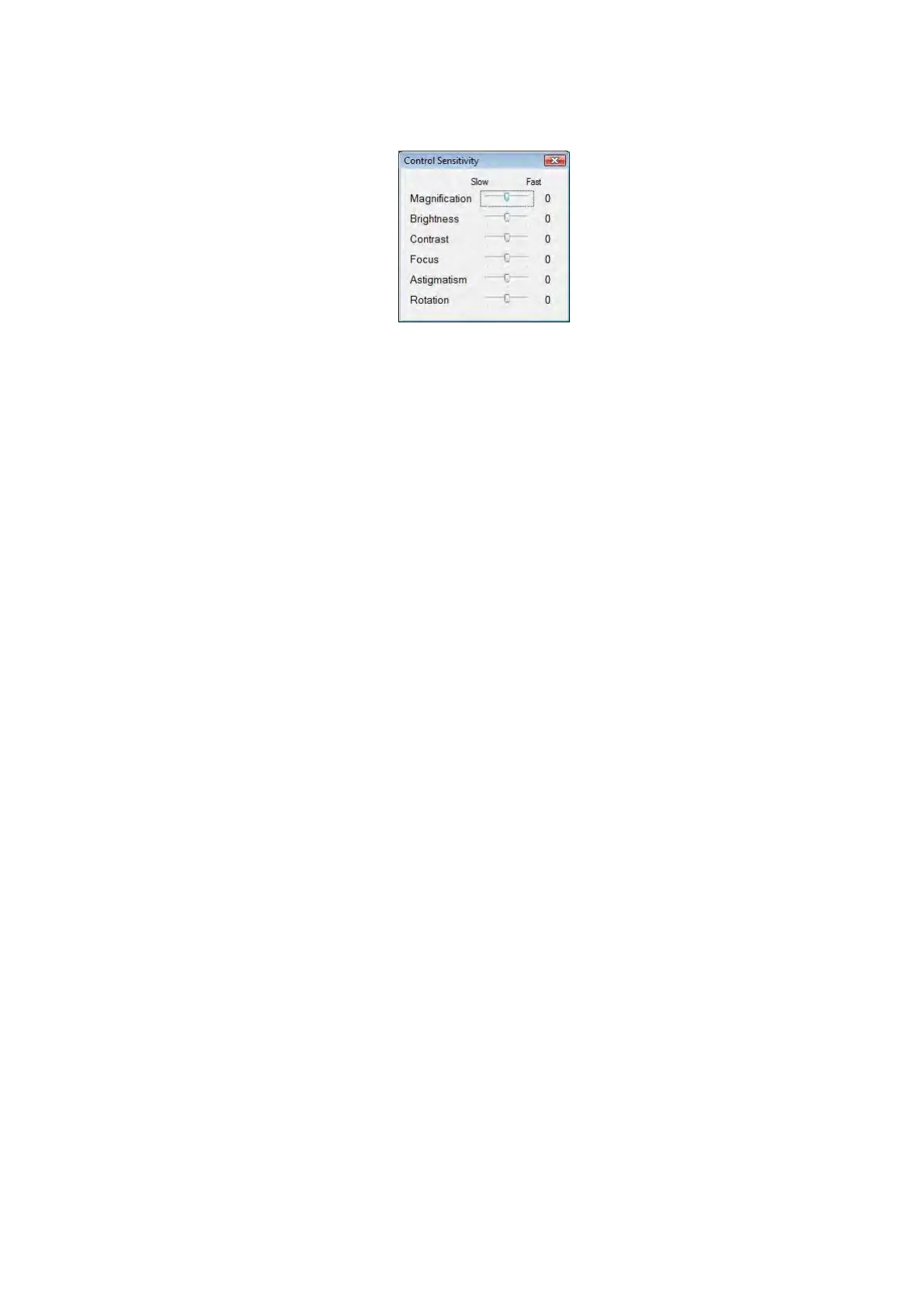
4.3.35 Control Sensitivity Window
Figure 4.3.35 Control Sensitivity Window
This button allows adjusting the operation sensitivity of the buttons (e.g. magnification and
brightness buttons). Select [Control Sensitivity] from the [Setting] menu to display the Control
Sensitivity window. Set the sensitivities of the buttons to desired levels.
Each button allows the level to be specified in three steps (-1: slow, 0: standard, +1: fast).
1. Magnification
Specifies the operation sensitivity of the [Magnification] button on the operation window
(the speed of continuous magnification change while the button is held continuously).
2. Brightness
Specifies the operation sensitivity of the [Brightness] button on the operation window (the
speed of continuous brightness change while the button is held continuously).
3. Contrast
Specifies the operation sensitivity of the [Contrast] button on the operation window (the
speed of continuous contrast change while the button is held continuously).
4. Focus
Specifies the operation sensitivity of the [Focus] button on the operation window (the
speed of continuous focus change while the button is held continuously.)
5. Astigmatism
Specifies the operation sensitivity of the [Astigmatism Correction Operation] part (the
speed of continuous astigmatism change while the scroll bar is held continuously).
6. Rotation
Specifies the operation sensitivity of the [Rotation] button (for fine adjustment) on the
operation window (the speed of continuous rotation change while the button is held
continuously).



 To Next Page