4 - 99
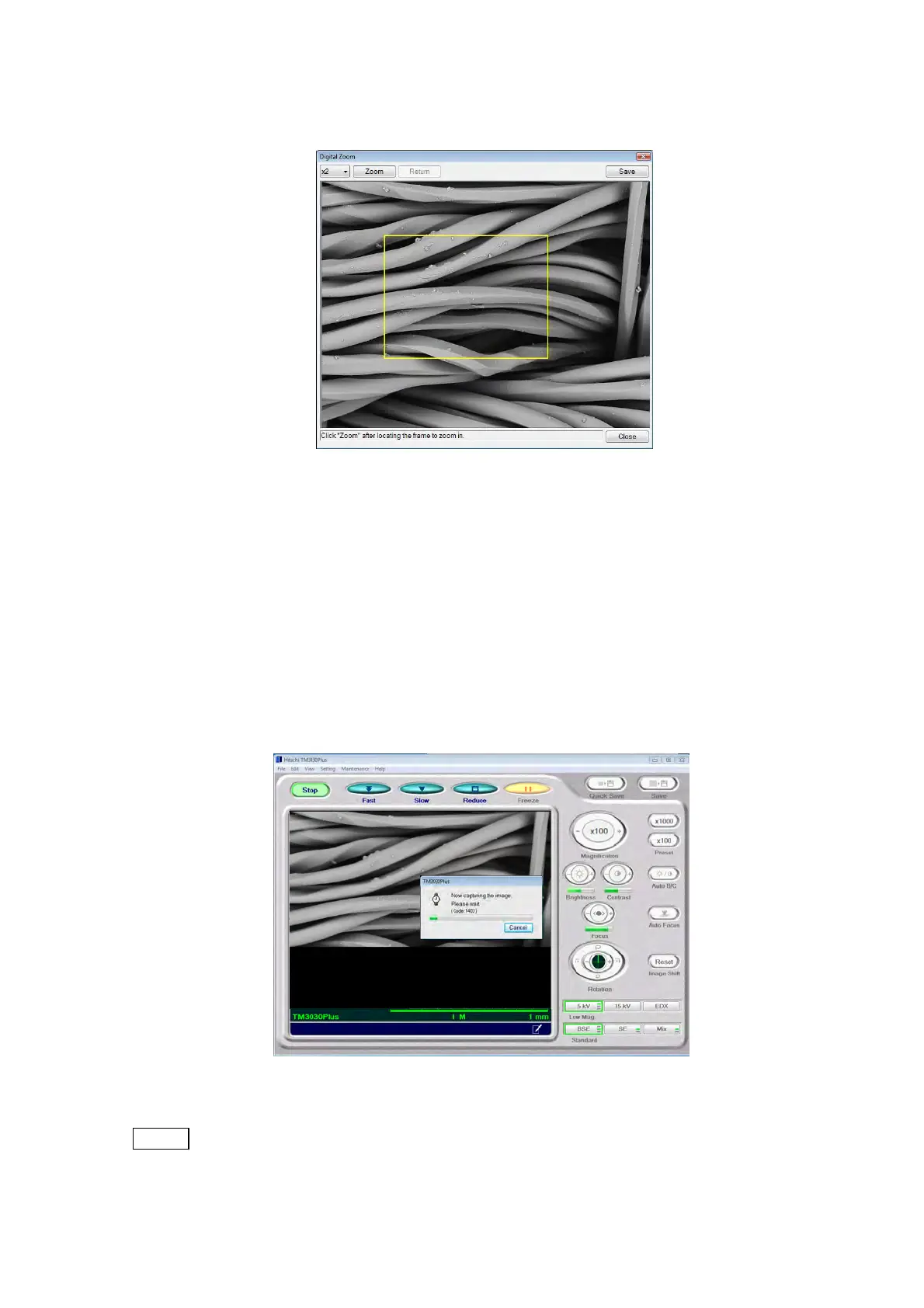
4.3.30 Digital Zoom Window
Figure 4.3.30-1 Digital Zoom Window
Digital zoom operation can be performed for the observation image.
Digital Zoom operation
1. When [Digital Zoom] is selected from the [Edit] menu, high-definition images start to be
captured (image capture), irrespective of the current View mode. A dialog message is
displayed, showing the image capture is in progress (it takes 30 to 40 seconds to
complete the saving process after the image capture is finished).
Figure 4.3.30-2 Image Capture Execution Window
NOTE
: To prevent noise in the saved image, be careful not to exert vibrations on the
system main unit during the image capture process.



 To Next Page