4 - 31
2. Dragging the Mouse
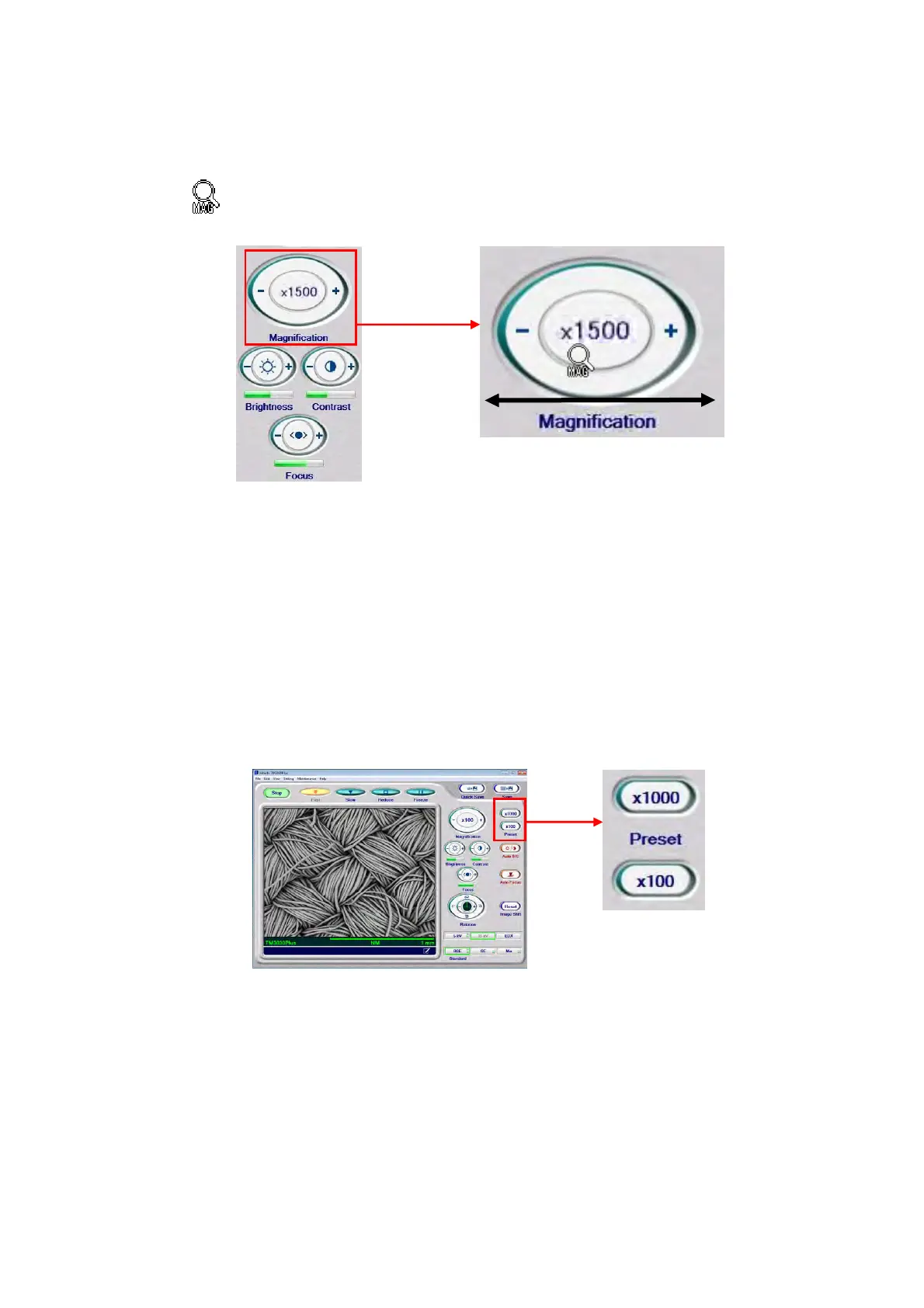
2a. Move the mouse cursor into the [Magnification] button to change the cursor to the
mark.
Figure 4.2.8-2 Magnification Settings (Mouse-Dragging Operation)
2b. By dragging the mouse to the right and left, the magnification is changed. To
increases the magnification, drag it to the right direction; to decrease, drag to the left
direction. While viewing the image, perform adjustments until an appropriate
magnification level is attained. Adjustment can be continued until the left mouse
button is released even if the cursor moves outside of the [Magnification] button.
3. Clicking the Preset Button
Figure 4.2.8-3 Magnification Settings (Preset Button Operation)
By registering magnifications that is frequently used (two magnification levels can be
memorized),your target magnification can be set with a simple click of the [Preset] button.
For a description of how to set a Preset magnification, see 4.3.33 Preset Magnification
Window.



 To Next Page