4 - 65
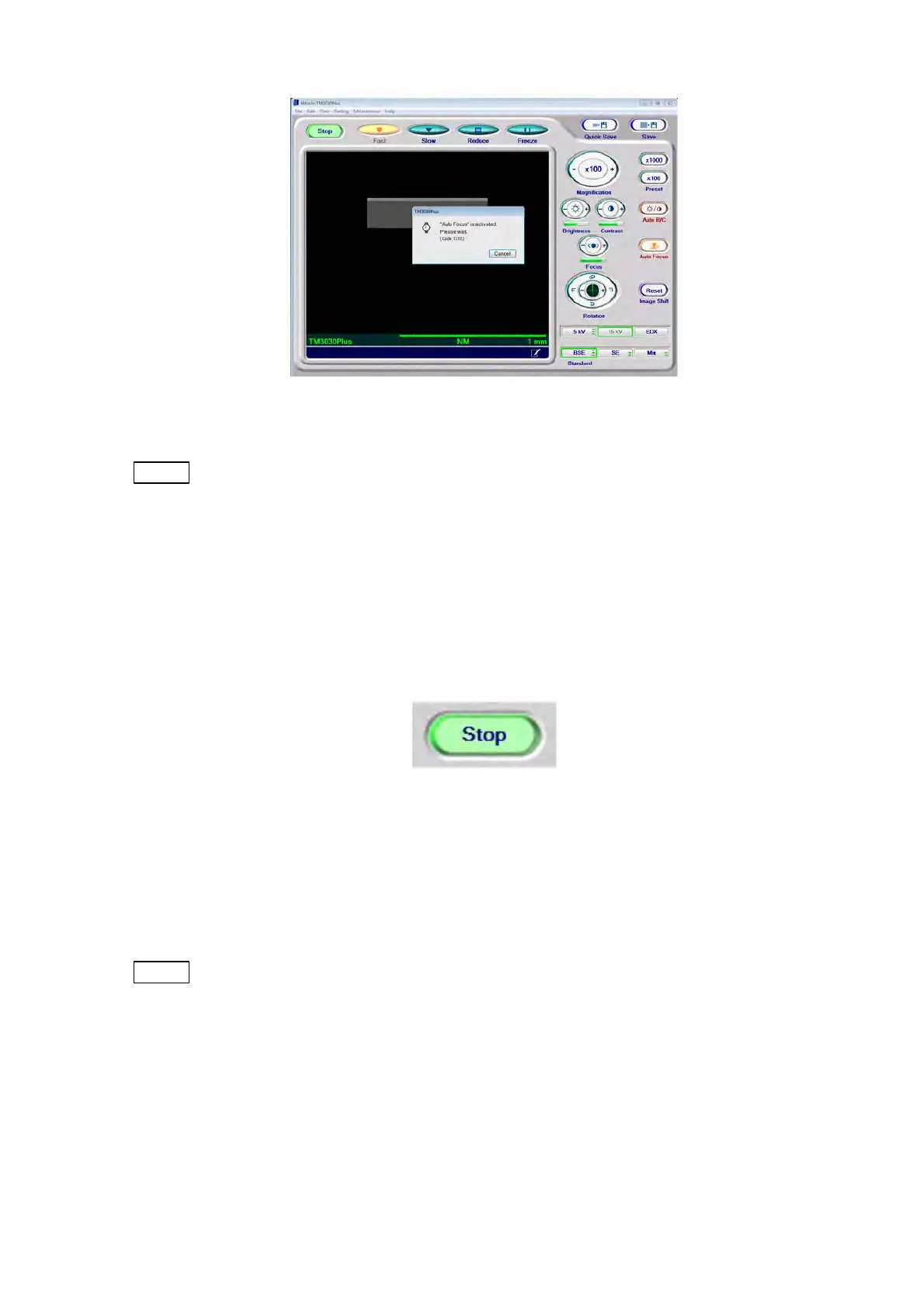
Figure 4.3.10-3 Auto Start In Progress Window
NOTE
: The [Start] button is not enabled until the specimen chamber reaches a vacuum
degree capable of observation. Normally, it takes approximately three minutes to
be able to start observation after the EVAC/AIR switch is turned on.
If the [Start/stop] button does not show [Stop] despite the operation, or if an error
message indicating a system failure appears after the Auto start-in-progress
window disappears, refer to 5.5 Error Messages.
2. Stop (HV-OFF) Button
Figure 4.3.10-4 Start/Stop Button (Stop)
While the [Start/stop] button shows [Stop], electron beam irradiation is on (HV-ON). Click
the [Stop] button to stop electron beam irradiation. Then, the button will be switched to
[Start].
NOTE
: A message can appear to show that the conditions of the specimen chamber and
the filament are not suitable for observation. Then, the button display changes
from [Stop] to [Start]. In such a case, refer to 5.5 Error Messages.


 To Next Page