4 - 74
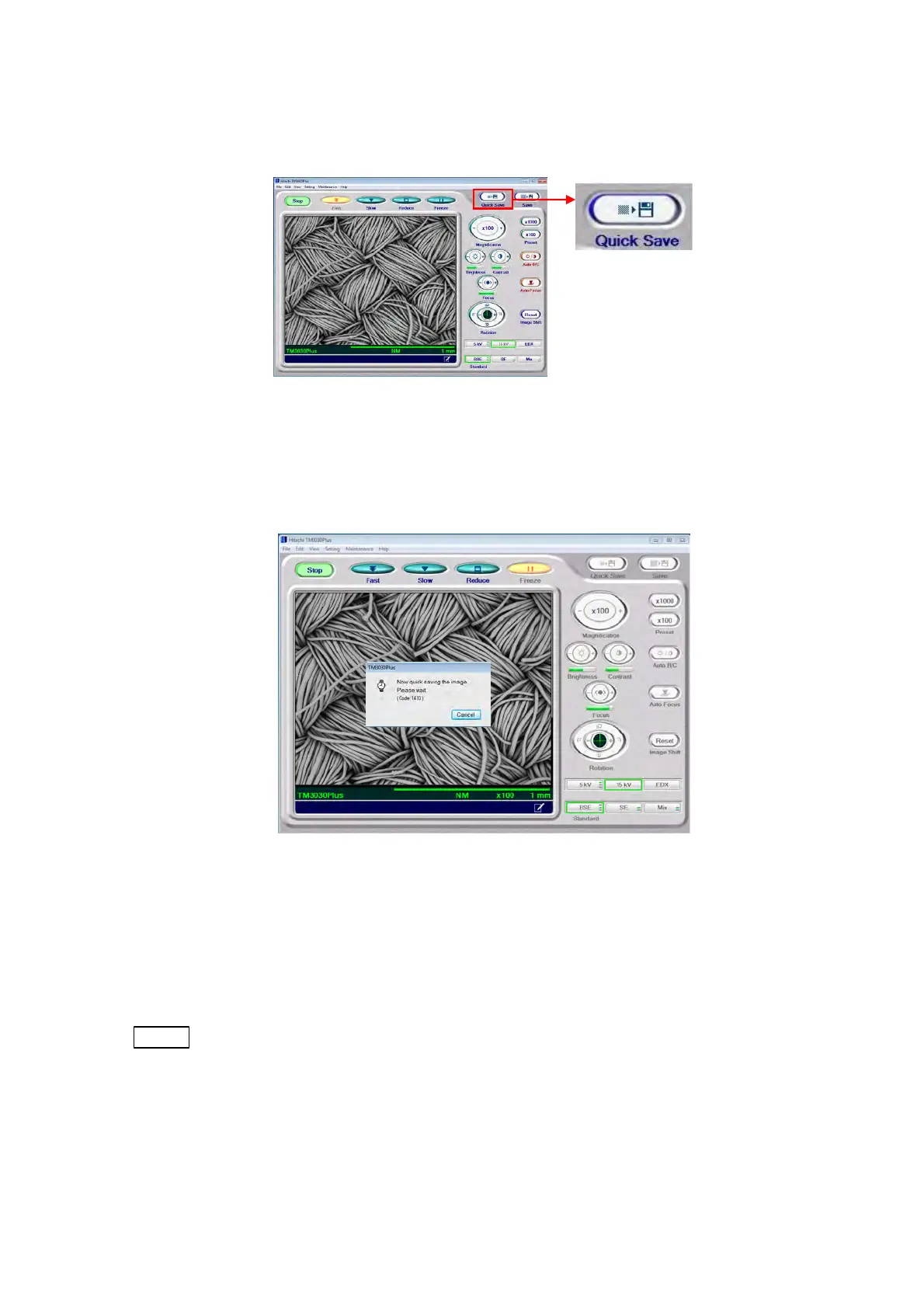
1. To save an image, either click the [Quick Save] button or select [Quick Save] from [Save
Image] of the [File] menu.
Figure 4.3.14-2 Quick Save Button for Image Data
2. The view mode changes to [Freeze] (the observation image pauses) and image capture
starts.
Figure 4.3.14-3 Image Capture Screen
The time to image capture depends on the each View mode. During the processing, a
dialog message appears. After the completion, it will disappear. When canceling [Quick
Save], click the [Cancel] button on the dialog message.
NOTE
: When either [Fast] or [Reduce] is selected in [View mode settings area], [Quick
Save] cannot be canceled. If [Quick Save] is executed with [Freeze] selected, the
dialog message is not displayed.



 To Next Page