4 - 81
2. Brightness Adjustment (Mouse-Dragging)
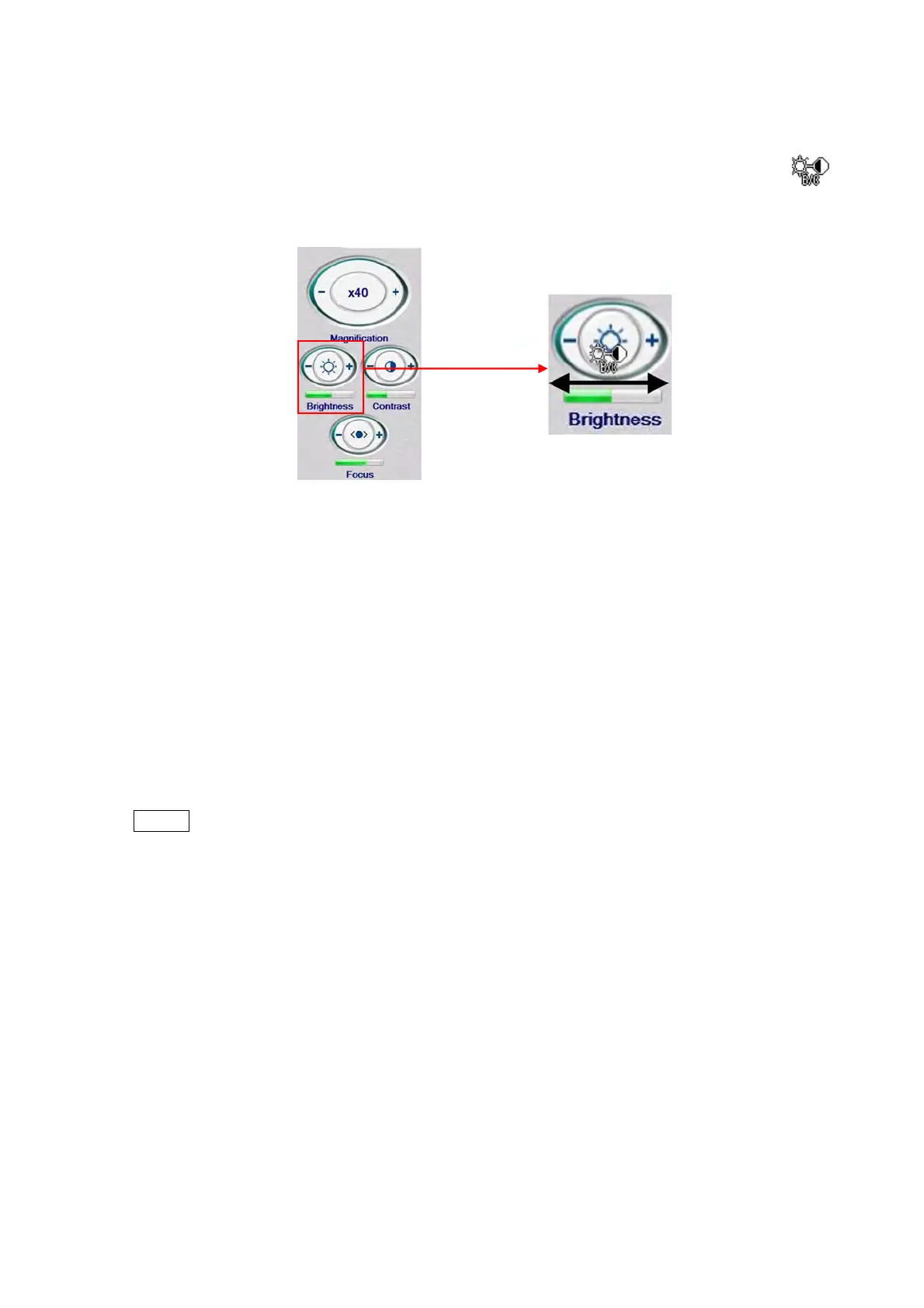
2a. Move the mouse cursor into the [Brightness] button to change the cursor to the
mark.
Figure 4.3.18-4 Brightness Button (Mouse-Dragging Operation)
2b. Adjust the brightness by dragging the mouse. When dragging it to the right on the
[Brightness] button, the brightness is increased; when dragging it to the left, the
brightness is decreased. While viewing the image, perform adjustments until an
appropriate brightness is attained. Even when the cursor moves out of the
[Brightness] button, the adjustment can be continued until the left mouse button is
released. The brightness level of the current image is indicated below the button. The
green bar becomes longer to show higher brightness; it becomes shorter to show
lower brightness.
NOTE
: The brightness of an image varies depending on a specimen to be observed. Even
though the same adjustment is employed, the observed field of view and
magnification also affect the brightness level.



 To Next Page