5 - 3
3. Introduce air into the specimen chamber.
Turn on the power switch on the right side of the main unit. Press the EVAC/AIR switch
to introduce the air into the specimen chamber. After air introduction is completed, the
lighting pattern of AIR LED (yellow) changes from blinking to lighting.
Then, turn off the power switch on the right side of the main unit.
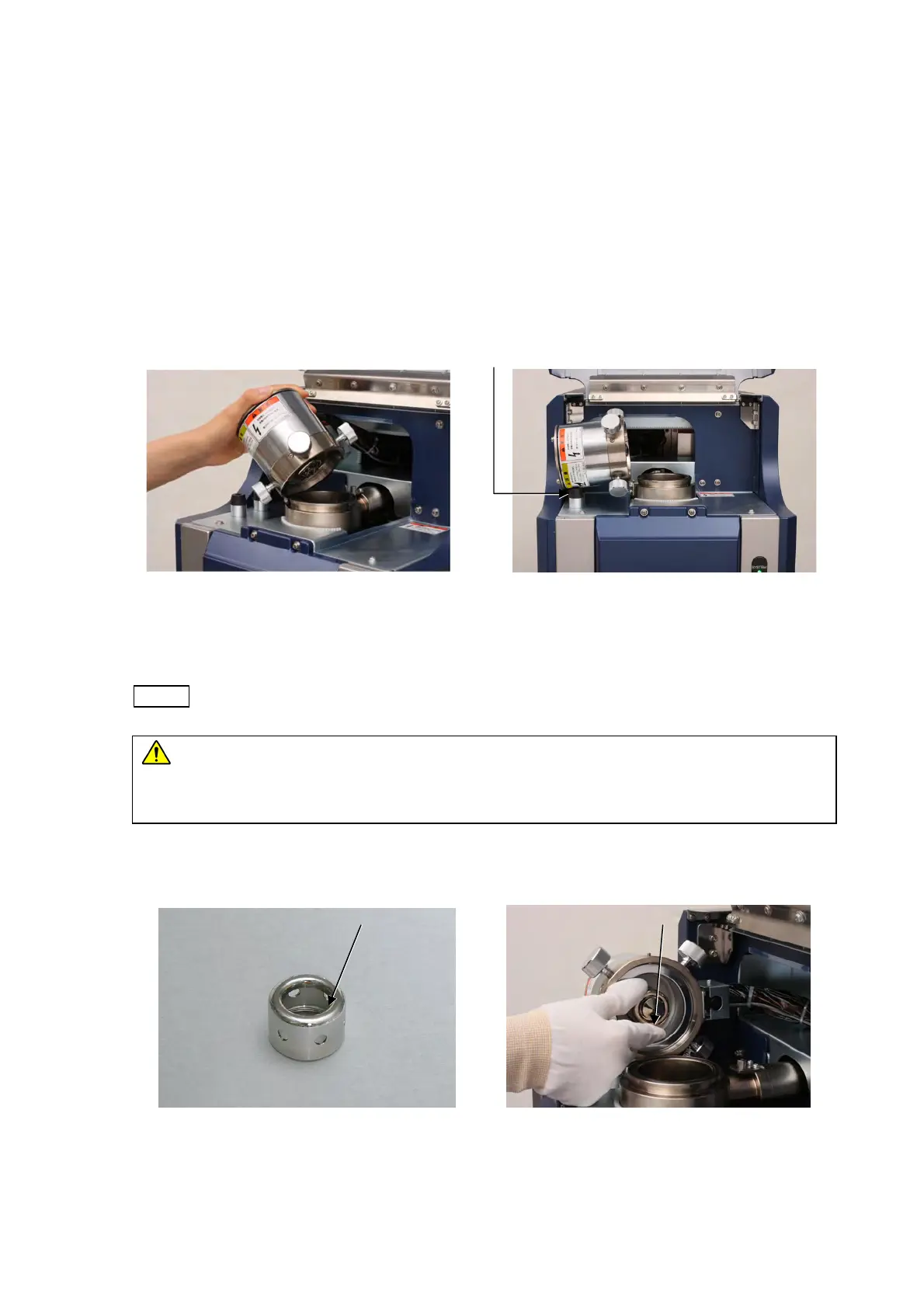
4. Turn the hexagon head screw twice to loosen it using a provided hexagonal wrench. Tilt
the electron gun to the left of the system until it touches the cushion.
Figure 5.1-2 Opening/Closing the
Electron Gun (1)
Figure 5.1-3 Opening/Closing the
Electron Gun (2)
NOTE
: Note that the hexagon head screw may come off if loosened too much.
CAUTION
: The electron gun weighs 2.5 kg. It might cause finger injury when
opening and shutting. Be careful not to pinch your fingers when opening
and shutting.
5. Remove the cap by turning it counterclockwise.
Figure 5.1-4 Cap Figure 5.1-5 Removing the Cap
Cushion
Cap Wehnelt



 To Next Page