5 - 12
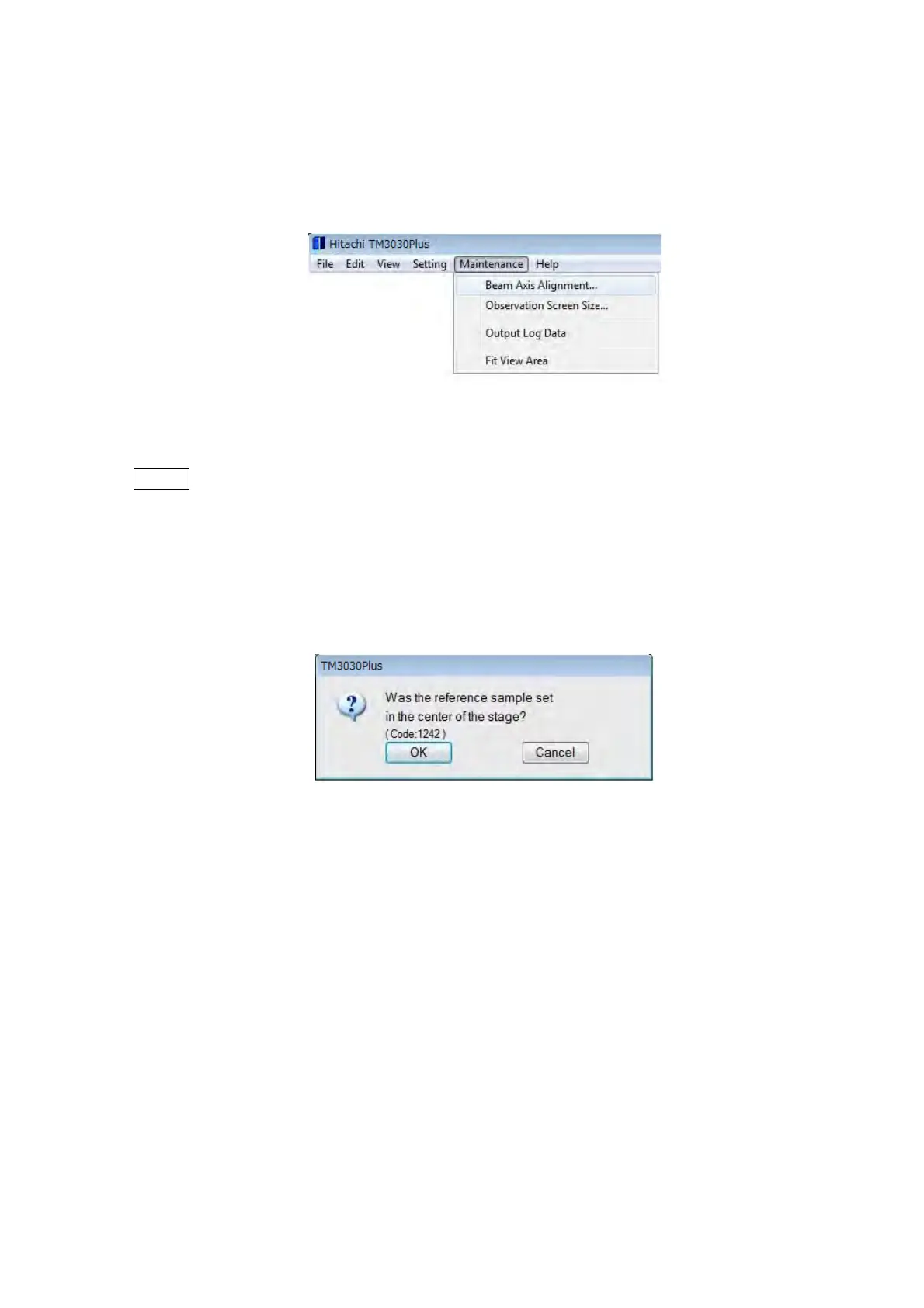
3. Start the beam axis alignment mode.
The beam axis can be adjusted to the center of the lens in the three steps. From the
[Maintenance] menu, select [Beam axis alignment]. The Beam Axis Alignment window
will be displayed.
Figure 5.2-3 Starting the Beam Axis Alignment Mode
NOTE
: Beam axis alignment can be performed only when electron beam irradiation is on
(HV-ON). During the execution of beam axis alignment, do not operate the
specimen stage, otherwise, the beam axis cannot be aligned.
Click the [OK] button as the following confirmation message is displayed. The Beam Axis
Alignment window appears.
Figure 5.2-4 Reference Sample Loading Confirmation Window (1)



 To Next Page