2 - 14
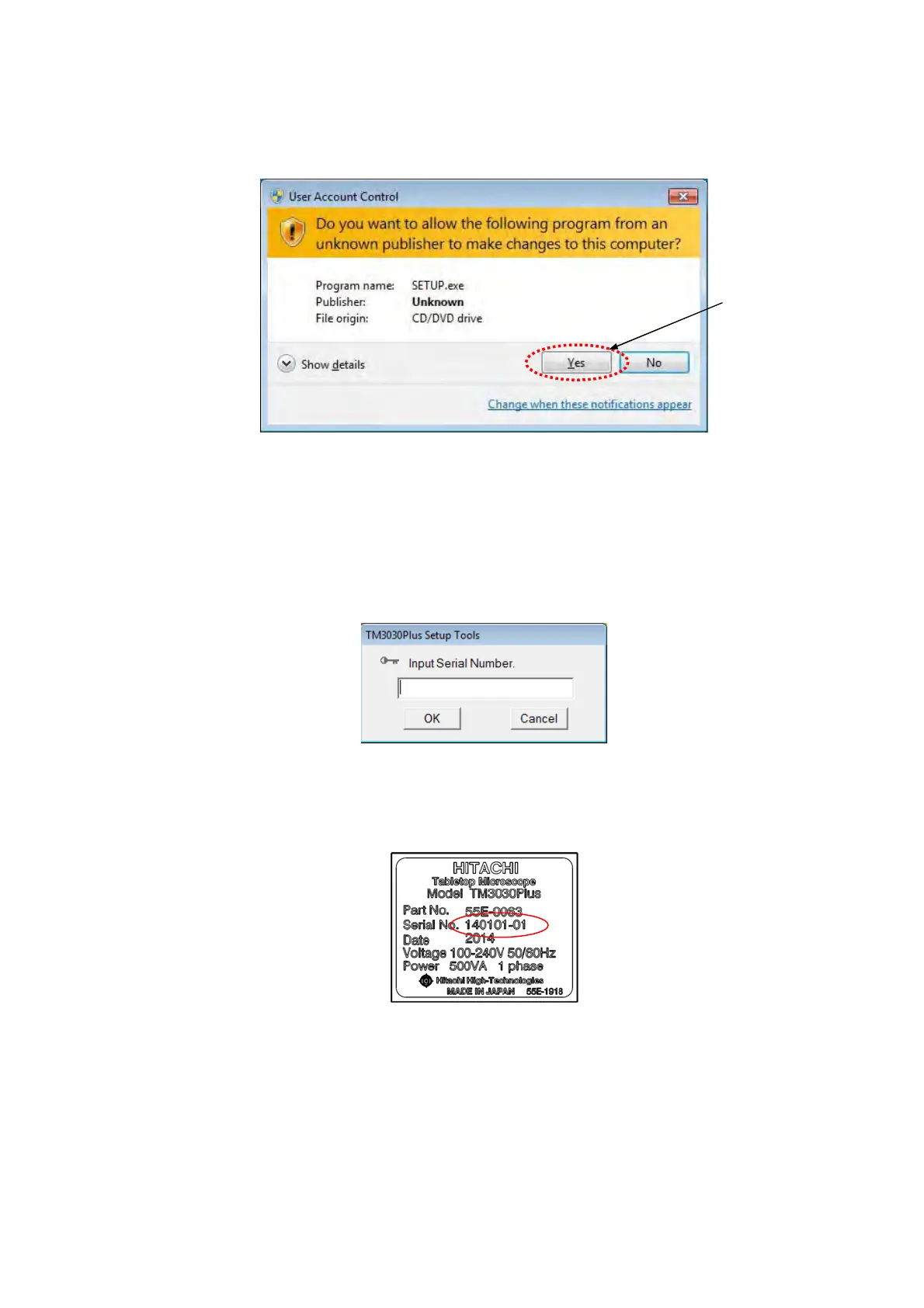
4. TM3030Plus Setup Tools starts automatically. If the User Account Control window
appears, click the [Yes] button.
Figure 2.3-3 User Account Control Window
5. The following window appears. Input Serial Number of the TM3030Plus in the dialog box
and click the [OK] button.
Serial Number is listed on the product nameplate located on the back of the main unit.
Figure 2.3-4 Input Serial Number Dialog Box
Figure 2.3-5 Product Nameplate
Click



 To Next Page