2 - 37
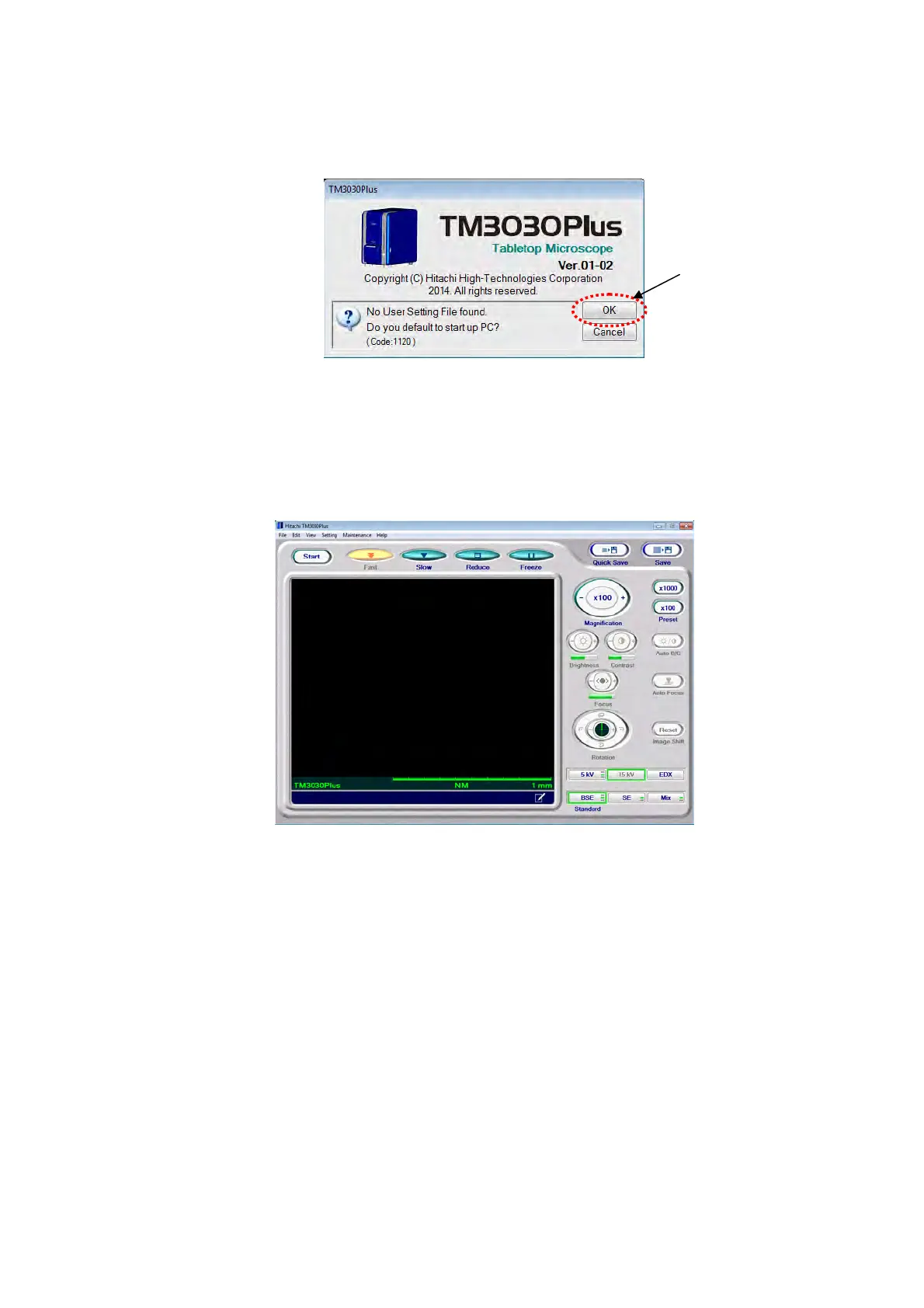
4. A [No User Setting File found. Do you default to start up PC?] message appears. Click
the [OK] button.
Figure 2.3.8-3 Default to Start Up Window
5. When the application program starts normally, the following operation window appears.
For a description of image observation operations, see Chapter 4.
Figure 2.3.8-4 Operation Window
6. Select either the [X] button at the right edge of the title bar in the Operation window or
[Exit] from the [File] menu to close the application program.
Click



 To Next Page