Chapter 9: Qualification Study
ValProbe RT User Manual 93
9.3. Qualification Study Start / Stop Conditions
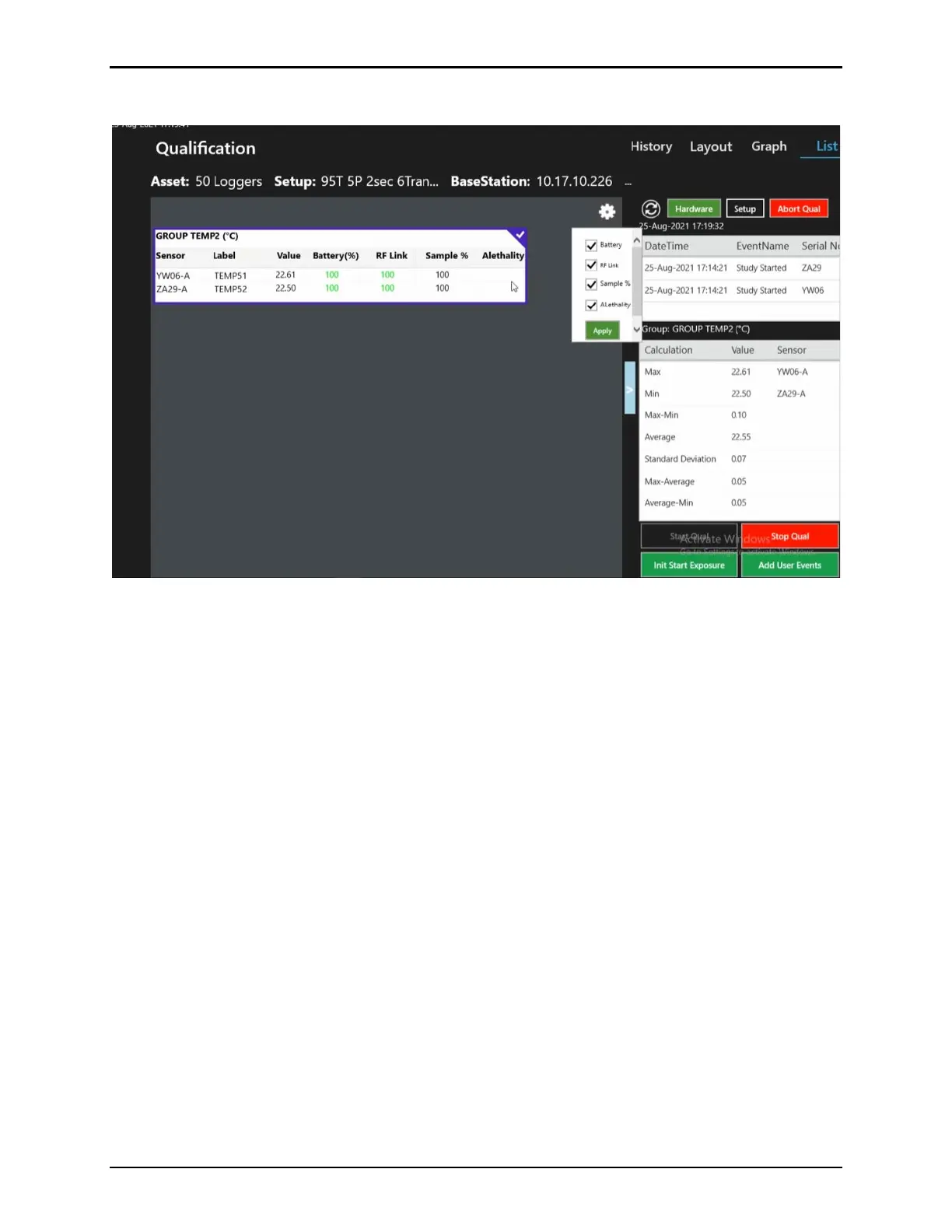
Figure 122: List View - Real-Time Readings
When Logger and Base Station programing is complete, and the Qualification ribbon is pressed, the
Qualification Study screen displays. The bottom right of the screen contains all the Start / Stop
command buttons for qualification and exposure as defined within the Setup.
• Qual Start conditions are programmed in the Setup and are configurable to either occur
manually, by pressing the Start Qual button, or automatically based on Date and Time
of Day.
Note: Time of Day cannot be programmed for more than 72 hours after the Loggers are
programmed. After 72 hours, the Loggers are set to shelf mode if a study is not started.
• Qual Stop conditions are programmed in the Setup and are configurable to either,
occur manually, by pressing the Stop Qual button, or automatically based Cycle Time,
on Date and Time of Day.
Note: Cycle Time does not have any duration limit, cycle time duration depends on the
sampling rate and number of samples. The maximum number of samples collected are
100,000 per sensor.
The Qualification Study screen contains buttons for the Start and Stop Exposure. These
buttons are active only if the Lethality calculation in the Setup is configured to calculate
lethality during the Exposure Cycle.
The ValProbe RT system automatically controls the availability and proper sequencing of the
Qual Start / Stop and Exposure Start / Stop buttons to ensure the correct order is followed (i.e.
do not select Stop Exposure before Start Exposure is initiated etc.).
If a condition is defined to be Started / Stopped manually, then the proper sequence of that
button is highlighted a color and does not occur until the button is pressed. If the condition is



 To Next Page