Chapter 11: Sensor Verification
ValProbe RT User Manual 106
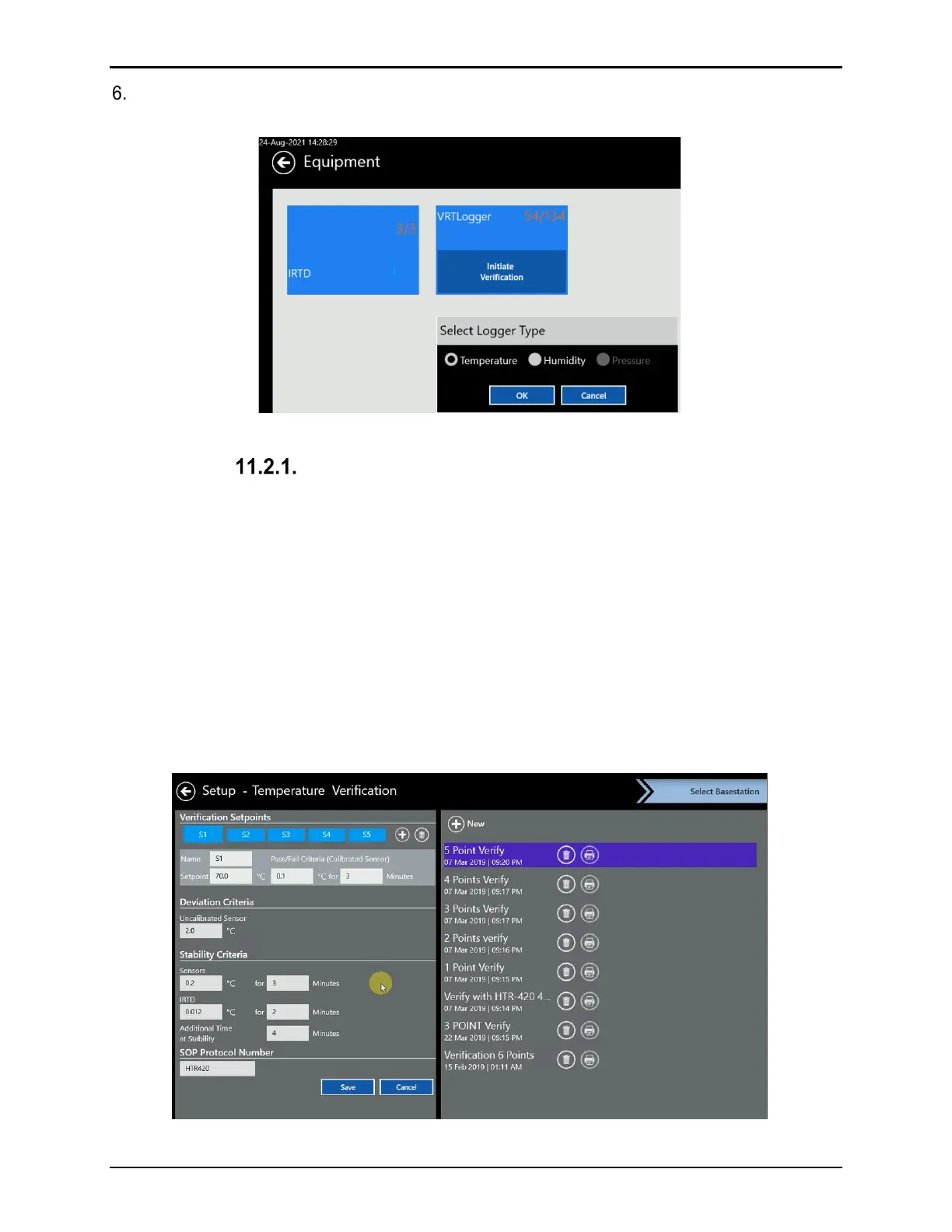
Choose the Temperature or Humidity verification type on the Select Verification Type
window.
Figure 139: Select Verification Type
Temperature Verification
Note: For instructions on Humidity Verification please see 11.2.2 Humidity Verification.
• If you select Temperature, the Temperature Verification Setup screen opens, the following
options are available:
• Choose between one to six temperature setpoints
• Define for each setpoint the setpoint temperature, Pass / Fail criteria, and results log
times for reports
• Define sensor stability and minimum duration
• IRTD temperature reference stability criteria and duration
• Additional time at stability to ensure sensors, Loggers, and references are stable
• SOP protocol numbers (up to 50 characters) or other information
Figure 140: Setup Temperature Verification



 To Next Page