Chapter 9: Qualification Study
ValProbe RT User Manual 83
9.2. Initiating a Qualification Study
Before the initiation of the qualification process, ensure the following.
• Base Station is located as close as possible to Asset being validated to maximize signal
strength (Max distance from Base Station to all Loggers 450 ft (~150 meters) line of
sight).
• Base Station is connected to Console / Docking Station via Direct Ethernet connection
via Static IP or to Network via Ethernet DHCP. (See Chapter 3). After physical
connections are made and then Power Up the Console and then the Base Station.
• Ensure all Loggers to be utilized for the study are available, and near the Base Station.
Note: Kaye recommends that the User first connect, program, and Start the Qualification
before placing the Loggers in the Asset. This ensure all Loggers are properly started.
The additional data collected prior to starting the process can be disregarded when
marking cycles.
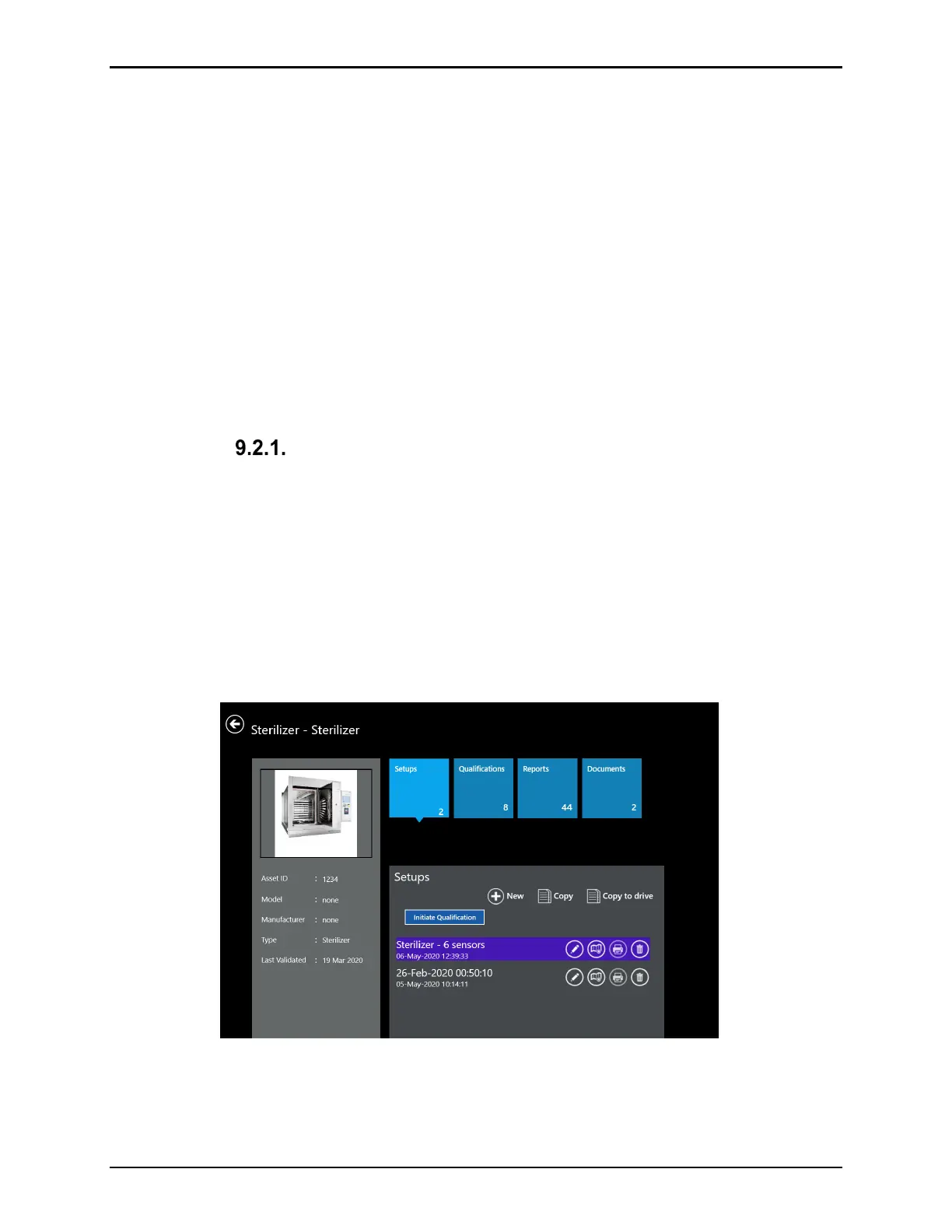
Select a Setup File
The Qualification Study is based on the parameters defined in the Setup file. Prior to the
Qualification the Setup file that will be used needs to be selected. To select and load the
Setup file perform the following steps:
• From the Main menu select Assets
• From the Setup tile select the desire Setup to be run and select Initiate Qualification
The pop window gives the opportunity to change the SOP Protocol Number and display the
run number. The run number counts automatically, but it is editable if required. Pressing OK
opens the Select Base Station screen.
Figure 106: Selecting Setup File



 To Next Page