Chapter 11: Sensor Verification
ValProbe RT User Manual 113
11.6. Running a Sensor Verification
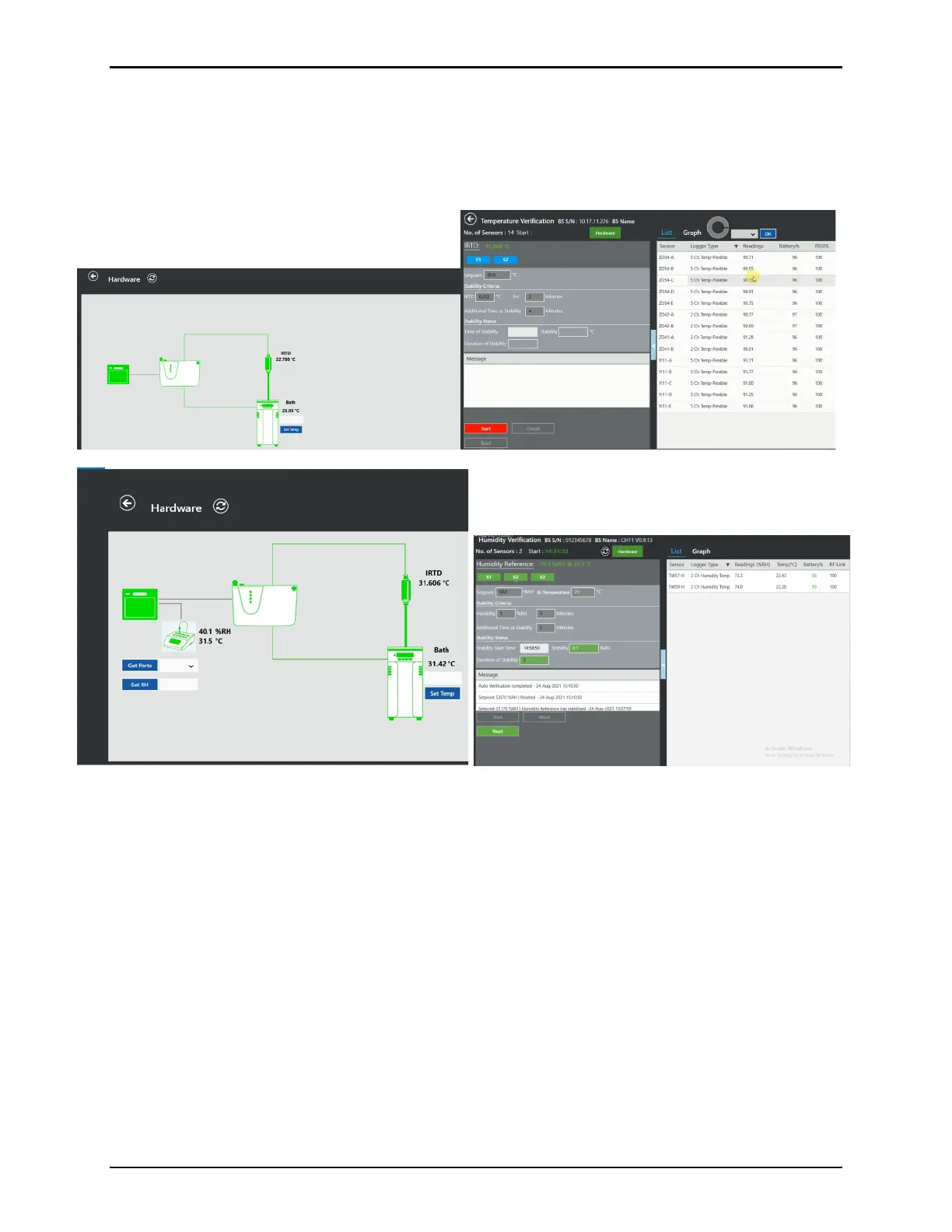
Prior to starting the verification select the Hardware button to verify the IRTD and Kaye bath
drywell are displayed as connected for temperature verification or the humidity chamber for
humidity verification.
Figure 150: Verification Study Screens
Note: It is important to ensure live data is displayed from the Logger sensors and IRTD or the
humidity chamber prior to starting a Verification. This guarantees a good RF
connection between Loggers and Base Station and ensure that each Logger receives
the Start Verification command.
If using a Dry Block reference, place the Logger sensor into the Dry Block and then proceed to
the next step to Start. If using an oil bath, select Start and then, after sensor data is displayed,
fully submerse Loggers into the oil bath. In an oil bath it is possible that live data from the
Logger is no longer received. The verification study is not affected, as the data is stored in the
Loggers and is read out after the study is finished.
Select Start on the Temperature or Humidity Verification screen to start a Verification study.
When you start a Temperature or a Humidity Verification, the Kaye ValProbe RT software
detects whether a Kaye temperature reference and an IRTD are connected for temperature or
a humidity chamber for humidity. These are required for a fully automatic operation. If there is
no IRTD/Humidity chamber connected it is not possible to run a Verification study. If the Kaye



 To Next Page