Chapter 9: Qualification Study
ValProbe RT User Manual 86
Re-reading Loggers
Loggers maintain data from the previous study until they are programmed with a new Setup.
Loggers may be re-read prior to being programmed and cleared. Use the Re-Read button to
re-read Loggers. Select the Loggers that need re-reading and then select Re-Read. A window
opens, select the Study by checking the checkmark and then OK. Use the Save Study button
to save the study once any Loggers are re-read.
Note: A Merge checkbox is enabled if a study file already exists (StudyID). To merge, check
the Merge checkbox, then OK. The prompt below displays, to merge the studies, select
Create a new file using an existing file, to create a separate file select, Create a new
file independently.
Figure 110: Merging Prompt
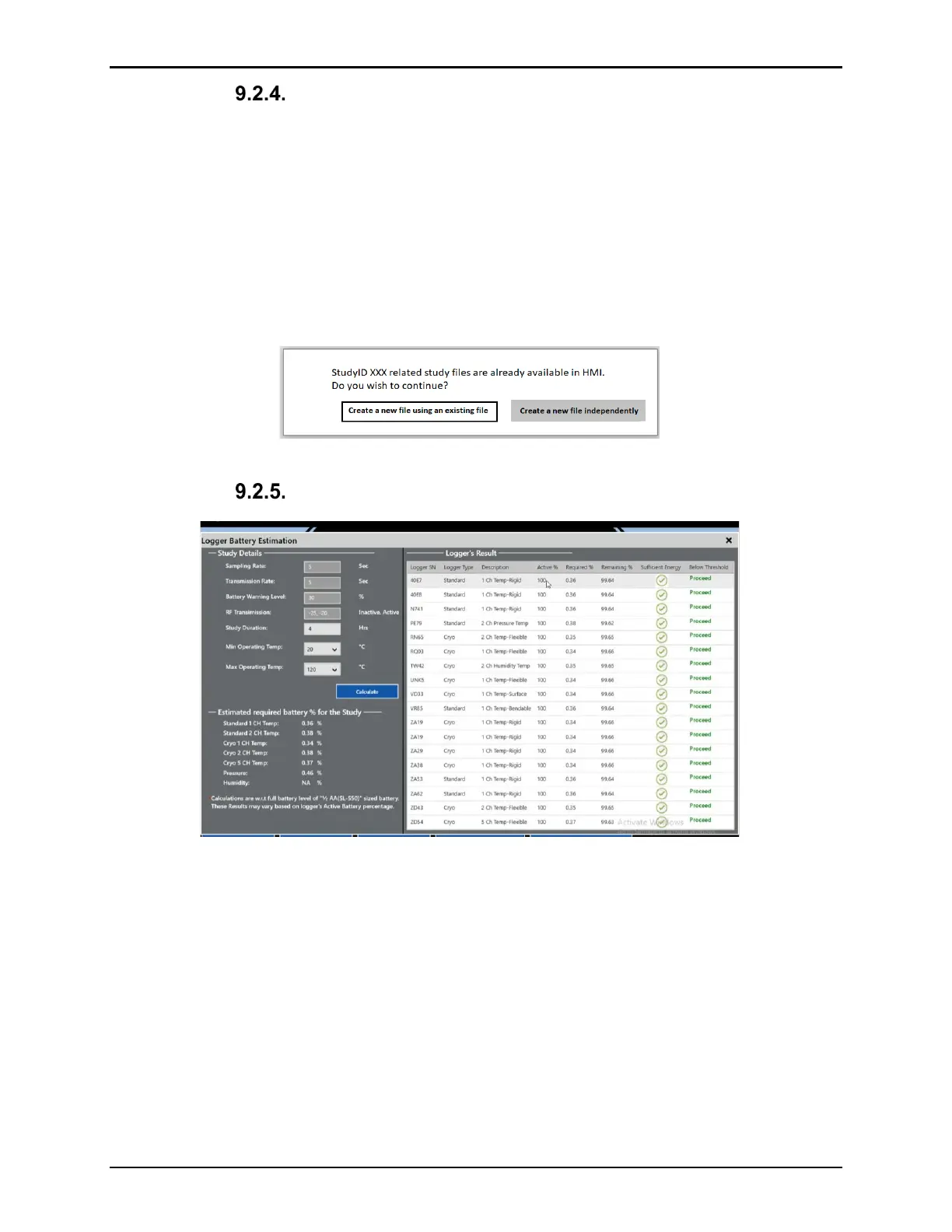
Battery Estimate
Figure 111: Battery Estimate Screen
Select the Battery Estimate button to open the Logger Battery Estimation screen. Here you
can ensure that the selected Loggers have enough battery life for the length of the study. Fill
in the information under Study Details, dependent on the particular study and select Calculate
to begin displaying battery levels in the table on the right. If a Logger’s battery is sufficient for
the study, a green checkmark and “Proceed” displays in the far-right columns otherwise, a red
checkmark and “Warning” displays. Select the X in the top-right corner when ready to leave
the screen, if you have any Loggers that have a warning, the prompt below displays, either
select Yes to unselect the Loggers listed or select Continue Anyway to return to the Select
Loggers screen.



 To Next Page