Chapter 5: File Management
ValProbe RT User Manual 56
Sync Out
The Sync out function is used to copy the data content of the console to another User defined
file location. If the content of one console is copied to a dedicated folder, it serves as a backup
function.
If the data of two or more consoles synchronizes to the same folder, the data is merged
together to build up a pool of shared data for a work group. Data that is sync’d out to the
master folder is appended to existing data. Only files which are not already present on the
current master folder are copied.
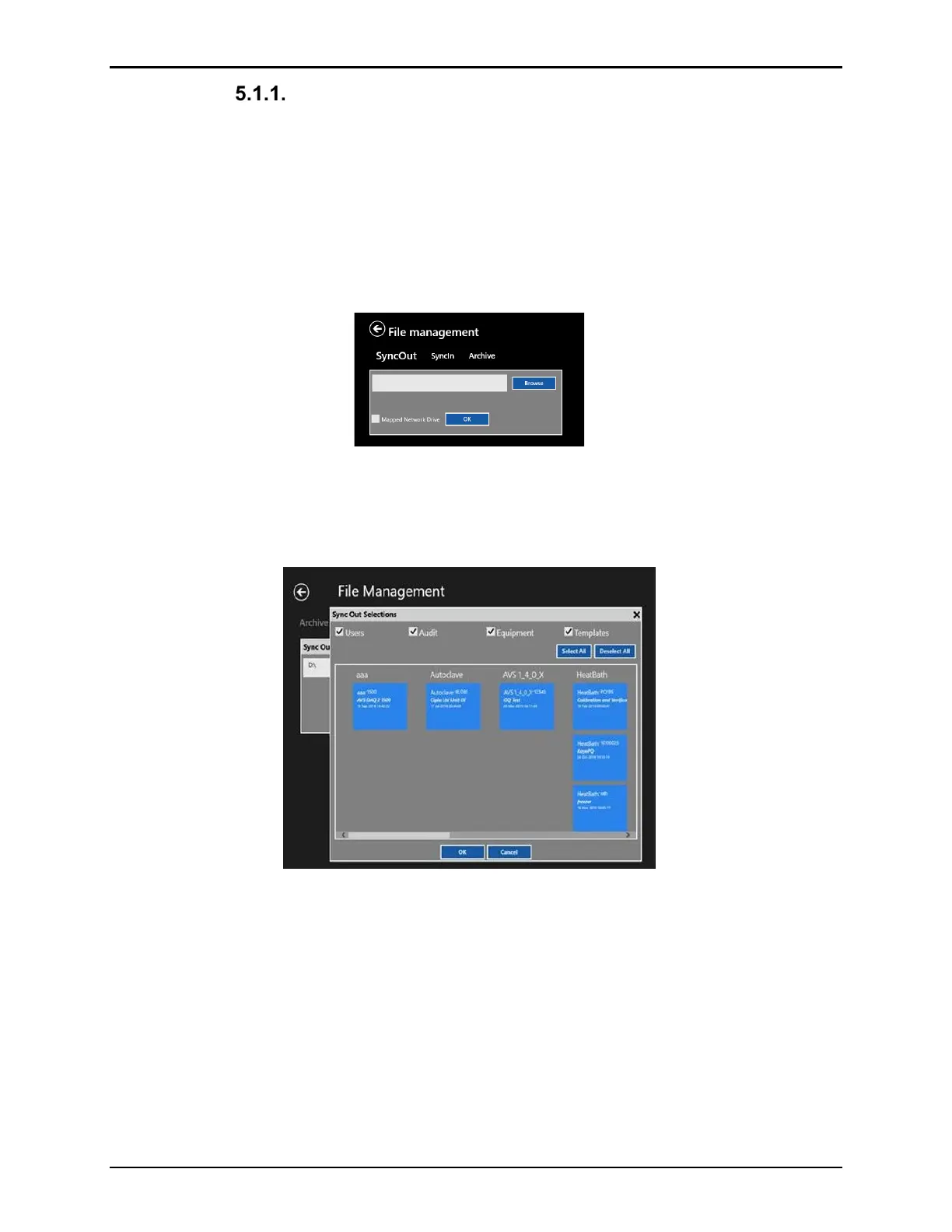
Figure 73: Sync Out
To perform the Sync Out function, select Sync Out. In the pop-up box enter the path to Sync
to. To simplify selection, select the Browse button to view all drives and folders. When
completed select OK.
Figure 74: Sync Out Data Selection
The Data selection screen displays and specifies the data to Sync Out. Data selections include:
• Current Users and privileges from User Management
• Audit Trail
• Equipment including Logger Sensor Verification files
• Pass-Fail Criteria Templates
• Desired Assets (includes Setups, Qualifications, Reports, and Documents)
Select OK when all selections have been completed. Unless there are existing folders,
separate folders are automatically created for the different choices of data. As required, Sync
Out additional folders.



 To Next Page